Script Planner Assistant▸
 AI Apps
 AI News

BQool BigTracker: Amazon Product Research & Sourcing Tool for Sellers
BQool BigTracker: Amazon Product Research & Sourcing Tool for SellersIntroduction
What is BigTracker Product Selection Tool?
BigTracker is an Amazon product research and selection tool developed by BQool, tailored for sellers looking to find Amazon bestsellers. It makes it easy to discover profitable products and your competitors' keywords.
Features of BigTracker Product Selection Tool
Extension Features
BigMovers Potential Bestseller Scoring System: Quickly identifies potential bestsellers to help sellers create hit products on Amazon.
One-Click Product Tracking: Add products directly to BigTracker Professional Edition to easily track product sales trends.
One-Click Sell-Through (Follow-Selling): After selecting a product, you can quickly list it. Available in both the web version and extension version. Connects to your Amazon backend—simply enter price, quantity, inventory, and other information to quickly list the product.
Product Tracking and Competitor Analysis
Updated Sales Data: Daily updates of tracked products' estimated order volume, sales, and multiple other product sales data, helping sellers find the most promising products.
Product Details Provided: Offers the product name, ASIN, dimensions, Q&A, review trends, and various other data points.
In-Depth Analysis and Comparison: Use the analysis comparison table to compare the sales performance of multiple products, list related products, and comprehensively cover category analysis.
Product Research
Bestseller Ranking Filter: Quickly filter out potential bestsellers through category rankings, sales rankings, seller rankings, and brand rankings.
Accurate Sales and Inventory Prediction: Helps sellers accurately predict Amazon sales and inventory.
Market Size Analysis: Enter keywords to analyze Amazon market size.
Other Featured Functions
Includes email notifications for sell-through and product status changes, data cross-comparison, precision search filters, product data export, product historical price and ranking trends, Q&A and review tracking, Amazon Top 100 bestsellers ranking, accurate sales estimation, product profit calculator, translation features, and more.
BigTracker Product Selection Tool Tutorial
1. Install the Extension
Go to the Chrome Web Store and follow the prompts to install the BigTracker extension. Once installed, the BigTracker icon will appear in your browser toolbar.
2. Using the BigTracker Extension
Open Amazon Pages: Open Amazon in your browser and navigate to a product search page or product detail page.
Click the Extension Icon: Click the BigTracker extension icon in your browser toolbar to activate the extension's features.
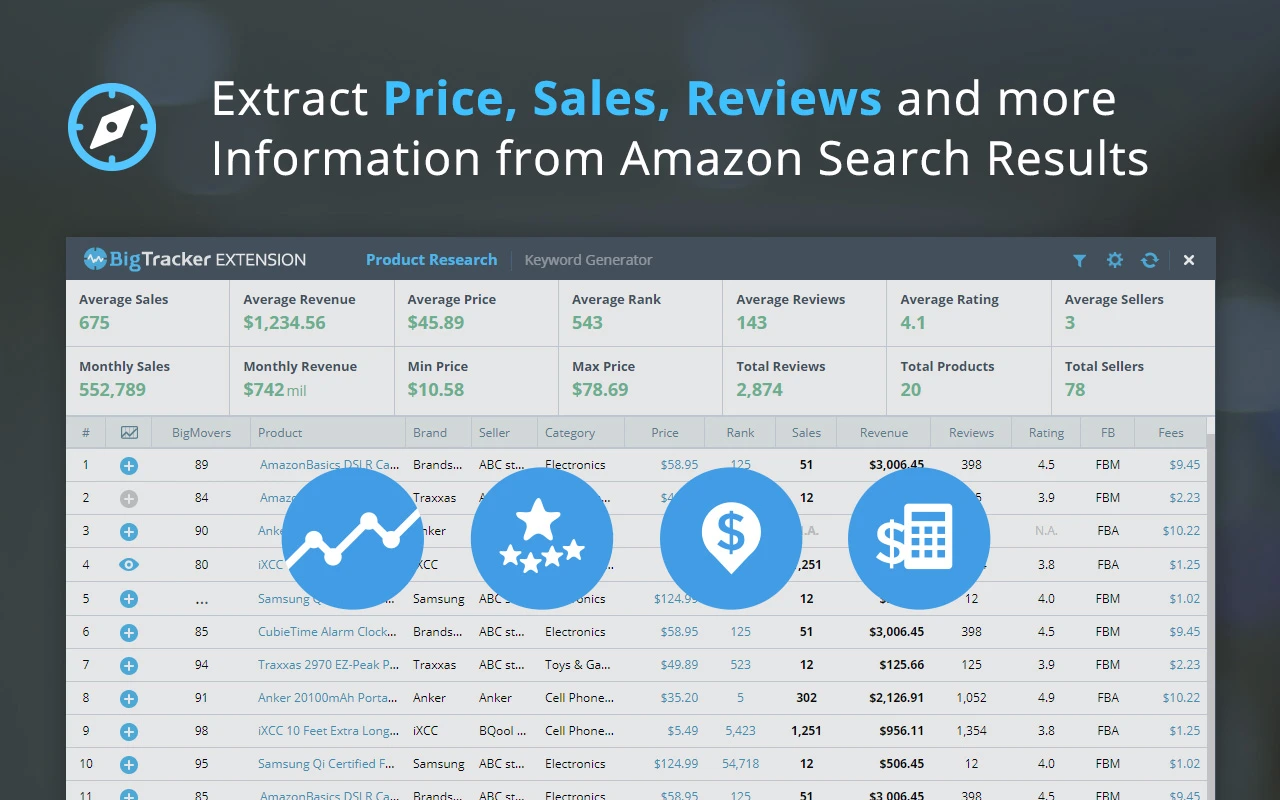
View Product Data: On Amazon search result pages or product detail pages, BigTracker will automatically load and display the product's relevant data, including historical price, sales ranking, total reviews and ratings, estimated order volume and sales, FBA fees, profit, and more.
BigMovers Potential Bestseller Score: The extension provides each product with a potential bestsellers score (1-99) to help you quickly gauge its development potential. A high score (80-99) indicates high development potential, while a low score (1-20) indicates lower development potential.
3. Product Tracking and Competitor Analysis
Add Products to Tracking List: On a product detail page, click the BigTracker extension icon and select the "Track Product" option to add the target product to your tracking list.
View Tracking Data: Log in to your BigTracker account and view daily updated data for your tracked products in the "Product Tracking" module of the backend, including estimated order volume, sales, product price changes, review trends, and more.
Analyze Competitors: Use BigTracker's competitor analysis feature to compare sales data across multiple products, understand your competitors' strengths and weaknesses, and identify market gaps.
4. One-Click Sell-Through
Select Target Product: Find the product you want to sell-through on Amazon search result pages or product detail pages.
Click the Sell-Through Button: Click the BigTracker extension icon and select the "One-Click Sell-Through" function.
Fill in Product Information: Enter the product's price, quantity, inventory, and other information in the pop-up window, then click the "Confirm" button.
Batch Upload: If you need to sell-through multiple products in bulk, use BigTracker's Inventory Loader feature. Organize the product information into a file that matches the Amazon backend format, then upload it to your Amazon backend in bulk with one click.
5. Product Research
Enter the Product Research Module: Log in to your BigTracker account and operate within the "Product Research" module of the backend.
Enter Keywords: Type the keywords you're interested in into the search box, such as product category, brand name, etc.
Filter Data: Use the filtering feature provided by BigTracker to filter out potential bestseller products based on criteria such as sales, review rating, total number of sellers, inventory quantity, and estimated sales.
View Research Results: View the filtered product list to understand the detailed data of each product, including market size, sales forecast, profit analysis, and more, to make product selection decisions.
6. Using Other Features
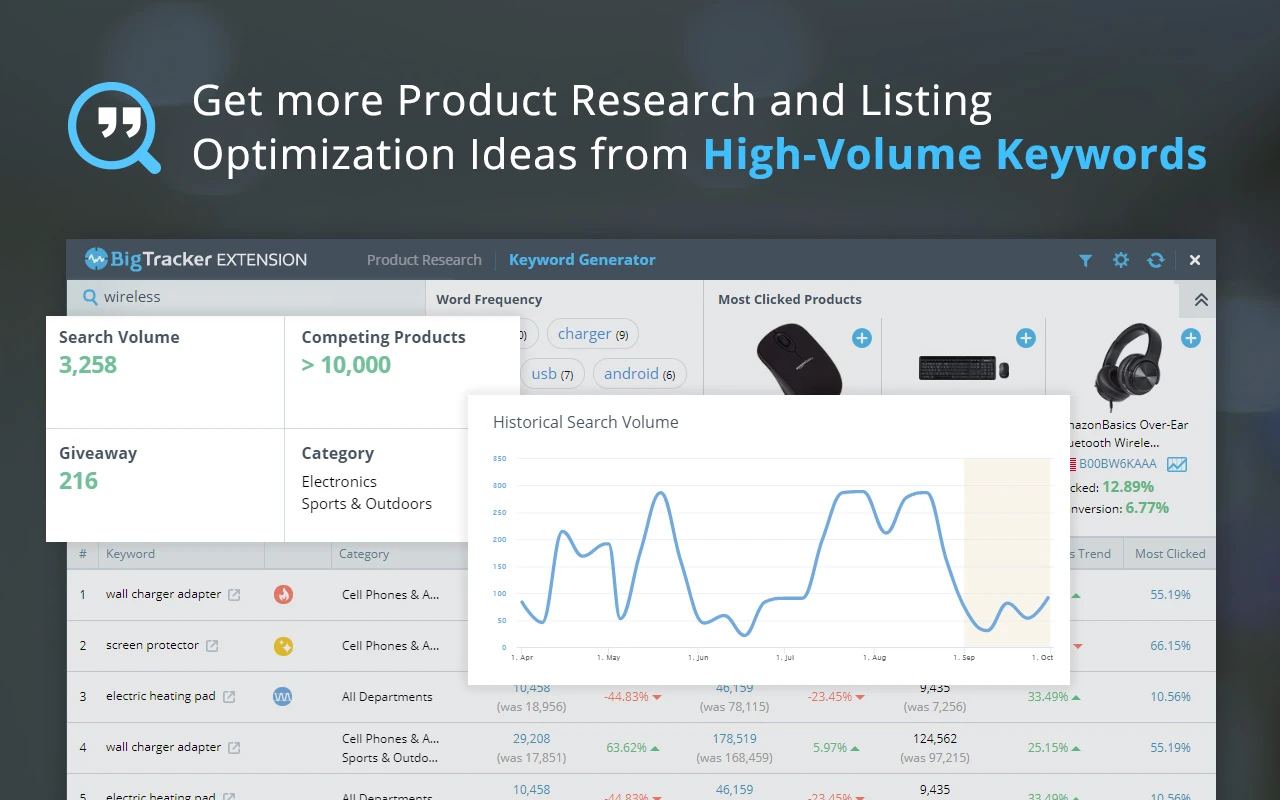
Keyword Optimization: Enter relevant keywords in BigTracker's keyword generator to get more profitable keywords, optimize product titles and descriptions, and increase organic traffic to your products.
ASIN Reverse Lookup: Enter the ASIN of a target product to view its associated keywords, search volume, organic ranking, and ad ranking data—understanding your competitors' keyword strategies.
Data Export: Export product data, keyword data, and more as Excel files for further analysis and organization.
Pricing
New users can try it free for 14 days, after which the plans are as follows:
Basic Plan: $25/month.
Standard Plan: $50/month.
Business Plan: $100/month.