
 Script Planner Assistant▸
 AI Apps
 AI News

OnePPT: Innovative AI-Powered PPT Generator
OnePPT: Innovative AI-Powered PPT GeneratorIntroduction
What is Oneppt?
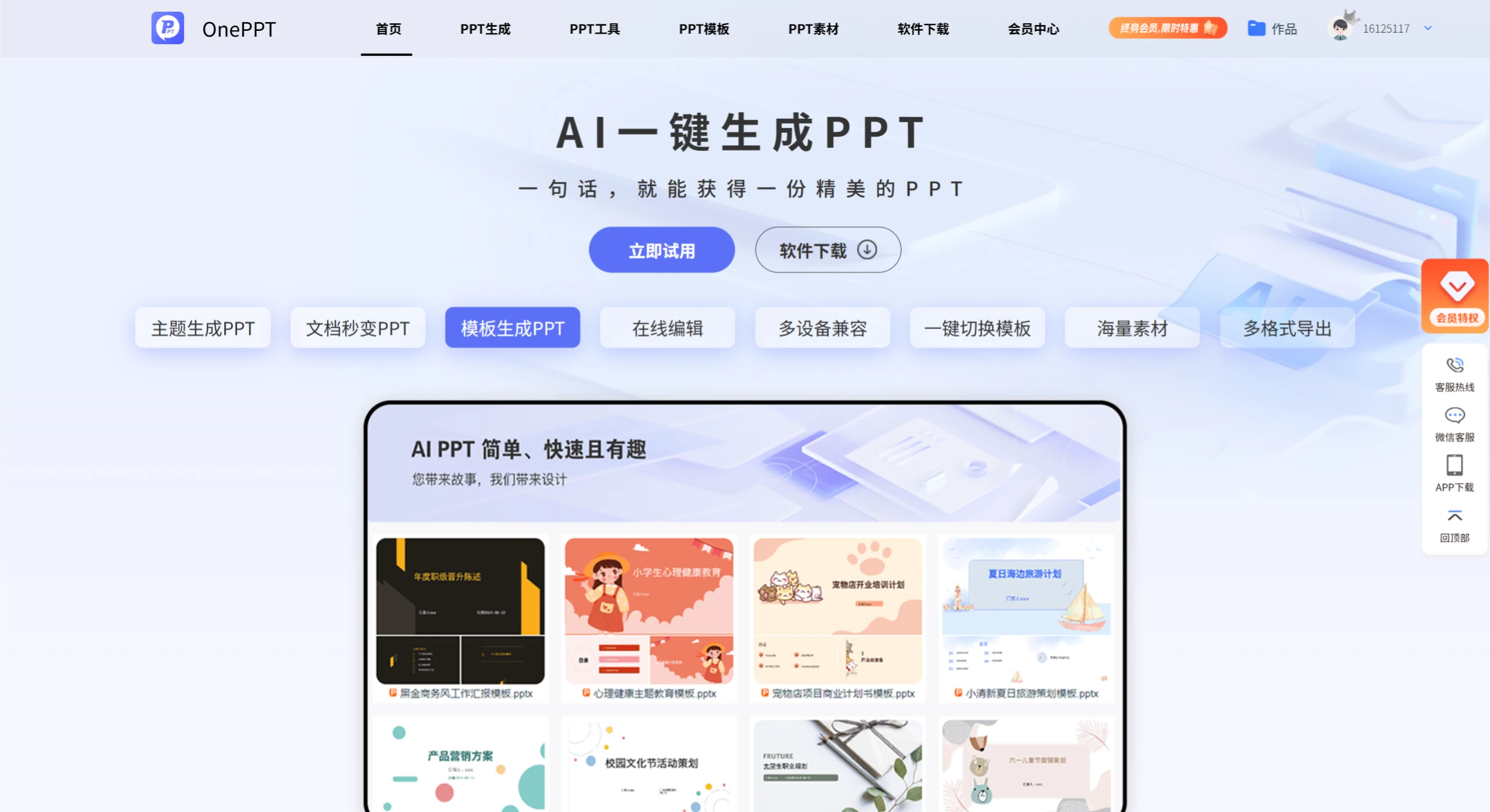
OnePPT is a powerful online PPT creation tool that supports ai one-click PPT generation. Simply enter a topic or upload a PDF, Word, or Txt file (file size no more than 5MB; scanned PDFs are not supported) to quickly generate a presentation. It features a variety of capabilities, such as online editing, multi-device compatibility (supporting Android, iOS, and WeChat Mini Programs), one-click switching among a massive library of templates, multi-format export, guaranteed PowerPoint compatibility, and a strong focus on data protection — enabling users to easily, quickly, and enjoyably turn their ideas into stunning PPTs.
OnePPT Core Features
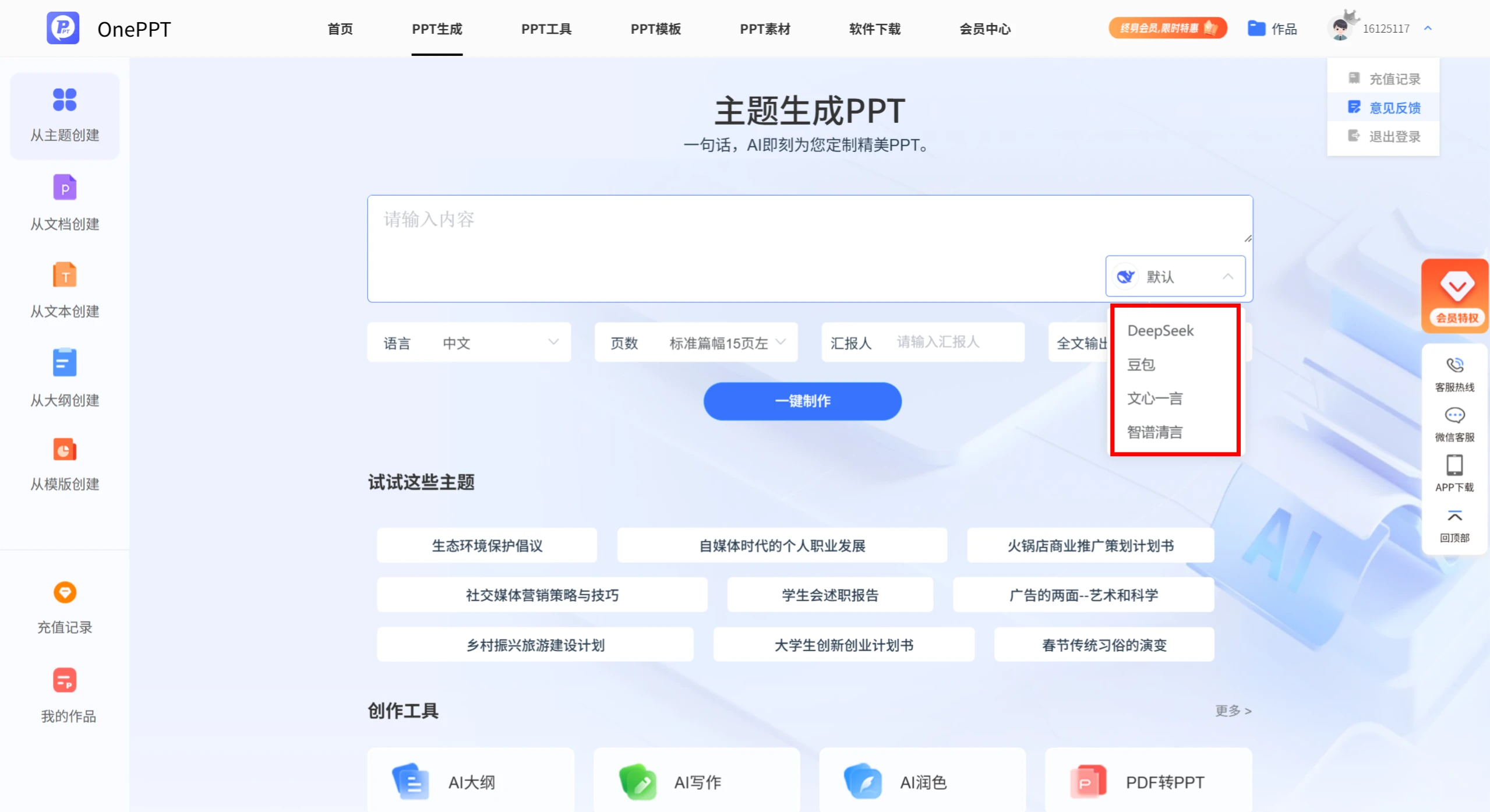
AI One-Click PPT Generation: Users only need to enter a topic to get a beautifully crafted PPT. For example, entering "Personal Career Development in the Self-Media Era" instantly generates a relevant presentation.
Document-to-PPT in Seconds: Supports uploading PDF, Word, and Txt files (file size must not exceed 5MB, and scanned PDFs are not supported) to extract key points and effortlessly generate a PPT.
Template-Based PPT Generation: Offers a rich template library, allowing users to choose a template that suits their needs and apply it to the generated PPT with a single click.
Online Editing: No need to open other software — PPT modifications can be completed directly on the OnePPT platform.
Multi-Device Compatibility: Available on Android, iOS, and WeChat Mini Programs, making it convenient for users to create anytime, anywhere.
Multi-Device Compatibility: Available on Android, iOS, and WeChat Mini Programs, making it convenient for users to create anytime, anywhere.
One-Click Template Switching: Offers flexible template-switching functionality, allowing users to change the overall style of their PPT at any time based on personal preference or need.
Massive PPT Template Library: Provides a wealth of PPT resources, including images, charts, icons, and more, helping users enrich the content and visual appeal of their PPTs.
Multi-Format Export: Supports export to PowerPoint format, ensuring compatibility and convenience for all users.
OnePPT Application Scenarios
Career Development: Personal career development planning in the self-media era, personal regular employee transition reporting.
Business Promotion: Business promotion plan for a hot pot restaurant, product marketing plans.
Academic Reports: College student innovation and entrepreneurship plans, student council work reports.
Cultural Themes: The evolution of Spring Festival traditions, ecological environment protection initiatives.
OnePPT Pricing
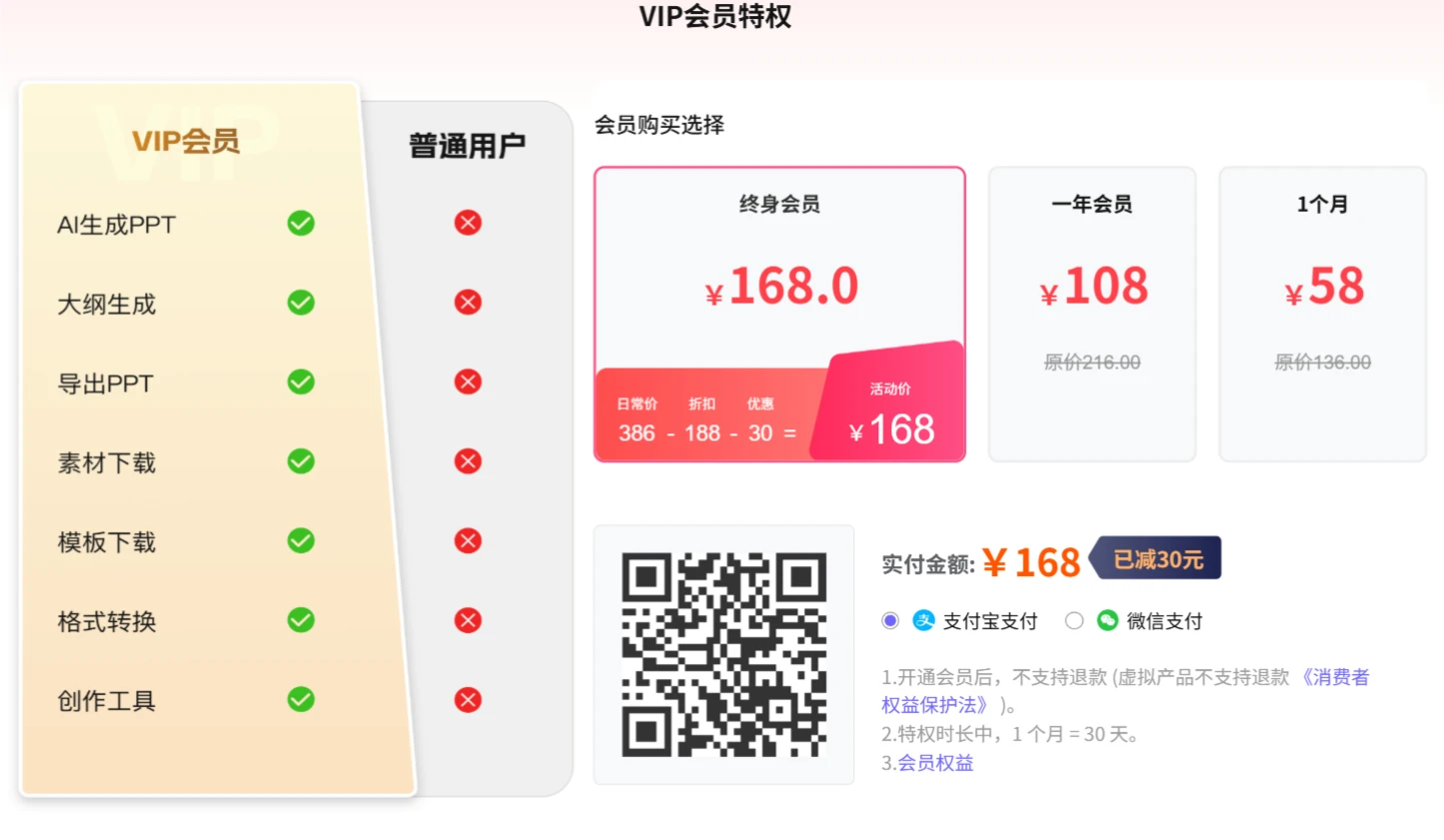
Lifetime Membership: 168 yuan
One-Year Membership: 108 yuan
One Month: 58 yuan
OnePPT FAQ
Which file formats does OnePPT support for converting into PPT?
Answer: OnePPT supports uploading PDF, Word (doc, docx), and Txt files for conversion into PPT. Please note that scanned PDFs are not supported, and uploaded files must not exceed 5MB in size.
What advantages does OnePPT offer in terms of device usage?
Answer: OnePPT is multi-device compatible and supports use on Android and iOS devices as well as WeChat Mini Programs, making it convenient for users to start creating PPTs anytime, anywhere.
How exactly does OnePPT's AI one-click PPT generation feature work?
Answer: Users simply need to enter a PPT topic on the platform, and they can obtain a beautifully crafted PPT with one click. No complex operations are required — ideas can be quickly transformed into a ppt.















