
 Script Planner Assistant▸
 AI Apps
 AI News

Krillin AI: A Local Tool for Video Translation, Dubbing & Voice Cloning
Krillin AI: A Local Tool for Video Translation, Dubbing & Voice CloningIntroduction
What is Krillin AI?
Krillin AI is a local tool for video translation, dubbing, and voice cloning, compatible with mainstream video platforms both in China and abroad. It supports large models compliant with the OpenAI API specification, and by default supports CosyVoice or custom voice cloning. It supports a variety of speech translation services, covering 100 languages such as Chinese, English, Japanese, and German. It supports Windows, Linux, and Mac versions, enabling one-click deployment of the entire workflow, and can generate content adapted for Douyin, Xiaohongshu, Bilibili, Channels, TikTok, YouTube Shorts, and other formats.
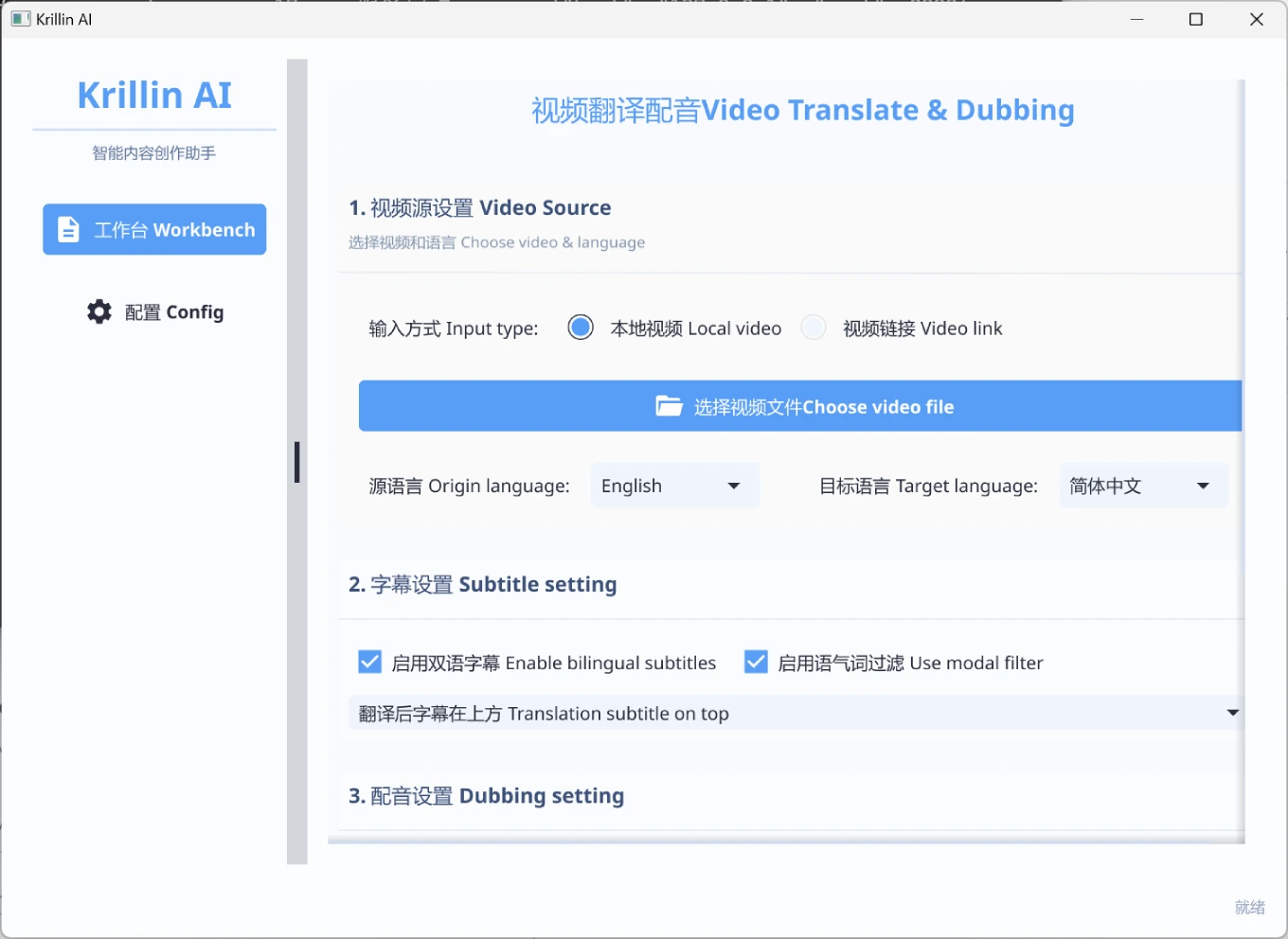
Main Features of Krillin AI
One-Click Launch: No complex configuration required, dependencies are installed automatically, with a new desktop version for greater convenience.
Video Acquisition: Supports downloading via yt-dlp or uploading local files.
Accurate Recognition: High-accuracy speech recognition powered by Whisper.
Intelligent Segmentation: Uses LLM for subtitle segmentation and alignment.
Term Replacement: One-click replacement of domain-specific terminology.
Professional Translation: LLM-based paragraph-level translation that preserves semantic coherence.
Dubbing Cloning: Provides curated CosyVoice voices or custom voice cloning.
Video Composition: Automatically handles horizontal and vertical video formats as well as subtitle layout.
Large Model Support
Compatible with all cloud/local large model services that conform to the OpenAI API specification:
OpenAI
DeepSeek
Tongyi Qianwen
Locally deployed open-source models
Other API services compatible with the OpenAI format
Language Support
Input language support: Chinese, English, Japanese, German, Turkish, Korean, Russian, Malay (continuously expanding)
Translation language support: 101 languages including English, Chinese, Russian, Spanish, and French
How to Install the Desktop Version of Krillin AI
1. Download the Desktop Version Files
Visit the Krillin AI GitHub repository: Krillin AI GitHub.
On the repository's "releases" page, find the desktop version executable file suitable for your operating system (the version with "desktop" in the file name) and download it locally.
2. Create an Empty Folder
Create an empty folder on your computer and place the downloaded desktop executable file into this folder.
3. Launch the Software
Windows users: Double-click the downloaded executable file to launch the software.
macOS users: Since the desktop version has signature issues, you need to manually trust the application:
Open the terminal and navigate to the directory containing the executable file.
Execute the following command (assuming the file name is KrillinAI_1.0.0_desktop_macOS_arm64):
sudo xattr -cr ./KrillinAI_1.0.0_desktop_macOS_arm64
sudo chmod +x ./KrillinAI_1.0.0_desktop_macOS_arm64
./KrillinAI_1.0.0_desktop_macOS_arm64
This will launch the software.
4. Configure the Software
Although the desktop version simplifies the configuration process, some basic configuration is still required within the software, such as selecting speech recognition and translation service providers and filling in the corresponding API keys (e.g., the OpenAI API key).
If more advanced configuration is needed, refer to the configuration help in the official documentation.
5. Start Using
Once configuration is complete, you can use Krillin AI for video processing, including subtitle generation, translation, dubbing, and other features.
GitHub:https://github.com/krillinai/KrillinAI














