Script Planner Assistant▸
 AI Apps
 AI News

Learn Something Today: Metaso AI's Tool That Turns Files or Links into Learning Courses
Learn Something Today: Metaso AI's Tool That Turns Files or Links into Learning CoursesIntroduction
What is "Learn Something Today"?
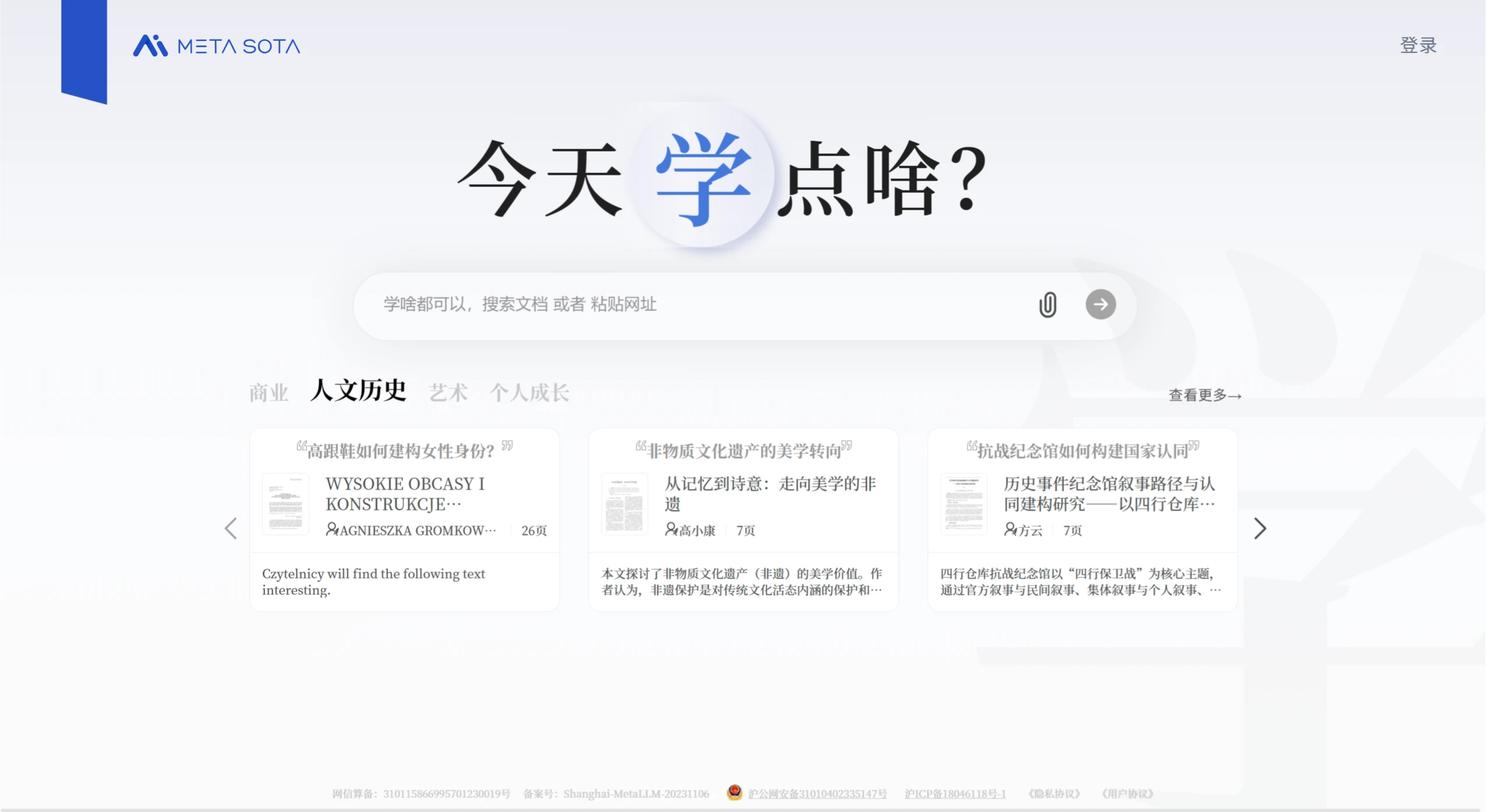
"Learn Something Today" is a learning tool launched by Metaso AI on April 21, 2025. Users input a file or URL, and the system creates personalized explanations based on the content and the user's needs. It supports multiple styles, such as classroom, story, Li Bai-style, and more, and comes equipped with slides, audio, and animations. It covers many fields including academia, workplace, and entertainment, and can also generate questions to test learning effectiveness. Currently, only the PC version is supported, and mobile support is expected in the future.
Features
Personalized Learning Experience: Users only need to input a file or URL, and the system uses natural language processing and deep learning technologies to analyze the content structure and themes, combined with the user's knowledge level, habits, and interests, to generate customized explanations.
Multiple Explanation Styles: Supports various explanation styles, such as classroom mode, story mode, novel style, Li Bai style, grumpy-bro style, etc., to satisfy the preferences of different users.
Rich Content Formats: The system generates explanation slides, audio, and even voices that match the selected style and character settings. Some courses also come with SVG animations.
Learning Effectiveness Check: After learning is complete, the system generates questions to test whether users have paid attention, helping to consolidate the knowledge learned.
Use Cases
Academic Learning: Complex content such as academic literature and professional books can be transformed into easy-to-understand explanations, lowering the barrier to comprehension. For example, uploading "Biographies of Lian Po and Lin Xiangru" from Qian Zhongshu's "Guanzhui Bian" allows the system to generate explanations covering literary analysis and historical background within 5 minutes.
Workplace Knowledge Supplement: Provides customized knowledge supplementation for professionals, helping them improve their professional skills.
Leisure and Entertainment: Users can upload novels and other content, and choose their favorite style for speed-reading or immersive experiences.
Advantages and Innovations
Genuine Personalization: Content is tailored based on the user's knowledge background, rather than simply selecting a difficulty level.
Diverse Expression: Capable of switching between multiple styles to meet the needs of different users.
Comprehensive Content Coverage: From academic papers to online articles, there is almost no domain limitation.
Educational Equity: Promotes educational equity by presenting complex knowledge in a more understandable way.
How to Use Tutorial
1. Visit the Website
Access via PC: Open the Metaso AI official website, click the blue bar in the upper right corner of the homepage to switch to the "Learn Something Today" page, or directly enter the URL https://metaso.cn/study.
2. Select Learning Content
Input a file or URL: Paste the file to be learned (such as a document, PDF, etc.) or URL into the designated input box. Multiple formats and content types are supported, including academic literature, novels, news, etc.
3. Select Explanation Style
Personalized Style Selection: Choose an explanation style based on your preferences, such as classroom mode, story mode, novel style, Li Bai style, grumpy-bro style, etc.
4. Start Learning
Generate Learning Content: Click the "Start Learning" button, and the system will automatically analyze the content and generate a course. The course not only includes ppt, but also features SVG animations when explaining some technical principles, as well as voices that match the style and character settings.
Watch or Listen: Learn through slides, audio, or animations, and the system will explain in the selected style and manner.
5. Learning Effectiveness Check
Test After Learning: After learning is complete, the system will also ask questions, generate quizzes, and invite friends to PK, to test learning effectiveness and consolidate knowledge.
6. Save
Save Learning Content: Users can save the generated slides or audio for later review.