
 Script Planner Assistant▸
 AI Apps
 AI News
Raphael AI: A Free, Unlimited AI Image Generator Powered by FLUX.1-Dev
Raphael AI: A Free, Unlimited AI Image Generator Powered by FLUX.1-DevIntroduction
What is Raphael AI?
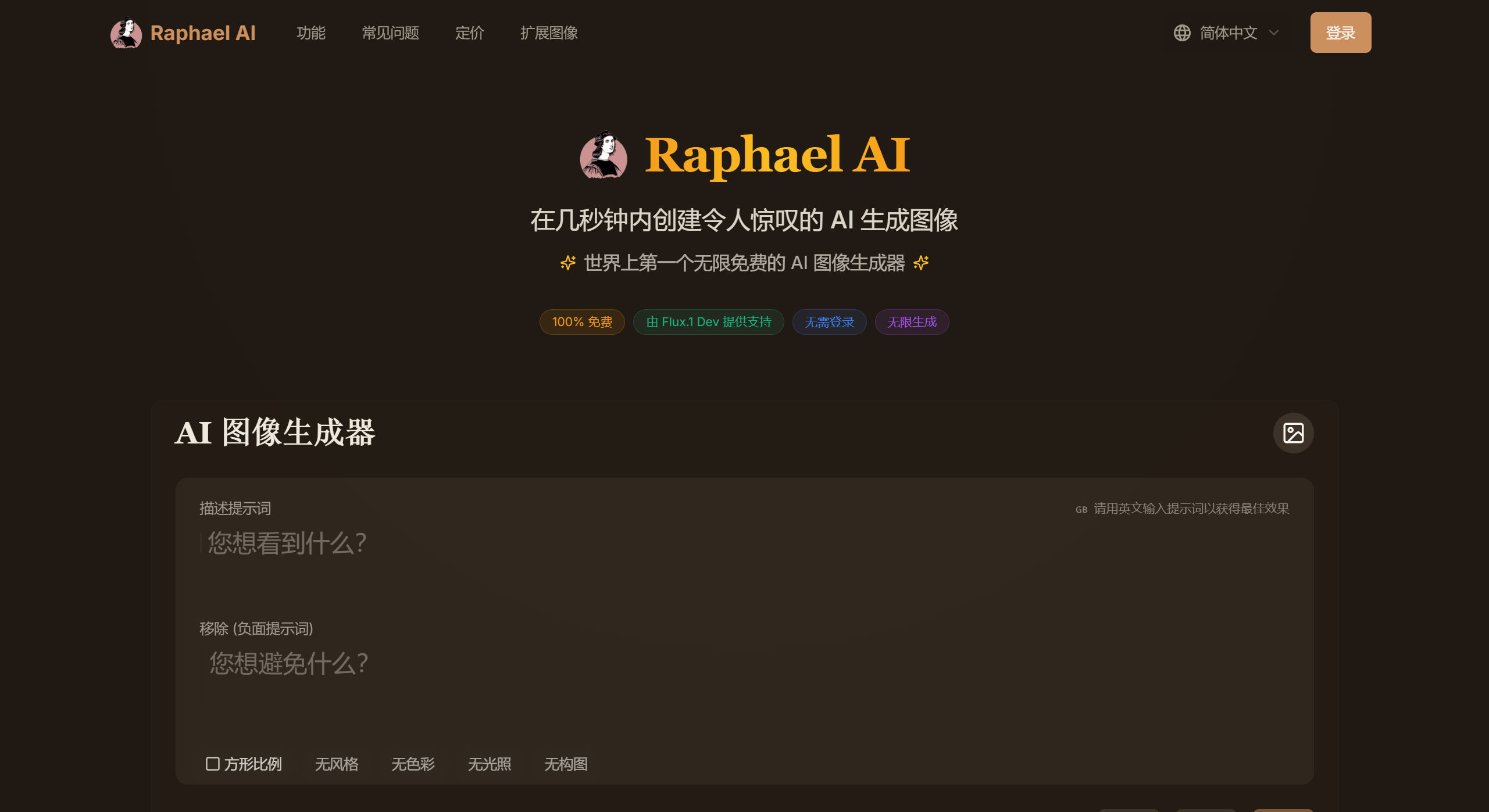
Raphael AI is the world's first completely free and unlimited AI image generator. Powered by the FLUX.1-Dev model, users can generate images from text descriptions without registration or login—just open the webpage. Since its launch in January 2025, it has surpassed one million monthly visits, and its founder was interviewed by "Cheng Qian's Circle" (a Douyin account with 6 million followers).
Raphael AI Features and Advantages
High-Quality Image Generation: The FLUX.1-Dev model delivers outstanding performance, producing images rich in detail with strong realism and diverse artistic styles. It accurately renders various styles including realistic scenes, anime characters, oil painting textures, and digital artworks. Strong Privacy Protection: A zero data retention policy is in place—user-entered prompts and generated images are not stored on the server and are deleted promptly after generation, fully safeguarding user privacy.
Completely Free and Unlimited: No registration or login required, unlimited generations, and generated images can be used for commercial or personal purposes.
Multi-Style Support: Supports 17 artistic styles (such as realism, anime, cyberpunk, etc.), with adjustable color, lighting, and composition details.
Lightning-Fast Generation: Fast generation speed, averaging no more than 10 seconds per image. Supports batch generation and provides reference image features for improved consistency; supports negative prompts to exclude unwanted elements.
Privacy Protection: A zero data retention policy is in place—user-entered prompts and generated images are not stored on the server, and history is automatically cleared upon page refresh.
Raphael AI Limitations
Resolution Limits: The free version only supports fixed resolution and cannot be custom-adjusted.
Chinese Compatibility: Weak understanding of complex Chinese prompts, which may result in lost details.
Ad Issues: Non-logged-in users may see ads at the bottom after multiple uses.
Raphael AI Application Scenarios
Designers/Creators: Quickly generate concept art, illustrations, and product showcase images.
Marketing/E-commerce: Create advertising materials, social media graphics, and product display images.
General Users: Explore AI creativity, generate personalized avatars, wallpapers, and more.
Raphael AI User Guide
1. Visit the Website
Type https://raphael.app/zh directly into your browser, or click the link to enter the Chinese homepage of Raphael AI.
2. Enter Text Prompts
In the text input box on the website, enter the description of the image you want to generate. The more detailed and specific the text prompt, the better the generated image will typically be. For example:
"A futuristic city nightscape in cyberpunk style, with neon lights flickering, towering skyscrapers, and a strong sense of technology."
"A cute cartoon cat sitting under a cherry blossom tree, with a scene full of spring atmosphere."
3. Select Generation Options (Optional)
Style Selection: You can choose the style of the generated image, such as realism, anime, oil painting, digital art, etc.
Aspect Ratio: Choose the aspect ratio of the generated image—vertical, wide, or square options are available.
Other Parameters: Negative prompts, color, lighting, composition, etc.
4. Start Generation
Click the "Generate" button, and Raphael AI will start generating the image based on your text prompt.
The generation process is usually fast. For those seeking higher resolution or custom features, upgrading to a membership may be considered (but is not necessary).















