
 Script Planner Assistant▸
 AI Apps
 AI News

CloneUI: Turn Screenshots, URLs, or Figma into Code Instantly
CloneUI: Turn Screenshots, URLs, or Figma into Code InstantlyIntroduction
What is CloneUI?
CloneUI is a powerful AI-driven image-to-code tool that can convert screenshots, URLs, or Figma designs into React, Vue, or HTML/CSS code with one click. It supports mainstream image formats such as PNG, JPG, JPEG, and WEBP, allowing you to quickly replicate website structures and generate responsive code, and can even handle dynamic effects and interaction logic.
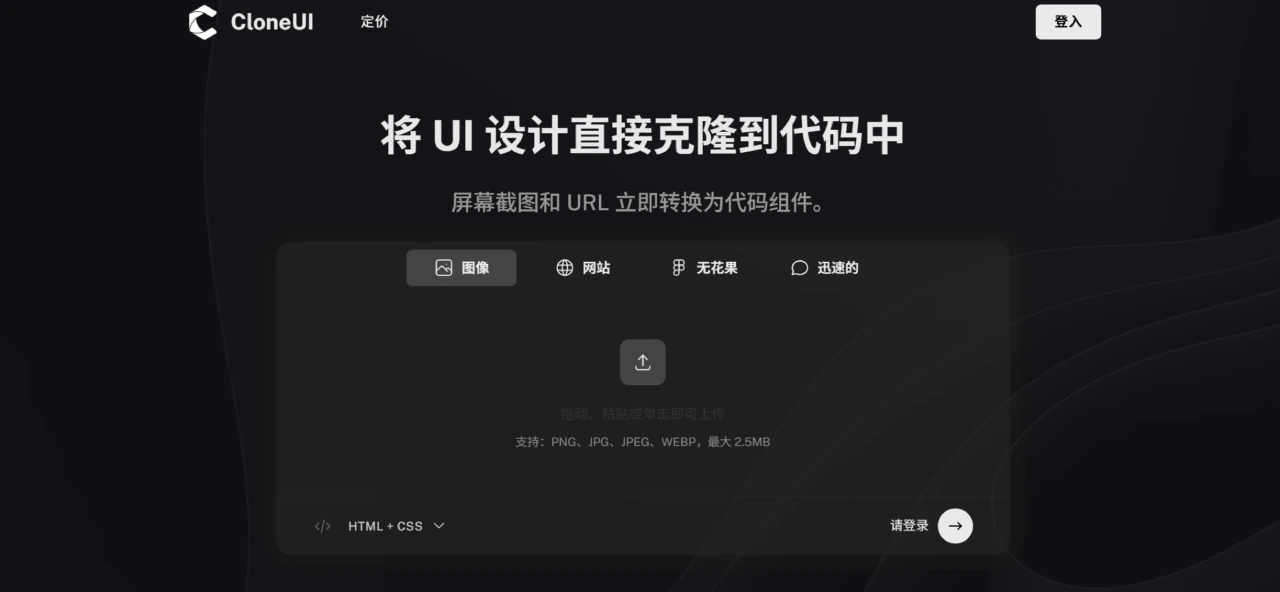
CloneUI Features
Screenshot to code: Users only need to upload a webpage screenshot to quickly generate the corresponding code.
URL cloning: By entering the URL of a webpage, you can easily replicate the structure of an entire website.
Figma design to code: Supports converting Figma designs into code with one click.
Chat idea to code: Users can have CloneUI generate corresponding UI components through simple text descriptions.
CloneUI Highlights
Intelligent component recognition: Leverages AI technology to automatically identify and map UI components.
Multi-framework support: The generated code supports mainstream front-end frameworks such as React, Vue, and pure HTML/CSS.
Responsive design: The generated code comes with built-in responsive capabilities, adapting to various screen sizes.
Code maintainability: The output code is component-based, with clear Props interfaces and comments.
Real-time preview: Provides a real-time preview feature, allowing users to instantly view the effects while generating code, making it easy to debug and optimize.
Who CloneUI Is For
Developers: Quickly replicate competitors or refactor legacy projects.
Designers: Designers can use the tool to convert design mockups directly into front-end code, instantly turning them into usable interactive prototypes.
Product managers: Validate page solutions at a low cost.
Students: Learn mainstream framework code practices.
How to Use CloneUI
Upload: Upload design mockups, paste a URL, a Figma link, or enter a prompt (such as "clone:webpage URL").
AI generation: The system automatically parses and generates code.
Export: Export the generated code into the desired format.












