Script Planner Assistant▸
 AI Apps
 AI News

Alipay Tbox: Ant Group's One-Stop AI-Native App Development Platform
Alipay Tbox: Ant Group's One-Stop AI-Native App Development PlatformIntroduction
What is Alipay Tbox?
Alipay Tbox is a zero-code AI application development platform that allows users to quickly create AI agents through natural language without any programming skills. It supports multiple models, such as Tongyi Qianwen and Ant Bailing, and can perform various functions such as conversation, text generation, and image generation. Agents can be published to Alipay Mini Programs, Apps, and other platforms with one click, making it suitable for individuals, merchants, and developers.
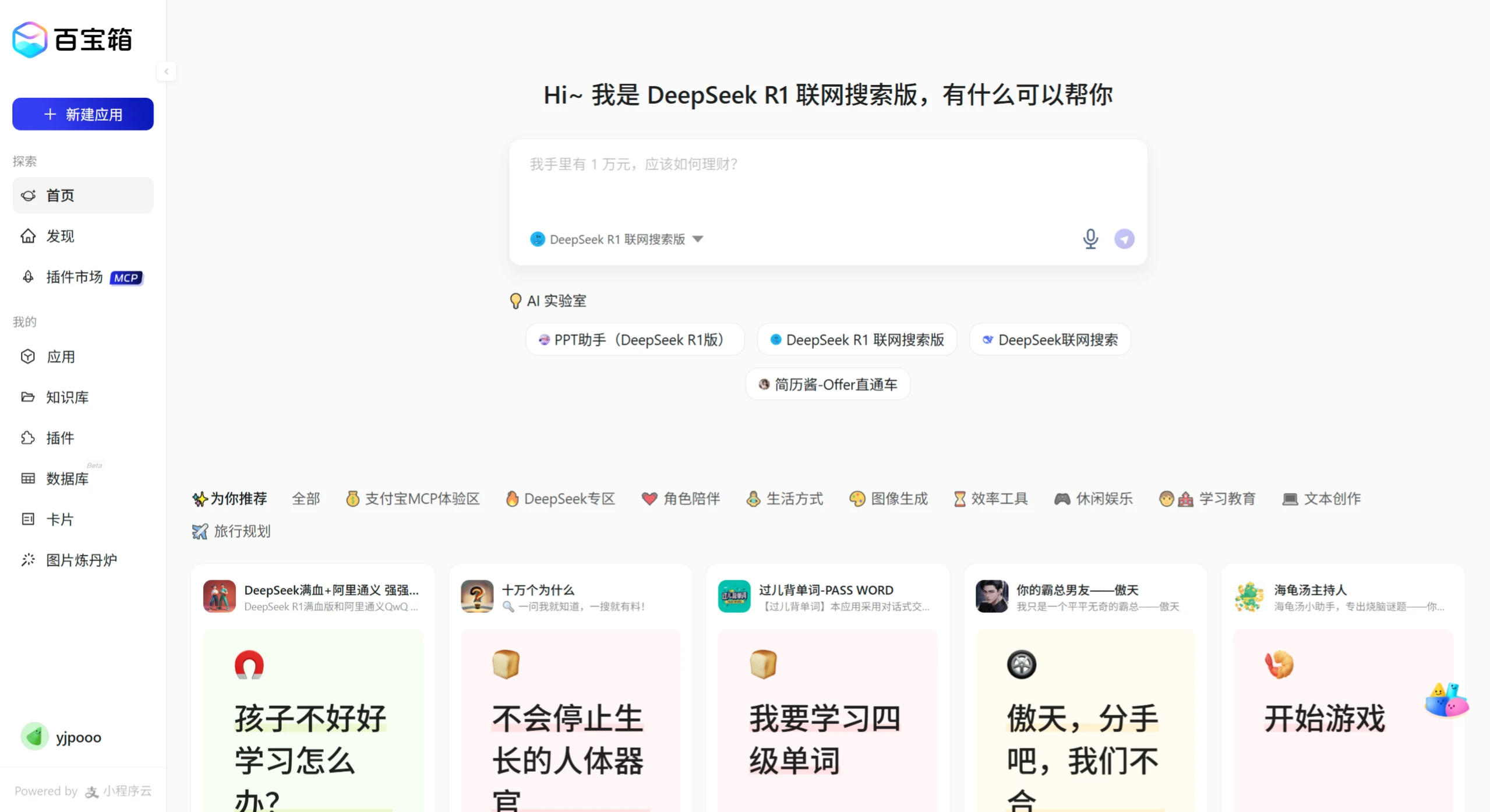
Main Features of Alipay Tbox
Zero-code development: No programming background required; create a dedicated agent in as little as 1 minute.
Multi-platform distribution: Created agents can be published with one click to multiple platforms such as Alipay Mini Programs, Alipay App, and Zhibobao App.
Rich model support: The platform integrates multiple mainstream large models, such as Tongyi Qianwen, Ant Bailing, and Zhipu, which users can choose based on their needs.
Application cloning: Users can clone existing agents to quickly create new applications.
Multi-scenario applications: Supports various agent types including conversational, text-based, text-to-image, image-to-image, and workflow, covering industries such as transportation, government services, dining, and healthcare.
Knowledge base management: Users can import data in multiple formats (such as PDF, TXT, etc.) to build personalized knowledge bases.
Application Scenarios of Alipay Tbox
Individual users: Create fun conversational chatbots, image generators, and other applications.
Merchants and developers: Quickly build and deploy agents to improve service efficiency.
Industry partnerships: In fields such as healthcare, cultural tourism, and media, Tbox provides agent solutions based on industry knowledge.
Advantages of Alipay Tbox
Free to use: Currently, multiple models provided by the platform are open for free with no quota limits.
Visualized chain of thought: The integrated full-version DeepSeek R1 supports visualization of the chain-of-thought reasoning process.
Efficient service integration: Agents can seamlessly connect with more than 20 Alipay tools such as payment, search, and Mini Programs.
Tutorial on Using Alipay Tbox
1. Environment Preparation
Visit the Alipay Tbox official website: https://tbox.alipay.com. If you need to use the professional version, you can access the professional version entry.
Log in using an Alipay enterprise-verified account or an individual developer account.
2. Create Application
Click "New Application", fill in the application name and feature description, and upload the application icon.
Select the application type (conversational or content generation) and the construction method.
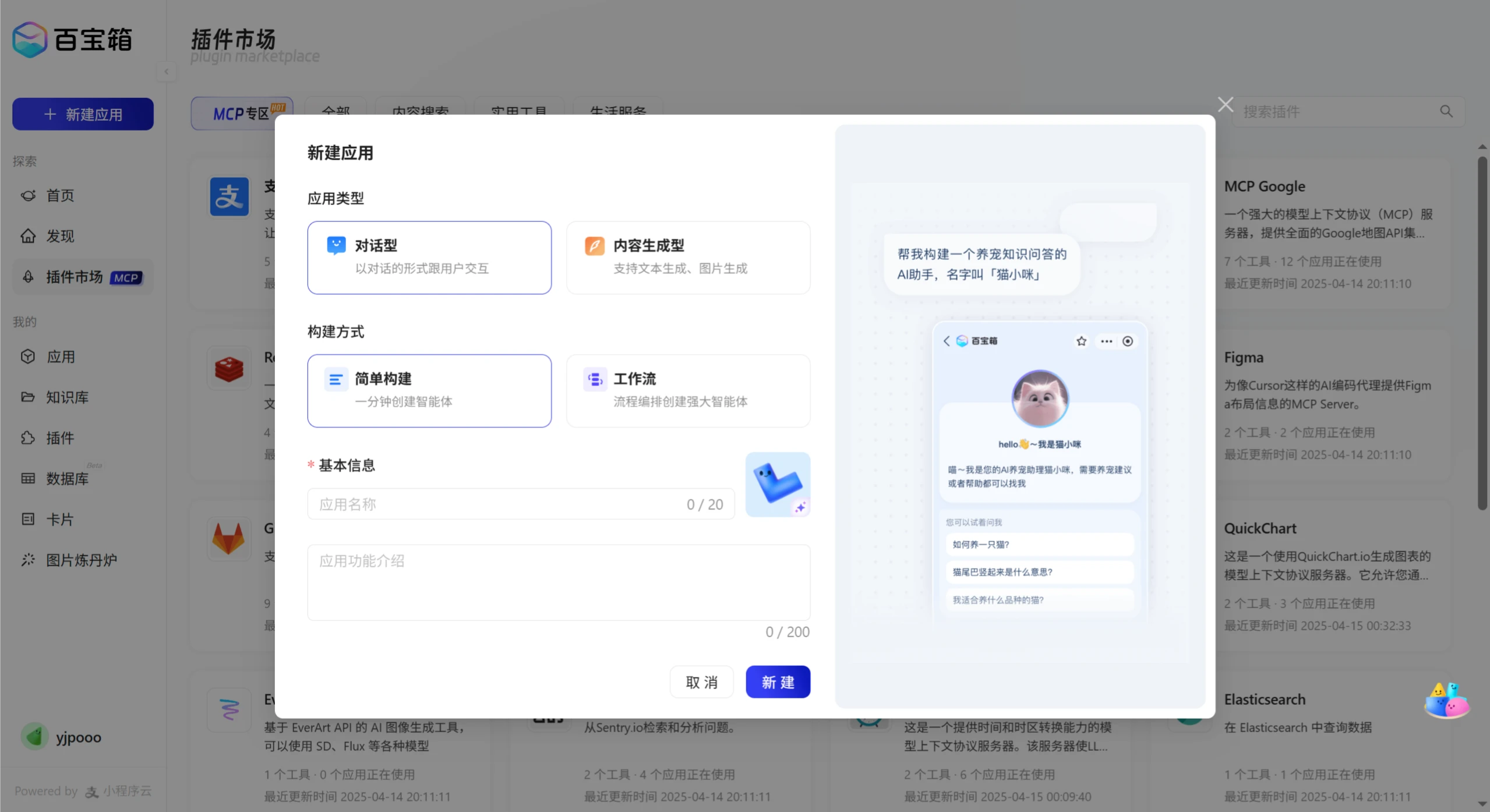
3. Customize Function Modules
Select an appropriate model: such as the full-version DeepSeek R1, Tongyi Qianwen, etc.
Conversational applications: can set conversation logic, knowledge base, etc.
Workflow applications: through the visual editor, drag and drop to adjust AI decision nodes, API interfaces, and data filters.
Text-based, text-to-image, and image-to-image applications: configure relevant parameters according to needs.
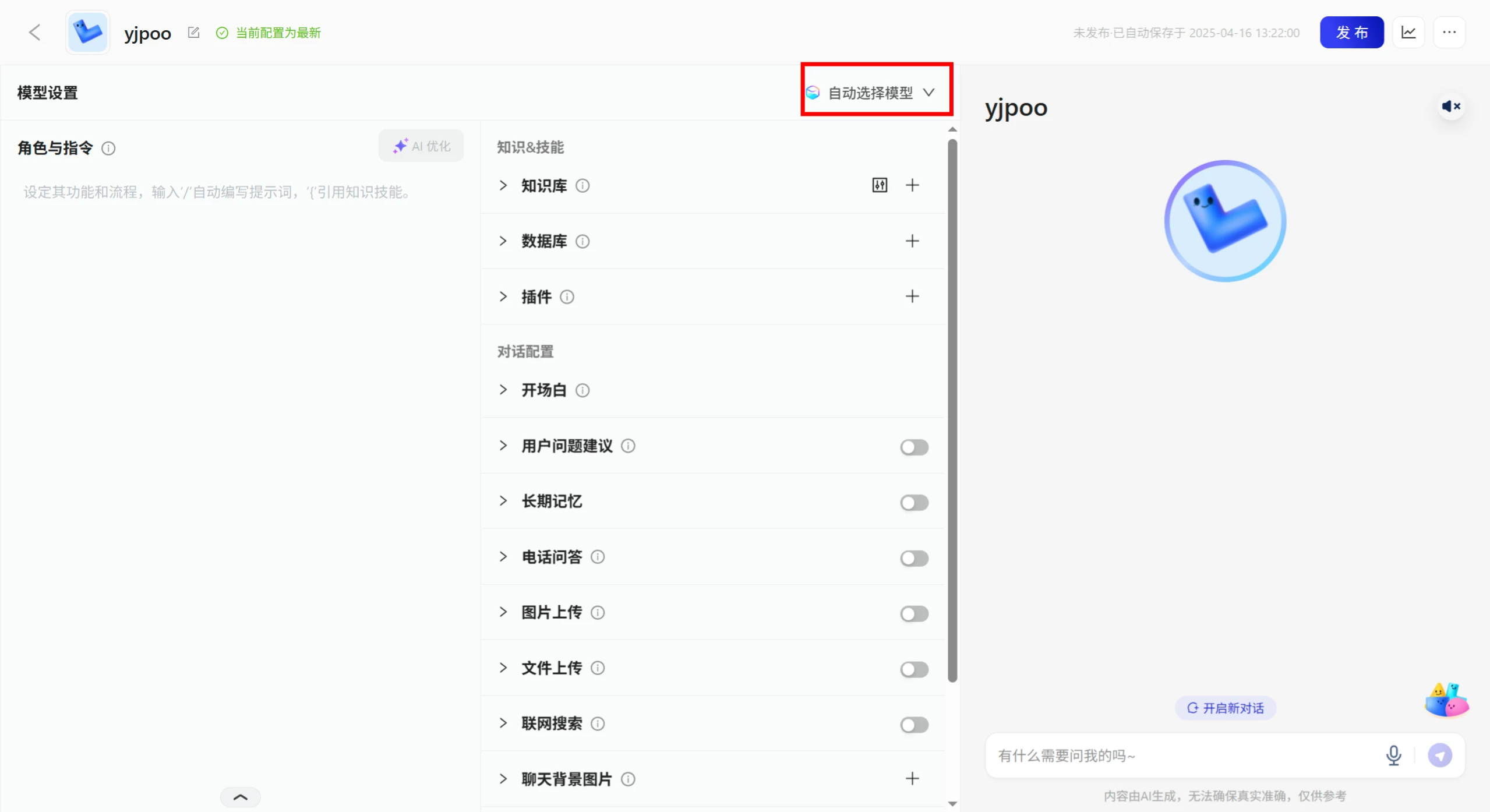
4. Testing and Adjustment
After creation is complete, testing can be performed in the right-side area.
Adjust model settings or workflow logic based on test results.
5. Publish Application
Click "Publish" and select the publishing channel, such as Alipay Mini Programs, Life Account, etc.
If you need to publish to other platforms, such as WeChat Official Accounts, obtain the Webhook URL and configure accordingly.
6. Advanced Features
Application cloning: Clone existing agents to quickly create new applications.
Knowledge base management: Upload data files to build a personalized knowledge base.
Multi-platform distribution: Supports publishing to multiple platforms such as Alipay Mini Programs and Web applications.
Through the simple steps above, even users with zero coding experience can quickly create and publish AI applications. Isn't it simple?
Related Information:
Tutorial on How to Use Alipay Tbox to Create a Travel Assistant Agent
Tutorial Guide on How to Use Tencent Yuanqi to Create an AI Agent