Script Planner Assistant▸
 AI Apps
 AI News

OpenCut: AI-Powered Audio & Video Editor
OpenCut: AI-Powered Audio & Video EditorIntroduction
What is OpenCut?
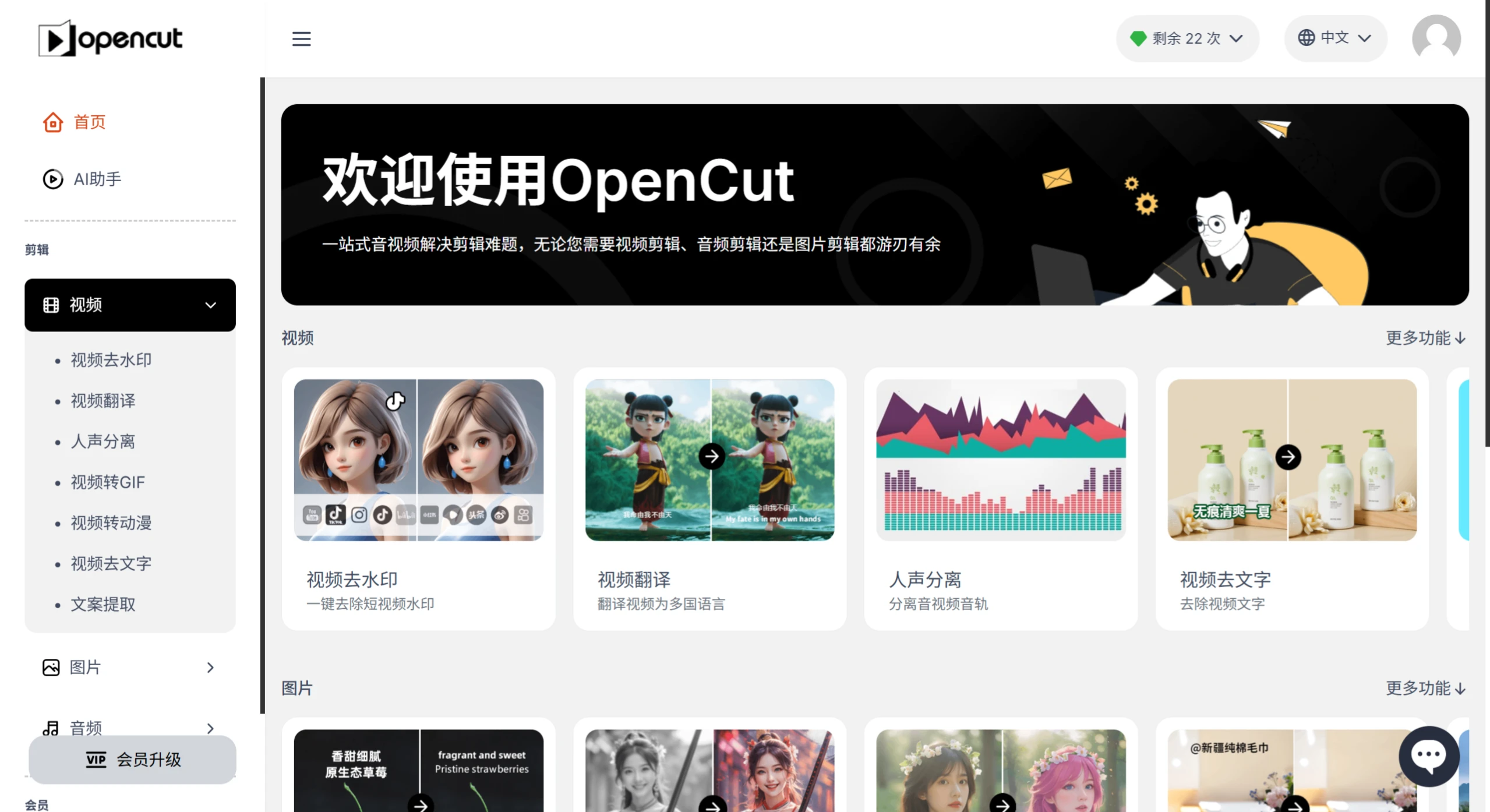
OpenCut is an intelligent audio and video editing tool, featuring powerful capabilities such as watermark removal, video-to-GIF conversion, audio extraction, vocal separation, and image restoration. OpenCut is built on AI technology and is extremely easy to use, making it suitable even for beginners. It efficiently handles audio and video editing tasks, serving as a powerful assistant for boosting creative productivity for both content creators and everyday users.
OpenCut Features
Video Editing Features
Watermark & Text Removal: Quickly remove watermarks and text from videos to restore a clean visual.
Video-to-GIF & Anime Conversion: Quickly convert video files into GIF format, ideal for short video clips that need to be shared or showcased. Users can also convert videos into an anime style.
Intelligent Video & Audio Extraction: Leveraging powerful AI algorithms, it can automatically extract scripts and audio information from videos, and even separate vocals.
Ultra-Clear Restoration & Image Cutout: The ultra-clear restoration feature helps users enhance the resolution of low-quality videos and images. Meanwhile, the image cutout feature allows users to easily extract specific parts of an image for further editing or compositing.
AI Adaptive Track System: Automatically recognizes the rhythm of voice, visuals, and background music, enabling intelligent three-track matching.
Audio Editing Features
Audio Extraction: Convert videos into MP3 audio format.
Vocal Separation: Extract pure vocals or pure accompaniment from videos.
Audio Editing: Trim, merge, and splice audio, and add background music.
Voice Cloning: Using AI technology to replicate voices with a similarity rate of up to 99%.
Image Editing Features
Image HD Restoration: Restore blurry photos with a single click.
Image-to-Anime Conversion: Turn real-life photos into anime-style images.
Image Translation: Automatically translate text in images without damaging the original picture.
Image Watermark Removal: Easily erase unwanted parts of an image.
Image Text Removal: AI-powered recognition and removal of all text from images.
Image Cutout: Remove image backgrounds with one click.
OpenCut Advantages
Automated Processing for Greater Efficiency: AI technology greatly simplifies the video and audio editing process, eliminating the need for users to perform complex manual operations and saving a significant amount of time.
Multi-Function Integration to Meet Diverse Needs: It integrates various processing functions for video, audio, and images. Users can complete multiple editing tasks without switching between different tools, greatly improving work efficiency.
Intelligent Editing with Precise Operation: The intelligent features can automatically identify the parts that need to be edited based on the content, ensuring more accurate and natural editing results.
Minimalist Operation: The user-friendly interface design allows even beginners to get started easily.
OpenCut Use Cases
Content Creators & Bloggers: Quickly remove unwanted content, optimize audio, generate GIFs, and more.
Corporate Marketing & Advertising: Companies can use OpenCut to create advertising videos, remove watermarks, adjust audio, and more.
Academic Research & Education: Academic and educational fields can also use OpenCut to process lecture videos, teaching audio, and other content.
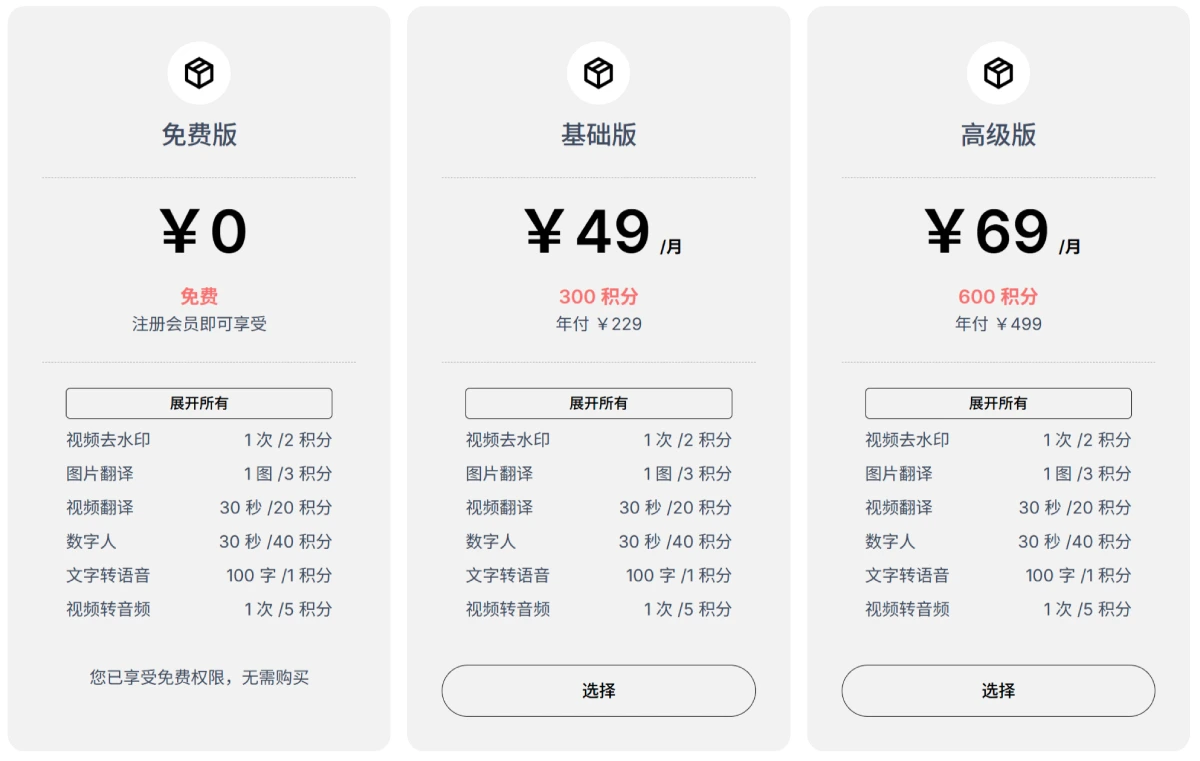
OpenCut Pricing & Permissions