Script Planner Assistant▸
 AI Apps
 AI News

Jisuxiang: A Sleek Online Dev Toolkit for Programmers
Jisuxiang: A Sleek Online Dev Toolkit for ProgrammersIntroduction
What is 极速箱 (JisuBox)?
极速箱 (JisuBox) is a beautifully designed online developer tools integration platform built for programmers. It offers a variety of practical tools such as JSON processing, encoding/decoding, and network testing, helping developers boost their coding efficiency. It is developed with Next.js and TailwindCSS, featuring a sleek UI with multi-language support, a dark theme, and responsive design.
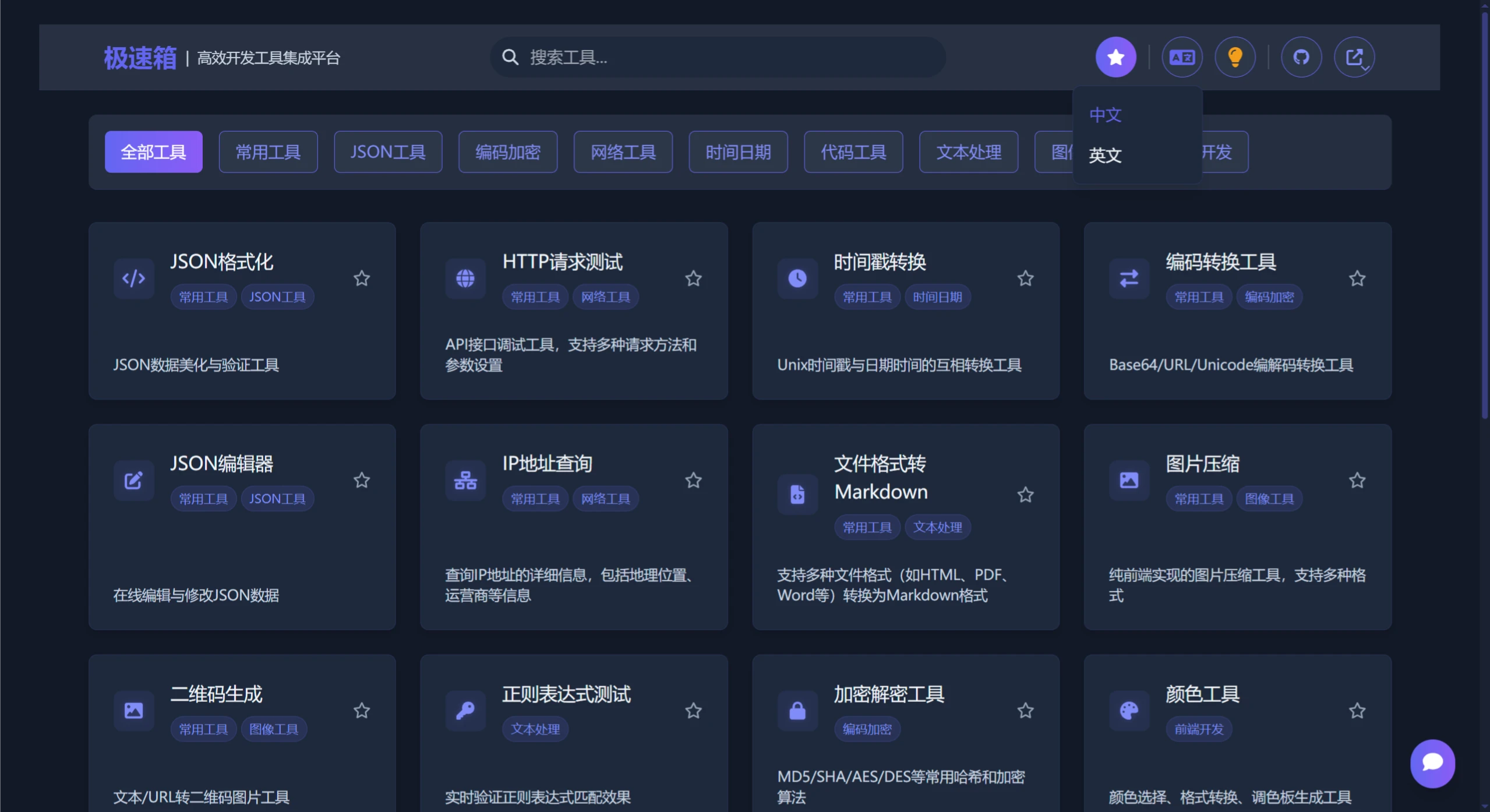
Features of 极速箱
Multiple categorized tools: covers JSON processing, encoding/decoding, network testing, and more.
Responsive design: adapts to various device sizes.
Dark theme: comfortable for long-time use.
Efficient search: quickly find the tools you need.
Favorites system: save frequently used tools for easy access.
Multi-language support: Chinese and English interfaces supported.
Tools Included in 极速箱
JSON Formatting & Validation
HTTP Request Testing
Timestamp Conversion
Encoding/Decoding Tools
Regular Expression Testing
Encryption/Decryption Tools
Color Picker & Conversion
Code Formatting
JSON Editor & Converter
IP Address Lookup
Date Calculator
Time Zone Conversion
Text Statistics
HTML/Markdown Conversion
Image Compression
QR Code Generator
CSS Gradient Generator
And more useful tools...
Tech Stack of 极速箱
Next.js: a production-grade React framework
TailwindCSS: a utility-first CSS framework
Font Awesome: icon library
TypeScript: type-safe JavaScript
Installation & Deployment of 极速箱
Deploy with Docker: it is recommended to use the official image on Docker Hub, which supports both x86/x64 architectures and ARM architectures (such as Raspberry Pi, Apple Silicon).
Deploy with Node.js: suitable for local development or deployment on a Node.js server, including cloning the repository, installing dependencies, running the development server, and deploying in a production environment.
Project Structure
src/app/: Next.js application directory, containing pages, layouts, etc.
src/components/: reusable UI components.
src/config/: configuration files, including tool category definitions and tool definitions.
src/i18n/: internationalization files.
src/context/: React context providers.
src/types/: TypeScript type definitions.
src/utils/: utility functions.
src/public/: static assets.
Development Guide
Adding a new tool: create a new directory in src/app/tools/[tool_code]/, add the tool configuration in src/config/tools.ts, and add translations in src/config/i18n/tools/[tool_code]/.
Github Repository:https://github.com/star7th/jisuxiang