
 Script Planner Assistant▸
 AI Apps
 AI News

Doodlify: Turn Your Photos into Unique Doodle-Style Art
Doodlify: Turn Your Photos into Unique Doodle-Style ArtIntroduction
What is Doodlify?
Doodlify is a tool that transforms ordinary photos into doodle-style artistic illustrations. It supports various image types such as portraits, pets, and landscapes, and has generated over 1,000 doodle artworks online.
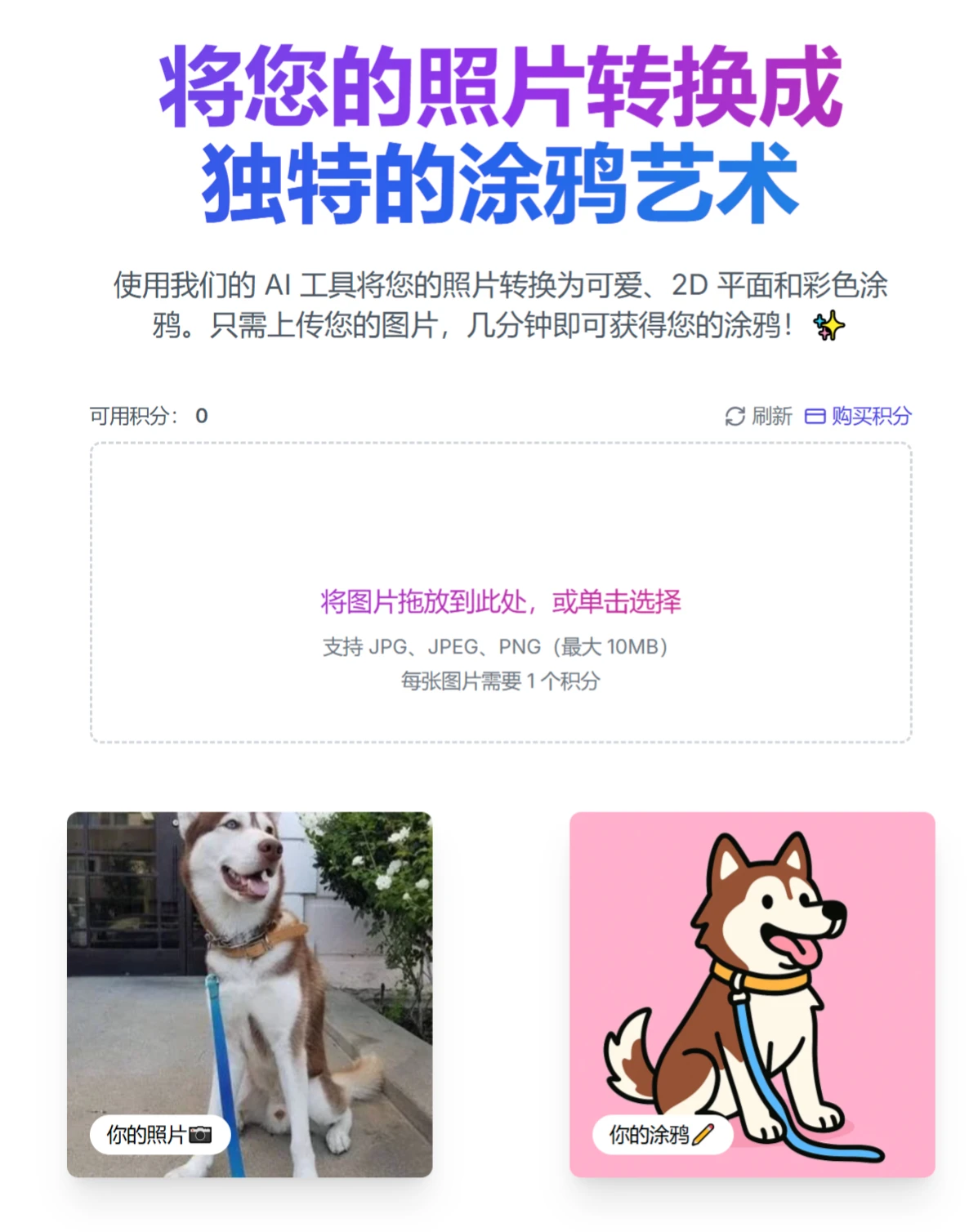
Doodlify Features
Versatile Image Compatibility: Supports various image types such as portraits, pets, and landscapes. You can transform photos of yourself or your family into unique doodle-style images, or convert elements like pets and landscapes into doodle art.
Convenient File Handling: Supports common image formats including JPG, JPEG, and PNG, with a maximum size of 10MB, making it easy for users to upload various common photos.
Efficient AI Processing: Doodlify completes the conversion from photo to doodle in just a few minutes.
Doodlify Use Cases
Social Media Sharing: Users can use the generated doodles for their social media profiles, such as avatars and cover images, to attract attention and likes.
Gift Printing: Print out the doodles as gifts for family and friends, such as printing doodles generated from family photos as birthday or holiday gifts.
Creative Design Material: Provides inspiration and material for designers, artists, and other creative professionals, which can be used for graphic design, illustration projects, and more.
Doodlify Tutorial
Visit the Website: Open the Doodlify.io website using a web browser.
Upload Photo: Click "Drag and drop your image here" on the homepage or select a photo in a supported format (JPG, JPEG, PNG) no larger than 10MB from your device.
AI Processing: Wait for the AI to convert the photo into a doodle. Processing time typically takes only a few minutes.
Choose a Package: Select a package based on your needs: 1 image ($5), 3 images ($10), or 5 images ($15).
Download the Doodle: Once processing is complete, download the converted doodle artwork.
Doodlify Pricing
Offers multiple package options including 1 image ($5), 3 images ($10), or 5 images ($15). Users can flexibly choose based on their needs, meeting the demands of different users for varying numbers of doodles while providing relatively reasonable pricing, making it convenient for users to consume on demand.














