
 Script Planner Assistant▸
 AI Apps
 AI News

RSSFlow Reader: A Modern RSS Reader with AI Summaries and Smart Feeds
RSSFlow Reader: A Modern RSS Reader with AI Summaries and Smart FeedsIntroduction
What is RSSFlow Reader?
RSSFlow Reader is an intelligent RSS reader browser extension that helps users efficiently manage and read RSS subscription feeds. It supports Chrome and Edge browser plugin installation, with all data stored locally.
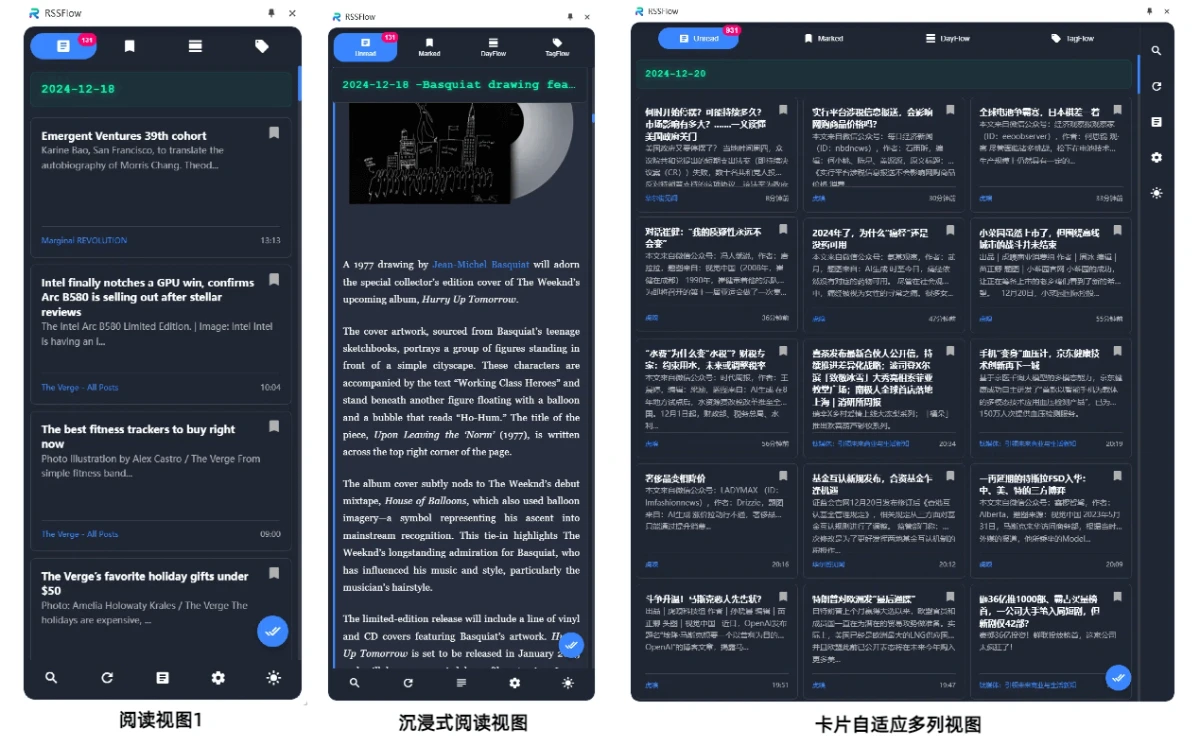
RSSFlow Reader Features
Smart RSS Management: Supports parsing of multiple RSS formats, intelligent handling of content encoding, and automatic retry mechanisms to ensure subscription feed stability.
AI Article Summaries: Integrates AI models such as OpenAI, Google Gemini, and SiliconFlow to automatically generate article summaries, keywords, and viewpoint analysis.
Multi-View Modes: Supports switching between full-text and summary views, offering various browsing modes such as DayFlow (grouped by date) and TagFlow (grouped by tags).
Efficient Reading Experience: Supports keyboard shortcuts, wooden fish reading mode (plays wooden fish sound effect when marking as read), and lazy loading optimization for article content.
Content Podcast Feature: Supports generating content podcasts for DayFlow and TagFlow, and provides TTS playback functionality for a more relaxed reading experience (requires activation code to activate).
Automation Features: Periodically refreshes to fetch the latest articles, automatically cleans up expired content, and updates unread counts in the background.
User Experience Optimization: Responsive design adapts to different screens, supports dark/light themes, and provides real-time search and filtering functionality.
RSSFlow Reader Applications
Tech Enthusiasts: Track industry developments.
Researchers: Follow academic news.
Investors: Stay informed about financial news.
Content Creators: Gather inspiration.
Journalists: Organize information.

RSSFlow Reader Tutorial
Visit the RSSFlow Reader official website, click the Chrome Store Install or Edge Store Install link on the homepage, and install the plugin in your browser.
After installation, open the RSSFlow Reader plugin in your browser, click Add Subscription Feed, enter the RSS feed URL you want to subscribe to, and click Add.
Once added, you can see the list of subscription feeds in the plugin interface. Click on a feed to view the list of articles.
Click on an article title to enter the article details page, where you can view the full article text. On the article details page, you can click the AI Summary button to view the AI-generated article summary.
If you need to use the podcast feature, you need to obtain an activation code and activate it. After activation, in DayFlow or TagFlow mode, you can click the Generate Podcast button to generate a content podcast and play it.















