
 Script Planner Assistant▸
 AI Apps
 AI News

Seede AI: Professional Design Creation in One Minute
Seede AI: Professional Design Creation in One MinuteIntroduction
What is Seede AI?
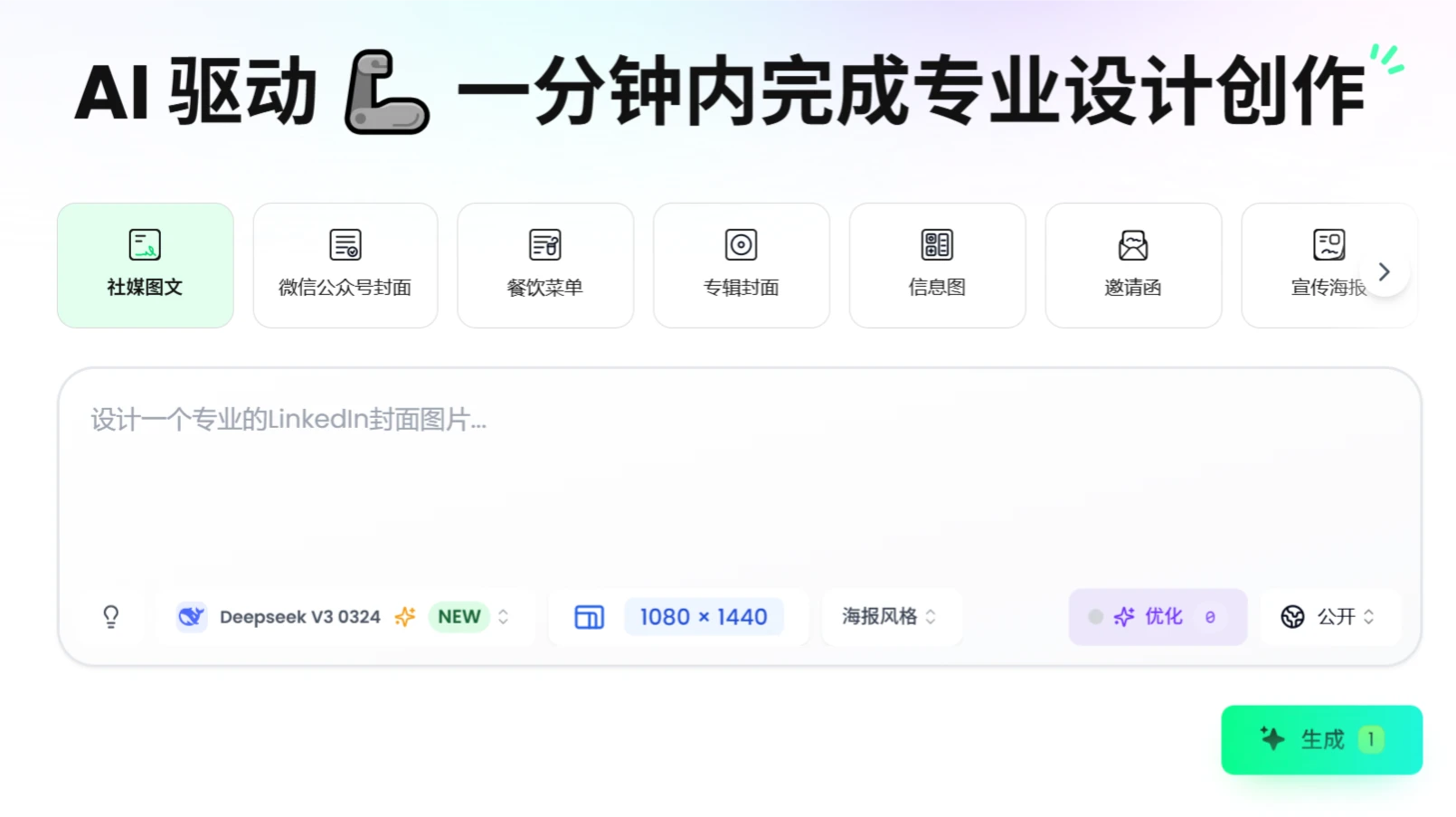
Seede AI is an AI-powered graphic design tool that lets users input text descriptions or upload reference images to generate professional-grade designs within 1 minute, with no design experience required. It offers AI-generated design, reference image style matching, layered editing, and AI-assisted optimization features, as well as a rich library of templates and free image processing tools such as smart background removal, background erasing, image generation, and more. It is suitable for scenarios such as social media, brand design, holiday greeting marketing materials, and creative projects.
Seede AI Features
Text-Driven Design: Users provide simple text descriptions, and the AI engine quickly transforms them into visual design drafts.
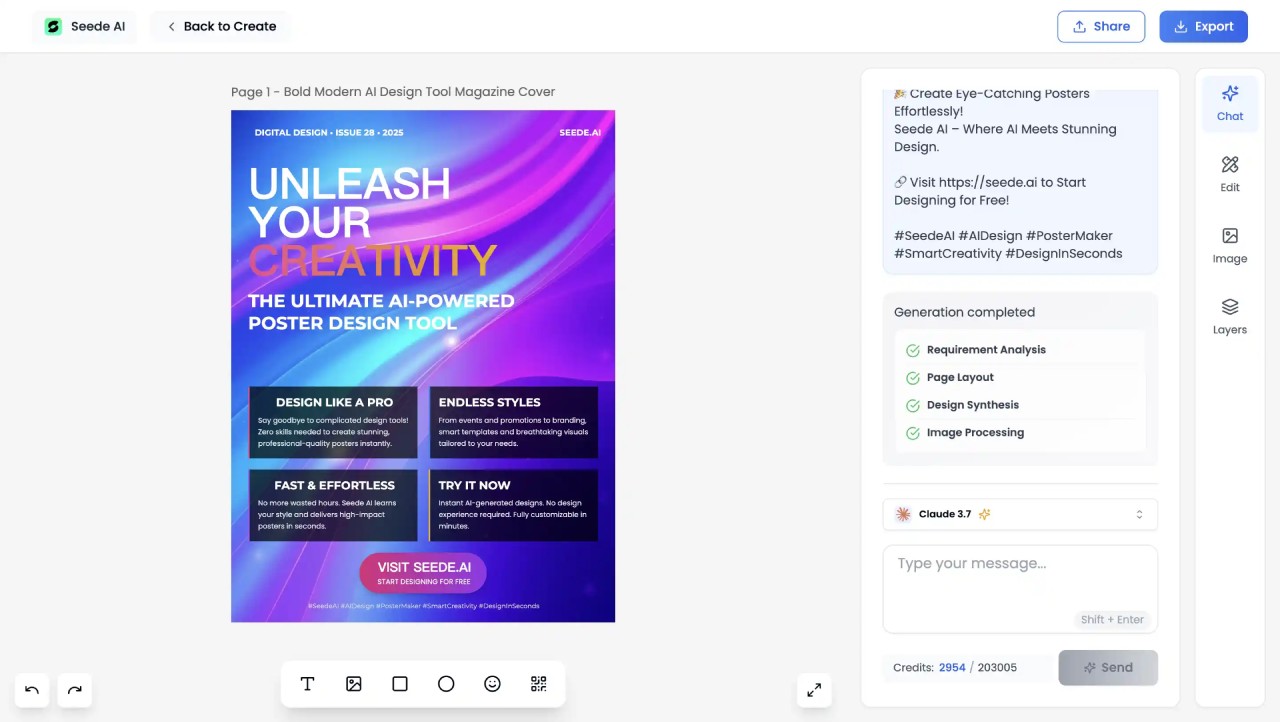
Reference Image-Based Design: Upload an image, and the AI analyzes its style, colors, layout, and other elements, then applies them to new design generation, achieving style consistency or imitation.
Smart Editing and Fine-Tuning: The generated design drafts are not fixed. Users can edit the AI-generated designs and adjust details, with the AI providing intelligent suggestions during the editing process, such as color optimization and layout recommendations.
Free Image Processing Tools:
Smart Background Removal: Remove backgrounds with one click for easy material use.
Lossless Upscaling: Enlarge images while minimizing distortion and improving clarity.
Smart Repair: Restore old photos or low-quality images.
Object Removal: Erase unwanted elements from images.
Image Generation: Generate images based on text descriptions.
Video Format Conversion: Convert horizontal videos to vertical format to suit social media needs.
Seede AI Application Scenarios
Social Media: Instagram stories, Xiaohongshu posts, WeChat covers
Marketing Materials: Restaurant menus, event posters, product flyers
Brand Design: Logos, album covers, corporate brochures
Creative Projects: Invitations, knowledge cards, infographics
Seede AI Tutorial
Visit the Official Website: Go to the Seede AI official website.
Choose a Template or Feature: Select a design template or specific feature according to your requirements.
Enter a Description or Upload an Image: Follow the instructions to enter a text description or upload a reference image.
Customize the Design: Adjust layout, colors, fonts, and other elements for personalization.
Generate the Design: Click the generate button, and the AI will quickly produce the design.
Download: Download the finished design.
Membership Pricing
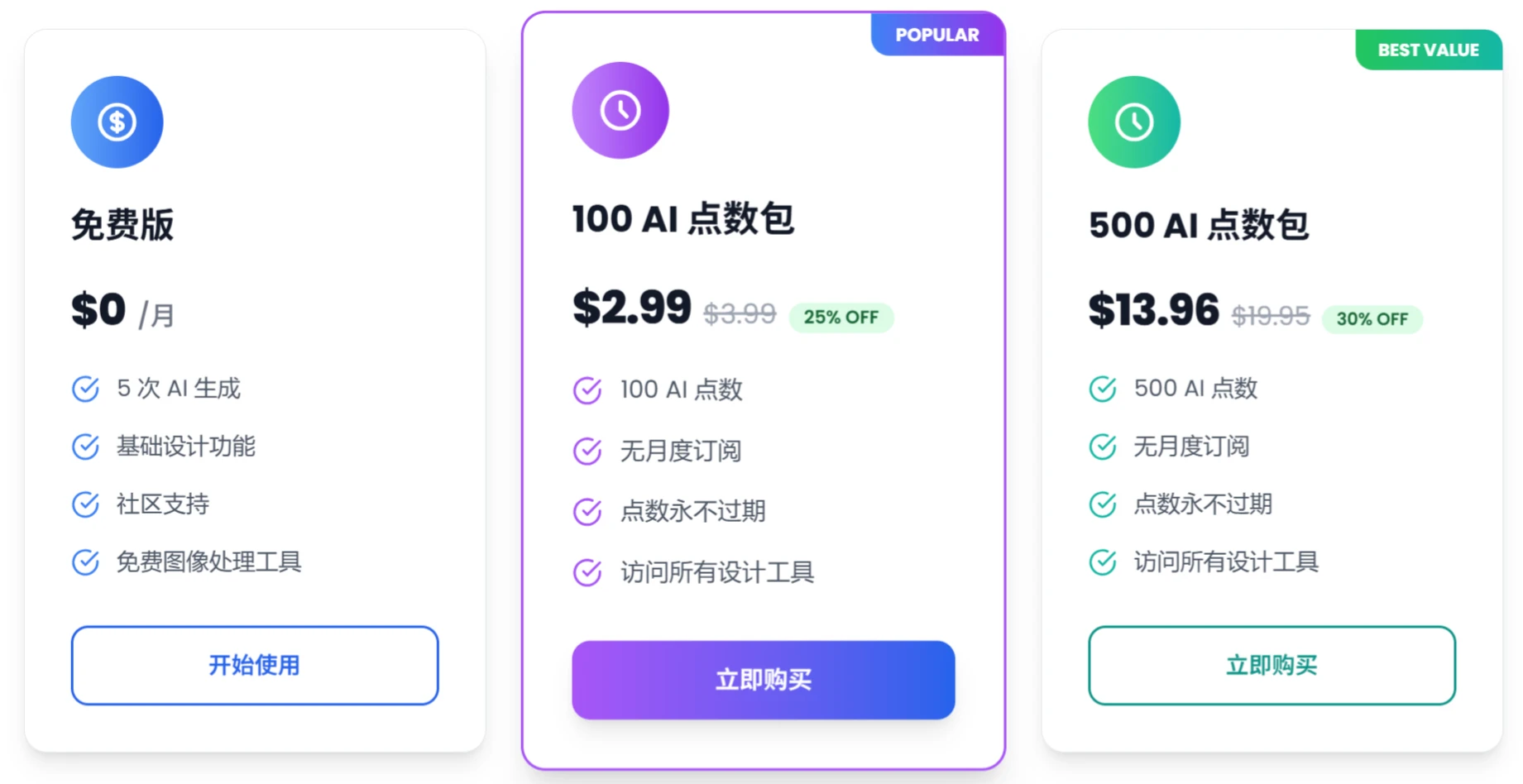
Free Plan
Price: Free
Includes:
5 AI generation opportunities.
Basic design features.
Community support.
Free image processing tools.
Paid Plan
Price: $1.99 (Original price $2.99, 33% off)
Includes:
100 AI credits.
No monthly subscription.
Credits never expire.
Access to all design tools.
FAQ
Q1: How does Seede AI help users with no design experience?
AI Auto-Generation: Input text or reference images, and the system intelligently matches templates and styles.
Layered Editing Tools: Provides basic adjustment options for fonts, colors, layout, and more.
Design Guide: Includes 7 built-in design tips and font recommendations to enhance visual professionalism.
Q2: What are the specific applications of Seede AI in brand design?
LOGO Design: Supports uploading brand colors and keywords to generate multiple versions.
Visual Consistency: The reference image matching feature ensures a unified style across different materials.
Case Study: Generated brand manuals and promotional materials for companies such as DeepSeek.
Q3: What is the difference between Seede AI and other design tools (such as Canva)?
Deep Integration: Optimizes design details through multi-model collaboration (such as copywriting and visual matching).
Response Speed: Completes the entire process from concept to output within 1 minute.
Scenario Focus: Emphasizes social media and marketing design, with templates more tailored to communication needs.














