
 Script Planner Assistant▸
 AI Apps
 AI News

MD2Card: Markdown to Knowledge Card Tool for Elegant Visual Posters
MD2Card: Markdown to Knowledge Card Tool for Elegant Visual PostersIntroduction
What is MD2Card?
MD2Card is a completely free online tool that converts Markdown documents into knowledge cards. It supports a variety of beautiful styles to help you quickly create stunning knowledge cards. Whether it's for study notes, knowledge organization, or content sharing, it can handle it with ease. You can also use it to create elegant image-text posters or Xiaohongshu covers.

MD2Card Features
Markdown Support: Full support for Markdown syntax, including headings, lists, code blocks, tables, and more.
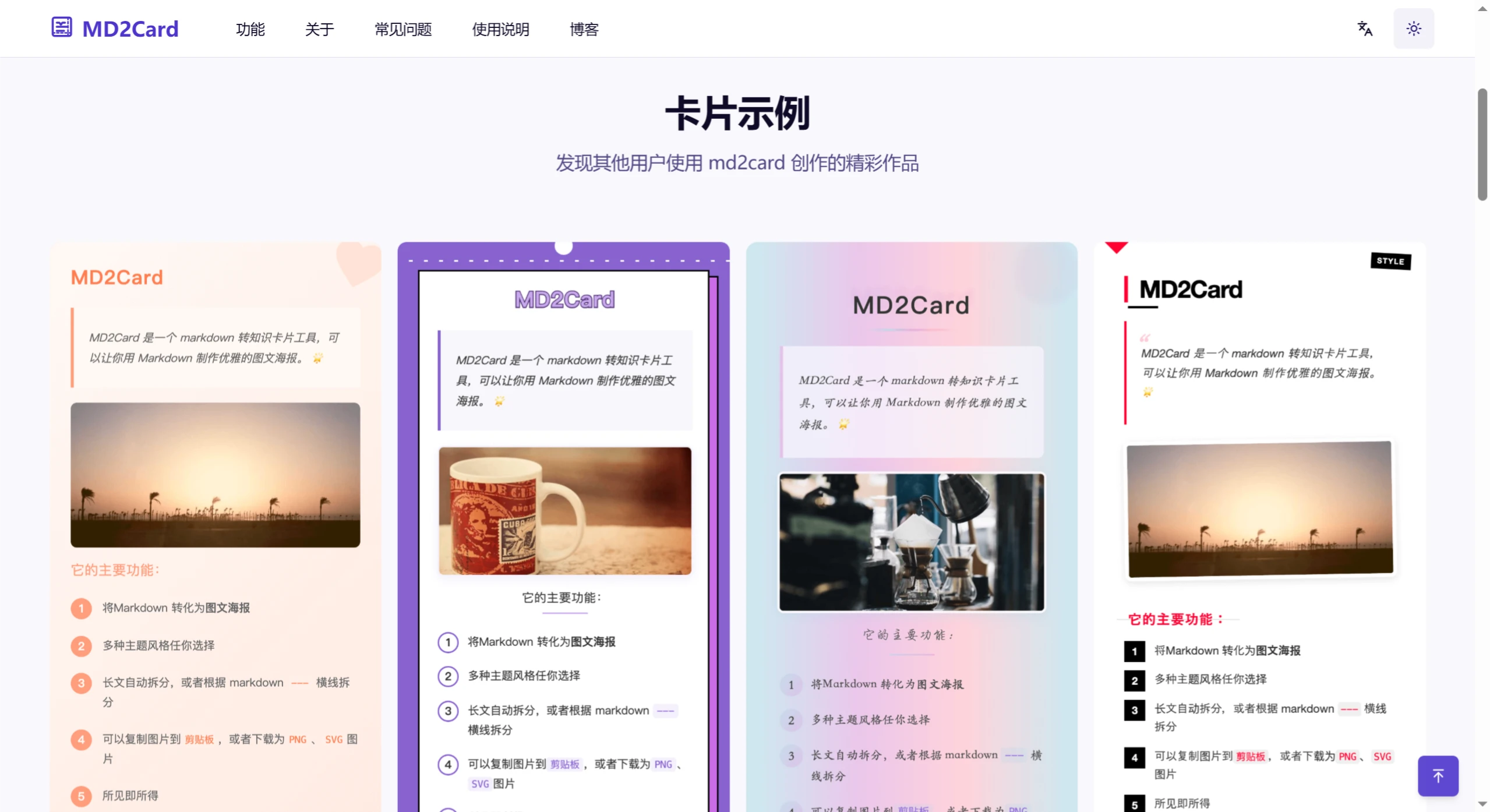
Multiple Styles: Offers over 15 theme styles, such as Warm & Soft, Minimalist Premium Gray, Dreamy Gradient, Fresh & Natural, and more.
Automatic Long-Text Splitting: Automatically splits long articles into multiple knowledge cards for easier reading and sharing.
One-Click Export: Supports exporting the generated knowledge cards as images for easy sharing and saving.
Real-Time Preview: After entering Markdown content, you can instantly view the converted knowledge card result.
Responsive Design: Cards maintain great display quality across different devices.
Dark Mode: Provides a dark mode, ideal for nighttime use.
Completely Free: Completely free with no login required and unlimited generation.
MD2Card Use Cases
Study Notes: Organize study content into knowledge cards for easier review and memorization.
Knowledge Organization: Break down complex information into concise knowledge cards for easier understanding and sharing.
Content Sharing: Quickly convert Markdown documents into beautiful cards to share with others.
MD2Card Tutorial
1. Visit the Official Website
Visit the MD2Card official website: https://md2card.com/zh .
2. Get Started
Click the "Get Started" button on the homepage to enter the knowledge card creation page.
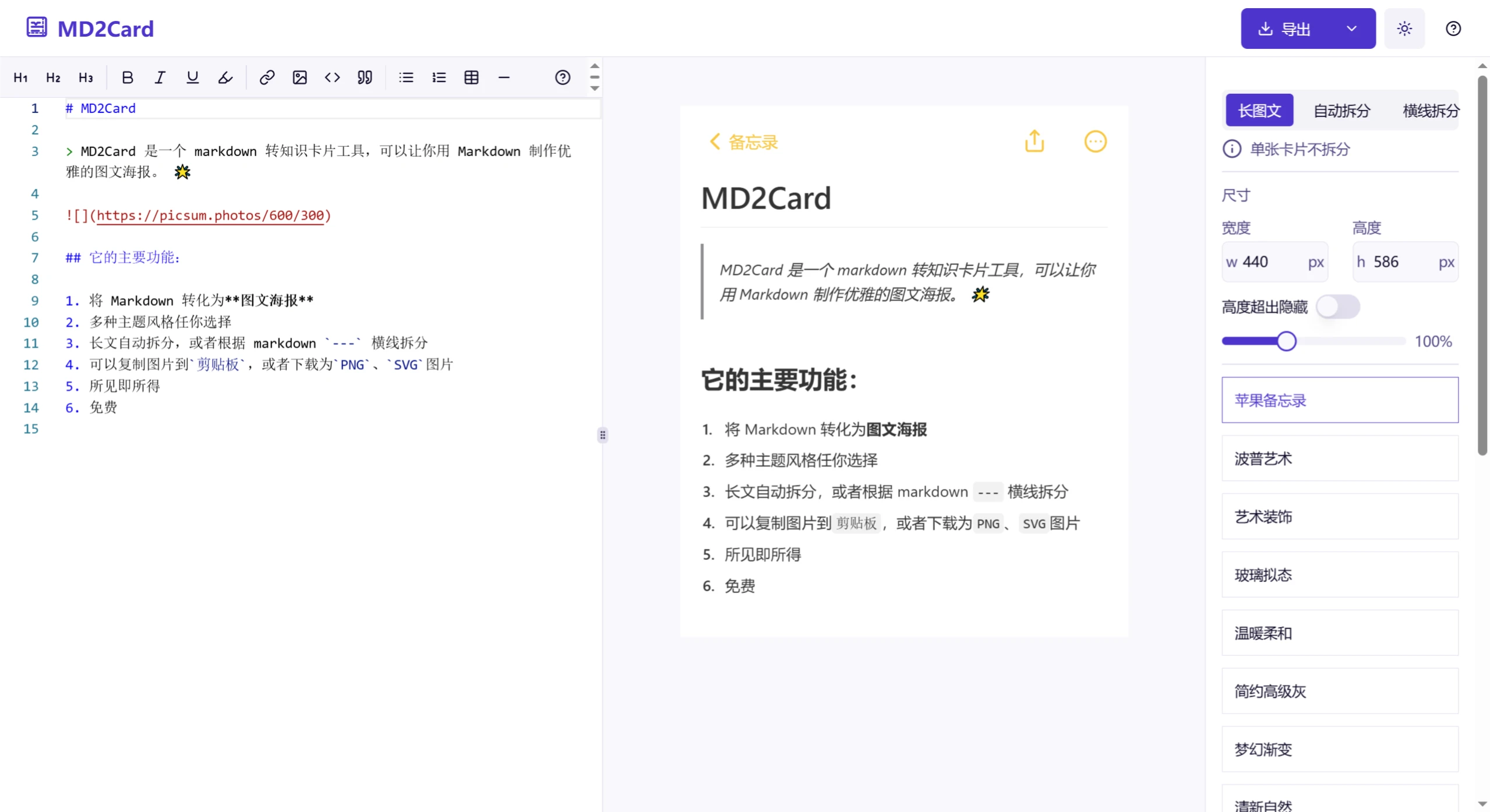
The page layout is as follows:
Left: Text box for entering Markdown text.
Middle: Real-time card preview.
Right: Card parameter settings panel, where you can adjust card size, choose theme styles, and more.
3. Enter Markdown Content
Enter your Markdown content in the left text box. It supports the full Markdown syntax, such as headings, lists, code blocks, tables, etc. You can also combine it with DeepSeek to generate content.
If you're not familiar with Markdown, you can refer to the preset sample content and modify it.
4. Choose a Card Style
MD2Card offers over 15 theme styles, including Warm & Soft, Minimalist Premium Gray, Dreamy Gradient, Fresh & Natural, and more.
Select your favorite style in the right-side settings panel.
5. Adjust Card Settings
Card Size: Different card sizes can be selected to suit different use cases.
Pagination Settings: Long texts can be automatically split, or manually paginated using horizontal dividers (---) in Markdown.
Other Settings: Enable dark mode, adjust image optimization, code block syntax highlighting, and more.
6. Preview and Adjust
The real-time preview feature updates the card instantly based on your input.
If you're not satisfied, you can adjust the Markdown content or card settings at any time.
7. Export Cards
After finishing the card creation, click the "Download" button at the top right of the page to save the card as a PNG or SVG image.
MD2Card Tips
Image Optimization: For the best display results, use images with appropriate aspect ratios and provide meaningful alt text.
Code Block Syntax Highlighting: Specify a language to get syntax highlighting.
Table Alignment: Use colons to control table alignment.












