
 Script Planner Assistant▸
 AI Apps
 AI News

Vace AI: An All-in-One AI Video Creation & Editing Platform
Vace AI: An All-in-One AI Video Creation & Editing PlatformIntroduction
What is Vace AI?
Vace AI is an all-in-one AI video creation and editing platform that helps users process and enhance videos through AI algorithms, providing high-quality video production and editing capabilities. It is suitable for creating marketing materials, educational content, social media videos, product demos, and entertainment content.
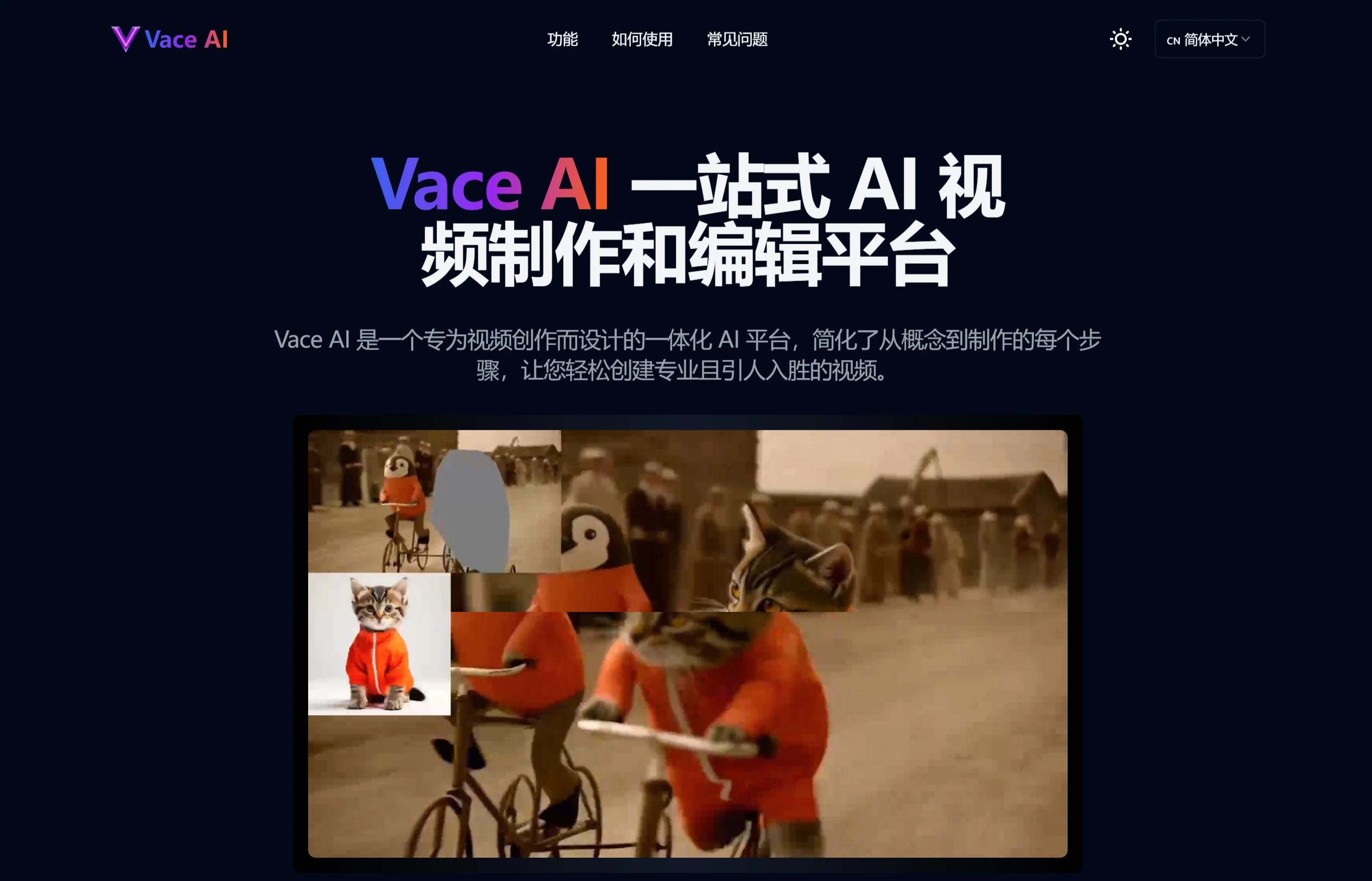
AI-Powered Video Enhancement
Content Preservation: Ensures that the core content of the video remains unchanged during processing.
Structure Preservation: Maintains the original structure of the video, preventing the overall layout from being disrupted by editing.
Subject Preservation: Highlights the subject of the video, ensuring viewers can focus on important content.
Pose Preservation: For videos featuring people, preserves the characters' poses and actions to keep them natural and fluid.
Motion Preservation: Enhances the dynamic effects in the video, making actions more vivid.
Features of Vace AI:
All-in-One Platform: Vace AI combines video generation and editing capabilities in a unified interface, simplifying the creative workflow.
AI-Driven Effects: The platform offers over 1 million AI-driven effects, helping users easily transform videos and create stunning visual experiences.
Advanced Video Processing: Vace AI delivers professional-grade video transformation with high precision and detail preservation.
Core Features of Vace AI:
All-in-One Creation: Video generation and editing capabilities are seamlessly integrated into a single model, eliminating the need for multiple tools.
Intelligent Object Manipulation: Transform videos with unprecedented control while maintaining visual consistency and natural motion fluidity.
Reference-Based Generation: Use image or style references to alter the video creation process while preserving the core elements and quality of the original video.
Precise Preservation: Advanced preservation techniques maintain the highest quality during editing, ensuring content, structure, subject identity, pose, and natural motion are protected throughout the transformation.
Flexible Combination: Freely combine different editing techniques to create unique visual experiences.
Intuitive Workflow: A streamlined interface design suitable for both beginners and professionals, enabling professional-level video creation with minimal learning curve.
How to Use Vace AI:
Upload Video: Users can upload videos by dragging and dropping or selecting a video file from their device. Common formats such as MP4, MOV, and AVI are supported.
Choose Effects: Select from a rich library of AI effects, including move, swap, reference, expand, or animate, and make precise adjustments.
Customize Settings: Use advanced preservation controls to fine-tune effects, adjusting parameters such as content, structure, subject, pose, and motion.
Generate and Download: Click the generate button to process the video with AI technology. Preview and download the high-quality video once complete.
Vace AI Application Scenarios
Marketing Materials: Create high-quality product demo videos, advertising videos, and more.
Educational Content: Create engaging educational videos to enhance teaching effectiveness.
Social Media Videos: Produce attractive video content for social media platforms (such as TikTok, Bilibili, Weibo, etc.).
Product Demos: Showcase the features and advantages of products.
Entertainment Content: Create movie trailers, short videos, and other entertainment content.
Vace AI FAQ:
What types of videos are supported: Supports various types including marketing materials, educational content, social media videos, product demos, and entertainment content.
What formats and resolutions are supported: Supports MP4, MOV, and AVI formats, with processing resolutions ranging from standard HD to 4K.
Video Quality Preservation: Advanced preservation techniques ensure content, structure, subject, pose, and motion are maintained during processing.
Can it be used commercially: Suitable for both personal and commercial use, providing professional-grade features and output that meet commercial standards.
How is content security handled: All uploaded videos are processed through secure servers and encrypted, ensuring content security and user privacy.











