
 Script Planner Assistant▸
 AI Apps
 AI News

Rasa: An Open-Source AI Chatbot and Voice Learning Framework
Rasa: An Open-Source AI Chatbot and Voice Learning FrameworkIntroduction
What is Rasa?
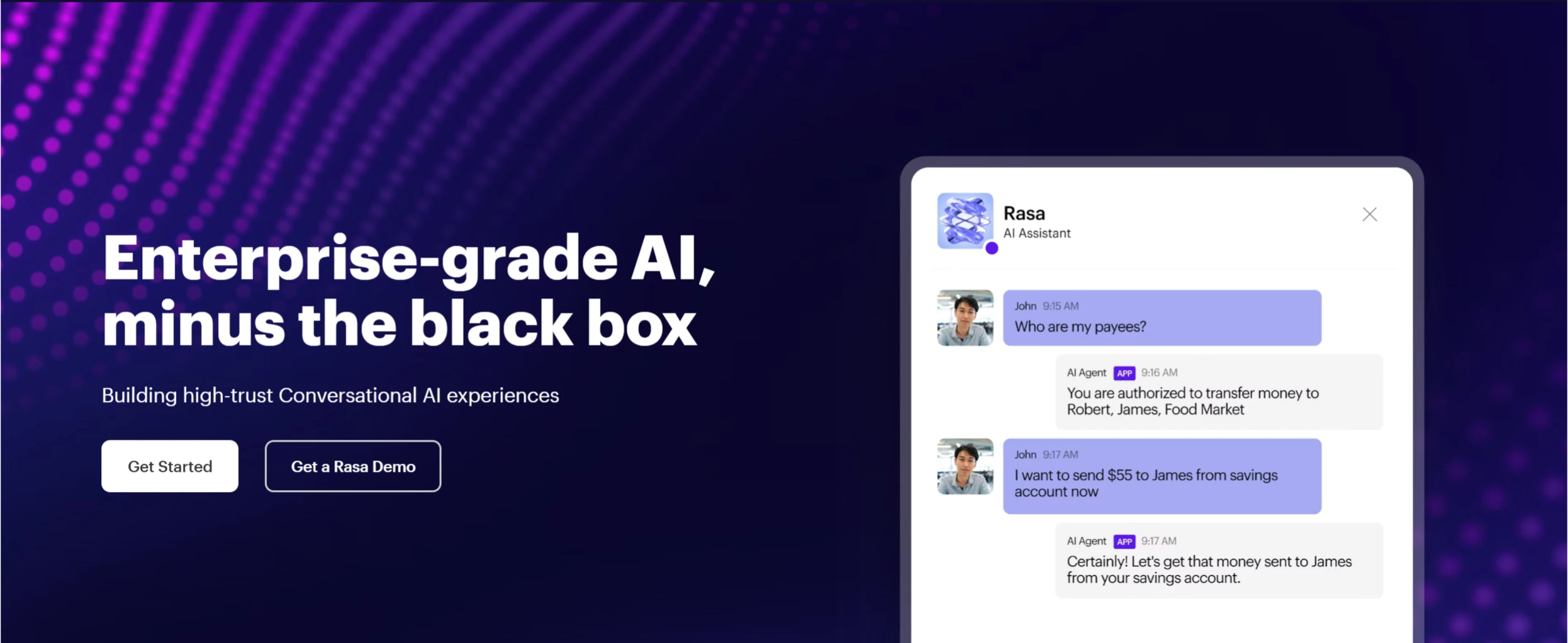
Rasa is an open-source machine learning framework focused on building natural language dialogue systems, such as AI chat bots and voice assistants. It consists of Rasa Open Source and Rasa Pro, and supports developers in using Python for development. Rasa's goal is to enable developers to build artificial intelligence assistants that can understand natural language and carry out complex conversations, and it is widely used in customer service, intelligent assistants, enterprise automation, and many other fields.
Rasa Features
Natural Language Understanding (NLU): Capable of understanding text or voice input from users and converting it into structured intents and entities. For example, when a user inputs "I'd like to book a flight to Beijing tomorrow," Rasa can identify the intent as "book a flight" and extract entities such as "time: tomorrow" and "destination: Beijing."
Dialogue Management: Generates appropriate responses based on the user's intent and contextual information, and guides the flow of the conversation. It supports complex dialogue scenarios such as multi-turn conversations, topic switches, and error correction.
Multi-language Support: Supports the development of dialogue systems in multiple languages, including but not limited to English, Chinese, German, French, and more.
Extensibility: Developers can extend Rasa's functionality as needed, for example by adding custom NLU components and dialogue management policies.
Integration Capabilities: Can integrate with multiple platforms and tools, such as Facebook Messenger, Slack, Twilio, and others, making it easy to deploy chatbots across different channels.
Rasa Applications
Customer Service: Automatically answer customer inquiries and resolve common questions, improving customer satisfaction and efficiency. For example, banks can use Rasa to build chatbots that help customers check account balances, process transfers, and other services.
Intelligent Assistants: Provide intelligent assistant services for enterprises or individuals, such as schedule management, information queries, and task reminders.
Enterprise Automation: Automate internal enterprise processes such as employee leave approval and project progress inquiries, improving work efficiency.
Education Sector: Build intelligent tutoring systems that help students answer questions and provide learning suggestions.
Installing and Using Rasa
Installing Rasa Open Source
1. Install Python
Rasa is built on Python, so you need to install Python first. Python 3.8 or higher is recommended.
2. Install Rasa
Use the pip command to install Rasa:
pip install rasa
3. Create a New Project
Run the following command in the terminal to create a new Rasa project:
rasa init
This will create a project containing the basic file structure and sample data.
Building a Chatbot with Rasa
1. Define Intents and Entities
Define the possible user intents and related entities in the nlu.yml file. For example:
nlu:
- intent: greet
  examples: |
    - Hi
    - Hello
    - Hey
- intent: goodbye
  examples: |
    - Bye
    - Goodbye
    - See you later
2. Define Dialogue Flows
Define dialogue flows in the stories.yml file, specifying user intents and bot responses. For example:
3. Train the Model
Use the following command to train the Rasa model:
rasa train
4. Start the Chatbot
Use the following command to start the chatbot:
rasa shell
Rasa Related Links and Resources:
Official Website and Documentation
Rasa Official Website: https://rasa.com/, where you can learn about Rasa's features, characteristics, application cases, and obtain commercial support.
Rasa Official Documentation: https://rasa.com/docs/rasa/, which provides detailed installation guides, development tutorials, API documentation, and other important reference materials for learning and using Rasa.
Rasa Learning Center: https://rasa.com/learn/, which contains video tutorials, blog posts, case studies, and other content to help developers better master the use of Rasa.
GitHub Repositories
Rasa Open Source Repository: https://github.com/RasaHQ/rasa, where the Rasa open-source code is hosted. You can view the source code, submit issues, and contribute here.
Rasa Demo Bot Repository: https://github.com/RasaHQ/rasa-demo, which contains an example chatbot called Sara built with Rasa, helping developers quickly understand how Rasa is applied.
Rasa SDK Repository: https://github.com/RasaHQ/rasa-sdk, which provides an SDK for developing custom actions in Rasa.
Community and Support
Rasa Community Forum: https://forum.rasa.com/, where developers can ask questions, share experiences, and solve problems.
Rasa Blog: https://rasa.com/blog/, which publishes the latest news about Rasa, technical articles, and industry insights.
Related News:
Recommended 10 Excellent Free, Open-Source AI Agent Frameworks














