
 Script Planner Assistant▸
 AI Apps
 AI News
DoodleAI: The World's Leading AI Creative Platform
DoodleAI: The World's Leading AI Creative PlatformIntroduction
What is Sketchai-DoodleAi?
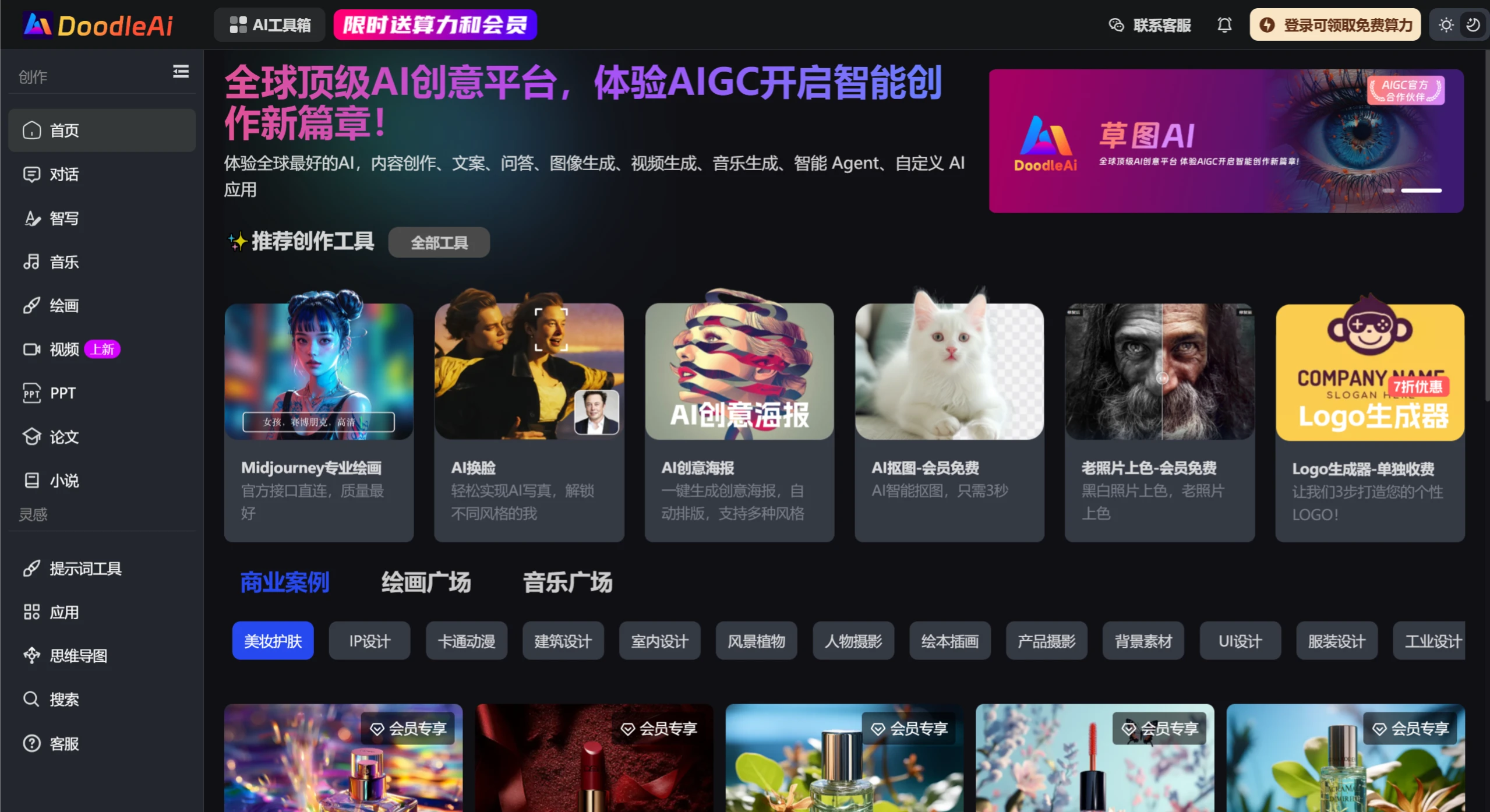
A world-leading AI creative platform that provides intelligent PPT, AI chat, AI drawing, AI music, and video creation tools. It supports multiple mainstream AI models, including Midjourney, Stable Diffusion, DeepSeek, Runway, Luma, Suno, and more. Experience AIGC and open a new chapter in intelligent creation.
Sketch AI Features and Highlights
One-Stop Creative Platform: Brings together the world's top AI tools, offering a variety of creator services including AI drawing, AI music, AI video, and more.
Midjourney Chinese Service: Supports Chinese versions of well-known AI tools such as Midjourney, making it convenient for domestic users.
AI Drawing Function: Users can leverage AI technology to transform sketches into high-quality images, supporting multiple artistic styles and personalized customization.
Free AI Chat & Agent Service: Provides free AI chat functionality to help users quickly spark creative ideas.
Multi-Field Applications: Suitable for different user groups such as designers, illustrators, and entrepreneurs, meeting a wide range of creative needs.
Sketch AI Use Cases
Design & Creativity: Helps designers quickly turn sketches into professional works, boosting design efficiency.
Artistic Creation: Offers artists a diverse selection of art styles to inspire their creations.
Business Applications: Supports enterprise users with brand design, marketing material creation, and more.
How to Use Sketch AI
1. Register an account:Visit the official site doodleai.cn to register.You can sign up using a phone number or email.
2. Log in and start using:After logging in, the left side of the platform interface displays multiple function modules, including [Chat], [Smart Writing], [Simulation], [Drawing], [PPT], [Music], and more. Below, using Drawing as an example, here's a usage tutorial:
Drawing:
Select the "Drawing" section and click "Add to Description" to enter your creative prompt.
The parameter settings are optimized by default and require no additional adjustments. If you'd like the generated image to be shared to the gallery, you can choose the corresponding image type.
Click "Start Generating Image." The generation process may take 3–5 minutes.
Once generated, the system will display four images for you to choose from. Click the "Download" button to save your selected image.















