
 Script Planner Assistant▸
 AI Apps
 AI News

Tusi AI – Smart Removal: Erase Objects from Images While Preserving the Rest
Tusi AI – Smart Removal: Erase Objects from Images While Preserving the RestIntroduction
What is 吐司ai-Smart Eraser?
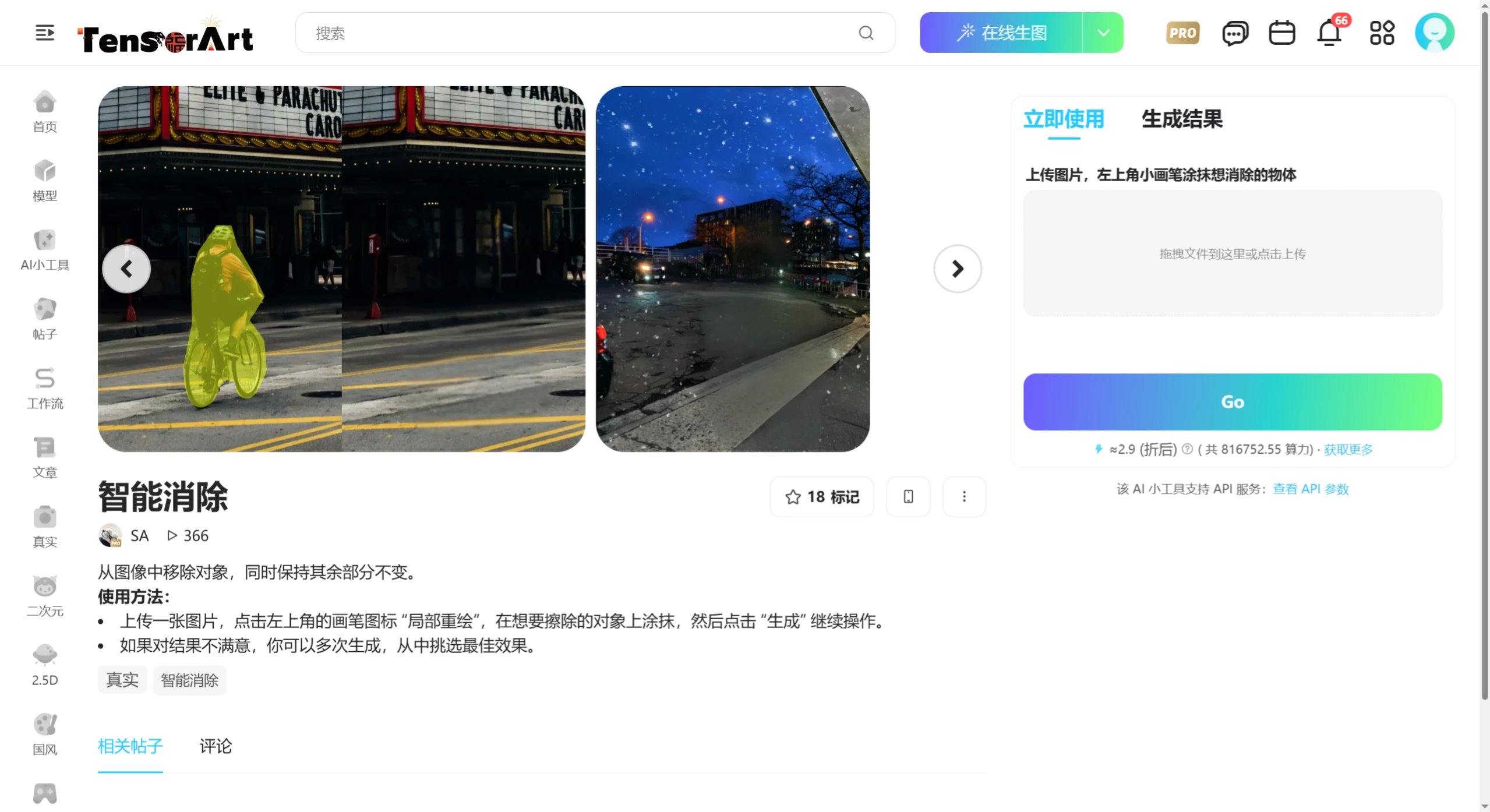
吐司AI Smart Eraser is a free online eraser tool that uses AI technology to help users quickly remove unwanted elements from photos, such as text, watermarks, people, objects, etc., while maintaining the original image's high clarity and lossless quality.
吐司AI-Smart Eraser Features
AI Smart Eraser: Uses advanced AI technology to accurately identify and remove target objects. You can remove text, watermarks, etc. from photos with one click. Simple to use and completed in seconds.
Manual Detail Processing: Provides brush, frame selection, lasso and other tools, allowing users to manually select the parts to be removed. The AI will intelligently fill in the blank areas after removal for seamless blending.
Use Online, No Download Required: Operate directly in the browser with no software installation needed. Supports uploading images in multiple formats, and maintains the original image's high clarity after processing.
吐司AI-Smart Eraser Application Scenarios
Social Media: Clean up photo backgrounds, highlight the subject, and improve sharing results.
Office & Study: Remove irrelevant content from documents and organize materials.
E-commerce Design: Remove clutter from product images and enhance product display effects.
Portrait Beautification: Remove facial blemishes and optimize photo quality.
How to Use 吐司AI-Smart Eraser
Visit the 吐司AI mini-tool [Smart Eraser].
Upload the image you want to process.
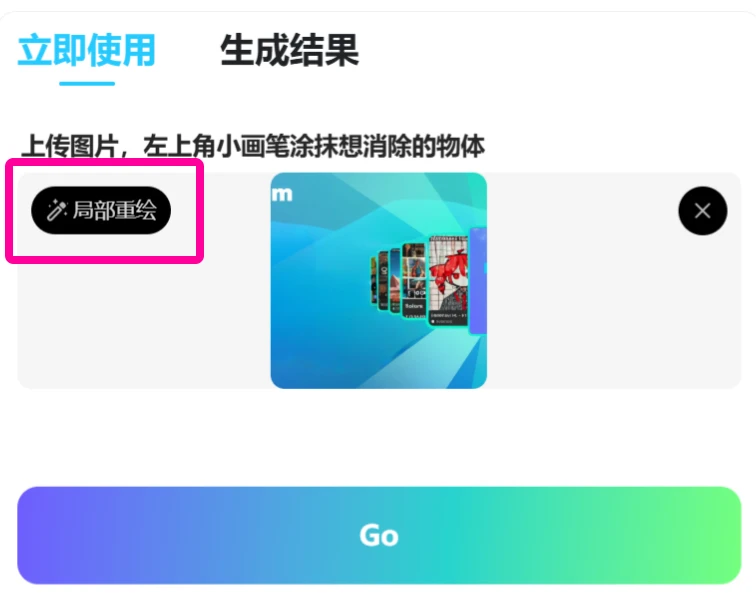
Click the brush icon [Partial Redraw] in the upper left corner, and paint over the object you want to erase. You can customize the brush size of the eraser.
Click [Confirm], and the AI will automatically complete the removal and filling.
Click the [GO] button to queue, wait about 30~120 seconds for processing to complete.
Click the [Download] icon that pops up on the image to download. The processed image will be in lossless PNG format.
If you are not satisfied with the generated result, you can generate multiple times and choose the best one.














