Script Planner Assistant▸
 AI Apps
 AI News

Stagetimer.io: Remote-Controlled Countdown Timer
Stagetimer.io: Remote-Controlled Countdown TimerIntroduction
What is Stagetimer.io?
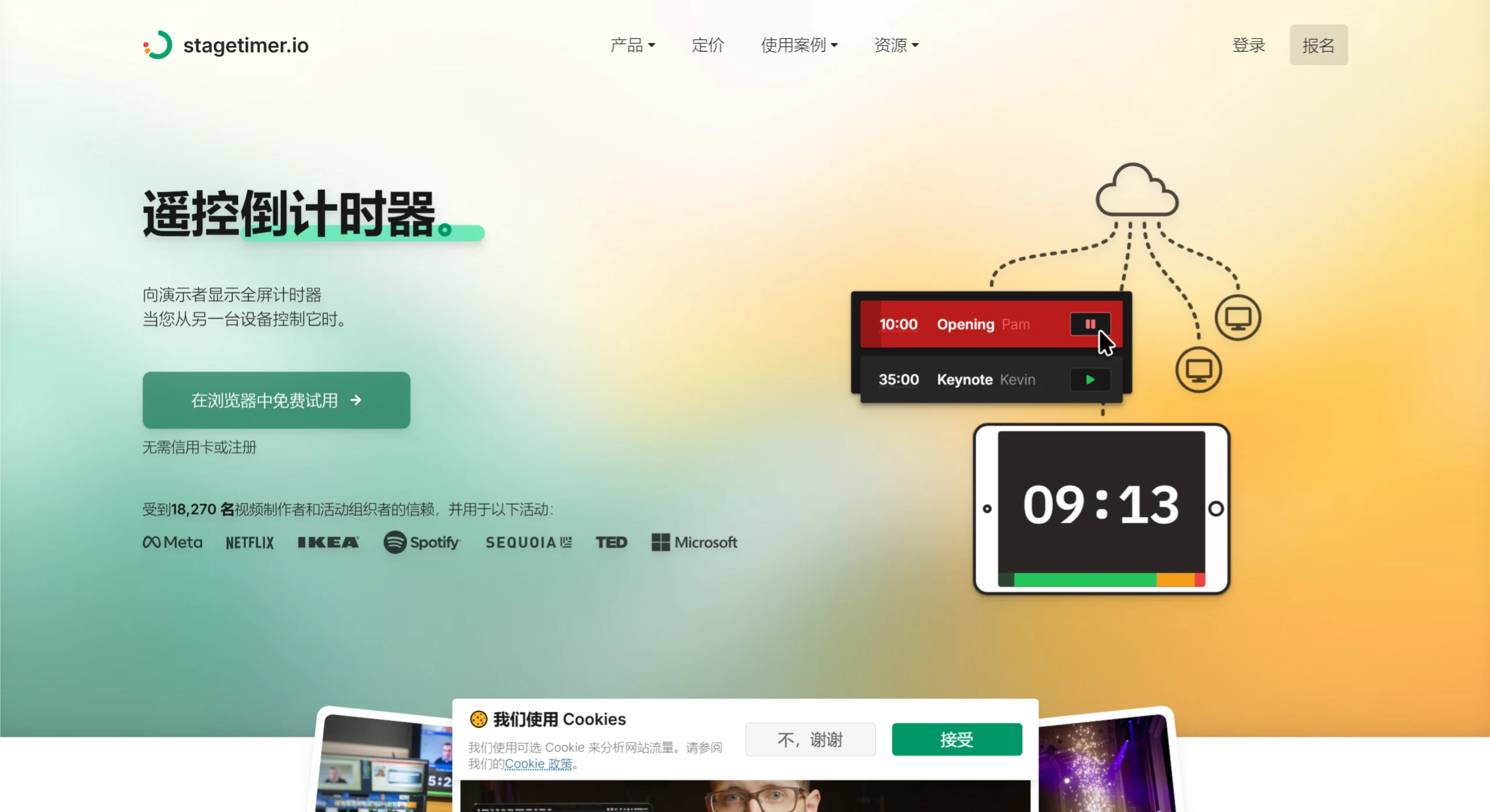
Stagetimer.io is a remote-controlled countdown timer tool developed by Lukas Hermann, suitable for video production, live events, conferences, and presentations. Users can create full-screen timers and messages, and can also control them remotely from other devices.
Stagetimer.io Features
Multi-device control and sharing: Any device with a browser, such as computers, tablets, and phones, can control the timer. Links to controllers, viewers, and agendas can also be shared, making it convenient for multiple people to operate together.
Customizable timer: Fonts, colors, logos, and backgrounds can all be set according to personal preferences. The position of the progress bar, the display of the next prompt message, etc. can also be adjusted.
Flexible timing functions: Multiple timers can be created and chained together for smooth switching. Both countdown and count-up modes are supported, with color changes as time runs out. Timers can also be scheduled to start automatically at a specific time.
Messaging and interaction: Messages can be sent to the speaker as reminders, such as "Time is almost up" or "Move closer to the microphone". The audience can submit questions via links or QR codes, and these questions will automatically appear as messages.
Agenda management: Agendas can be imported from Microsoft Excel or Google Sheets via CSV files. Shareable agenda links are also available, allowing participants to view them at any time.
Offline use: Desktop application versions for Windows and macOS systems are available, allowing use without an internet connection. This desktop app includes a complete local server, enabling timer sharing within a LAN.
Stagetimer.io Use Cases
Live events: Control the speakers' time to ensure smooth event flow.
Hybrid events: Timers and messages are synchronized, taking care of both online and offline participants.
Meeting organization: Schedule and monitor meeting agenda times to improve meeting efficiency.
Presentation training: Help presenters practice and improve their presentation skills.
Stagetimer.io Pricing
Free version: Includes basic features such as creating and running timers, scheduling, and linking timers.
Paid version: Includes advanced features such as custom appearance, API control, and CSV import/export.
Stagetimer.io Advantages
Versatility: Supports multiple devices and screen sizes, suitable for various scenarios.
High customizability: The timer's appearance can be adjusted to match the brand image.
Reliability and compatibility: Runs directly in the browser with no software installation required, and can also be used offline.
Stagetimer.io How to Use
Open the Stagetimer.io official website.
Register for a free account or use the paid features directly.
Create a timer and customize its appearance.
Share the timer link, or use the desktop app for offline control.
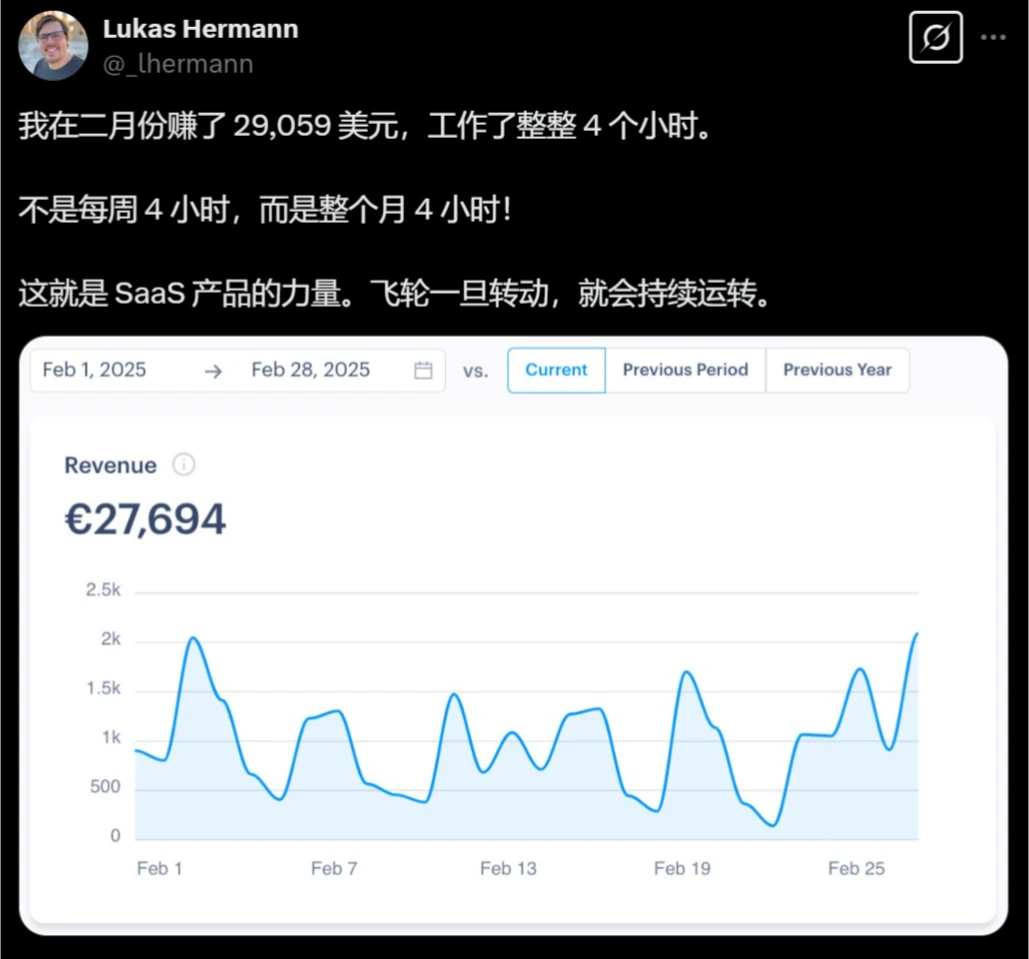
The creator, Lukas Hermann, earned $29,059 with Stagetimer in February, working only 4 hours.