
 Script Planner Assistant▸
 AI Apps
 AI News

biliLive-tools: An All-in-One Tool for Bilibili Broadcast Recording
biliLive-tools: An All-in-One Tool for Bilibili Broadcast RecordingIntroduction
What is BiliLive-tools?
BiliLive-tools is a one-stop tool designed for Bilibili recording, offering danmaku conversion, video compression, and one-click upload to Bilibili. It supports webhooks from BililiveRecorder and blrec, making it ideal for recording enthusiasts and clip editors.
Features of BiliLive-tools
Danmaku Processing
Supports converting XML danmaku files generated by tools such as Bilibili Recorder, blrec, and DDTV into other formats.
Supports burning danmaku into videos, making it easy to generate video files with danmaku overlay.
Video Processing
Supports video transcoding and remuxing, such as converting FLV format to MP4.
Supports video clipping based on danmaku content, making it easy to extract highlight moments.
Live Recording
Supports live recording on platforms such as Bilibili, Douyu, and Huya.
Supports recording danmaku and gift information for later editing and analysis.
Automated Upload
Supports automatically uploading processed videos to Bilibili.
Supports multi-part submissions, making it easy to combine multiple video clips into a single upload.
Webhook Support
Supports automated processing of outputs from tools like BililiveRecorder and blrec via Webhook.
Supports segmented recording continuation, merging separately recorded videos into a single upload.
GUI Interface
Provides a graphical interface for easy user operation.
Supports shortcut key operations to improve work efficiency.
CLI Support
Provides a command-line interface for advanced users to perform batch processing.
Supports global installation via npm for use anywhere.
Docker Support
Provides a Docker image for easy server deployment.
Supports quickly setting up the environment via docker-compose.
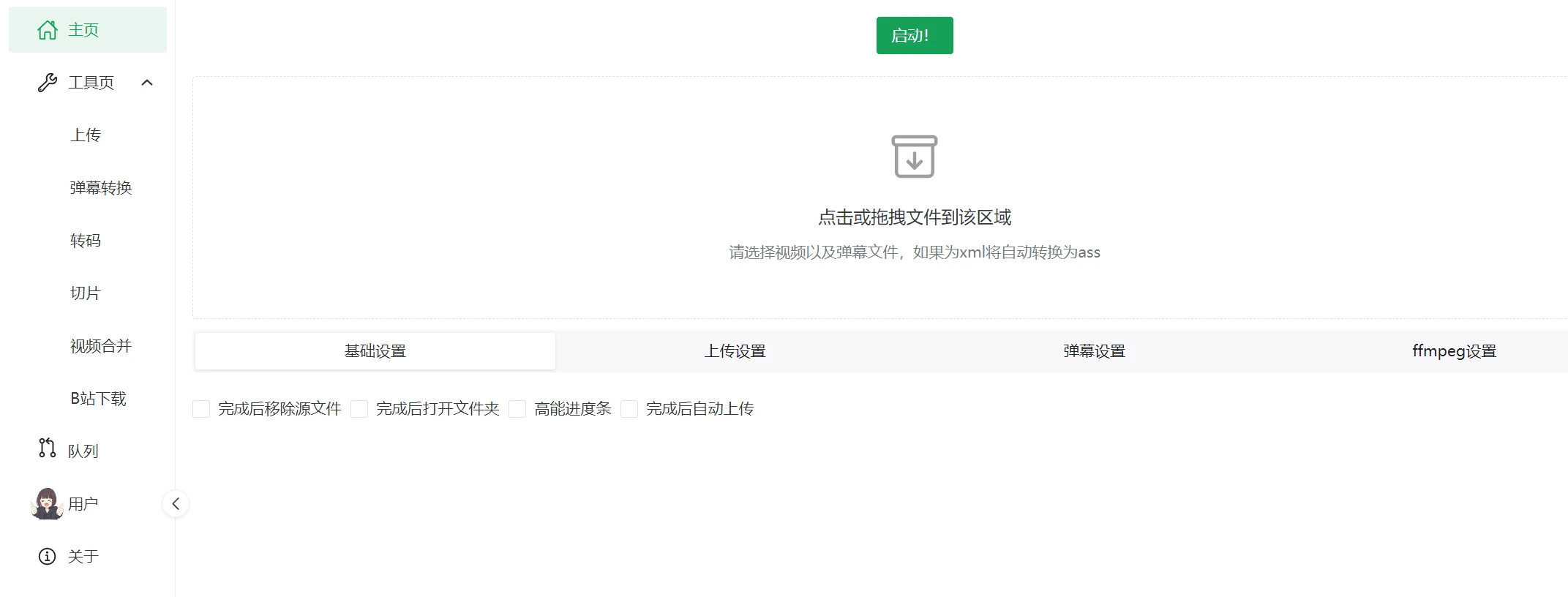
BiliLive-tools Installation & Configuration
Desktop Application
Download link: https://github.com/renmu123/biliLive-tools/releases
Alternative Aliyun Drive: https://www.alipan.com/s/iRyhxjdqGeL
CLI Installation
Install via npm:
npm i bililive-cli -g
Download link: https://github.com/renmu123/biliLive-tools/releases
Docker Deployment
Use docker-compose for quick setup
How to Use BiliLive-tools
Download and install the BiliLive-tools software.
Configure the webhook of recording tools (such as BililiveRecorder, blrec) to ensure compatibility with BiliLive-tools.
Enable the segmented recording continuation feature as needed, and set the time interval for merging streams.
After recording the live stream, use the software to process the video and danmaku, and upload them to Bilibili.
Use Cases of BiliLive-tools
Danmaku Conversion: Convert XML danmaku files to other formats, with support for adaptive resolution.
Video Clipping: Clip videos based on danmaku content or timestamps, with support for importing Lossless-Cut projects.
Automated Upload: Automatically process outputs from tools like BililiveRecorder and blrec via Webhook, with support for segmented recording continuation.
Live Recording: Supports live recording on platforms such as Bilibili, Douyu, and Huya, including danmaku and gift information.
GitHub Repository:https://github.com/renmu123/biliLive-tools
WebUI Project Repository:https://github.com/renmu123/biliLive-webui
Related News:
BiliBili ShadowReplay: Bilibili Live Clipping and Upload Tool















