
 Script Planner Assistant▸
 AI Apps
 AI News

MiniMates: A High-Performance Lightweight Digital Human Driving Framework
MiniMates: A High-Performance Lightweight Digital Human Driving FrameworkIntroduction
What is MiniMates?
MiniMates is a high-performance, lightweight digital human driving algorithm that supports both voice and expression driving modes, enabling real-time operation on ordinary computers.
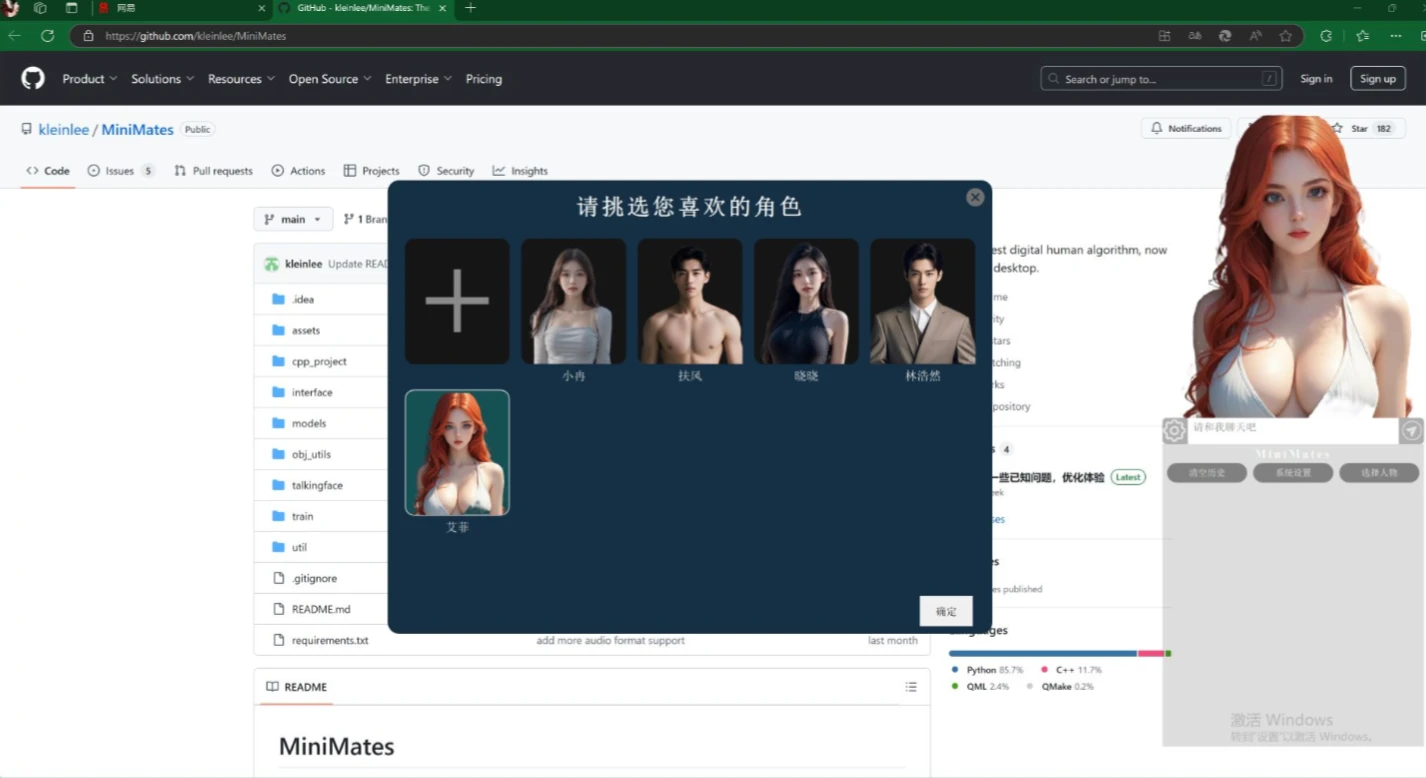
Core Advantages of MiniMates
Dual driving modes: MiniMates supports voice driving and expression driving. Voice driving enables the digital human to respond to voice commands, simulating human reactions and actions; expression driving allows the digital human to mimic facial expressions based on user-input expression data, enhancing the realism of interactions.
Ultra-fast experience: The fastest open-source digital human expression & voice driving algorithm. It can run in real time on discrete GPUs, integrated GPUs, and even CPUs.
Real-time operation: Real-time driving of digital human movements and expressions can be achieved on ordinary hardware, without the need for high-end equipment.
Personalized customization: With the single-image driving feature, users only need one image to generate a digital human model with personal characteristics.
Cross-platform compatibility: It does not rely on specific technologies such as Python or CUDA, and can run in various hardware environments, including CPU, integrated GPU, and discrete GPU.
Technical architecture: It adopts a coarse-to-fine wrap network architecture, optimizing processing efficiency and improving performance on CPUs. At the same time, UV map technology is utilized to enhance the detail and realism of the digital human's performance.
Application Scenarios of MiniMates
Virtual anchors: In the news and entertainment sectors, MiniMates can serve as a 24-hour anchor, adjusting expressions and tones based on the content's emotion to enhance the audience experience.
Online education: As a virtual teacher, it improves student interest and engagement through interactive teaching, simulating a real classroom environment.
Customer service: It provides round-the-clock virtual customer service, adjusting communication style based on user emotions to improve service quality and efficiency.
Virtual assistant: Acting as an assistant in smart homes, it controls home devices through voice commands, provides schedule reminders, and other services, increasing interactivity.
Vertical domain spoken videos: Used to quickly generate professional content in education, healthcare, legal consulting, and other sectors, reducing costs and improving efficiency.
Digital human IP: Designing unique digital human images for enterprises, enhancing brand recognition, and establishing emotional connections with consumers through storytelling and personality-driven features.
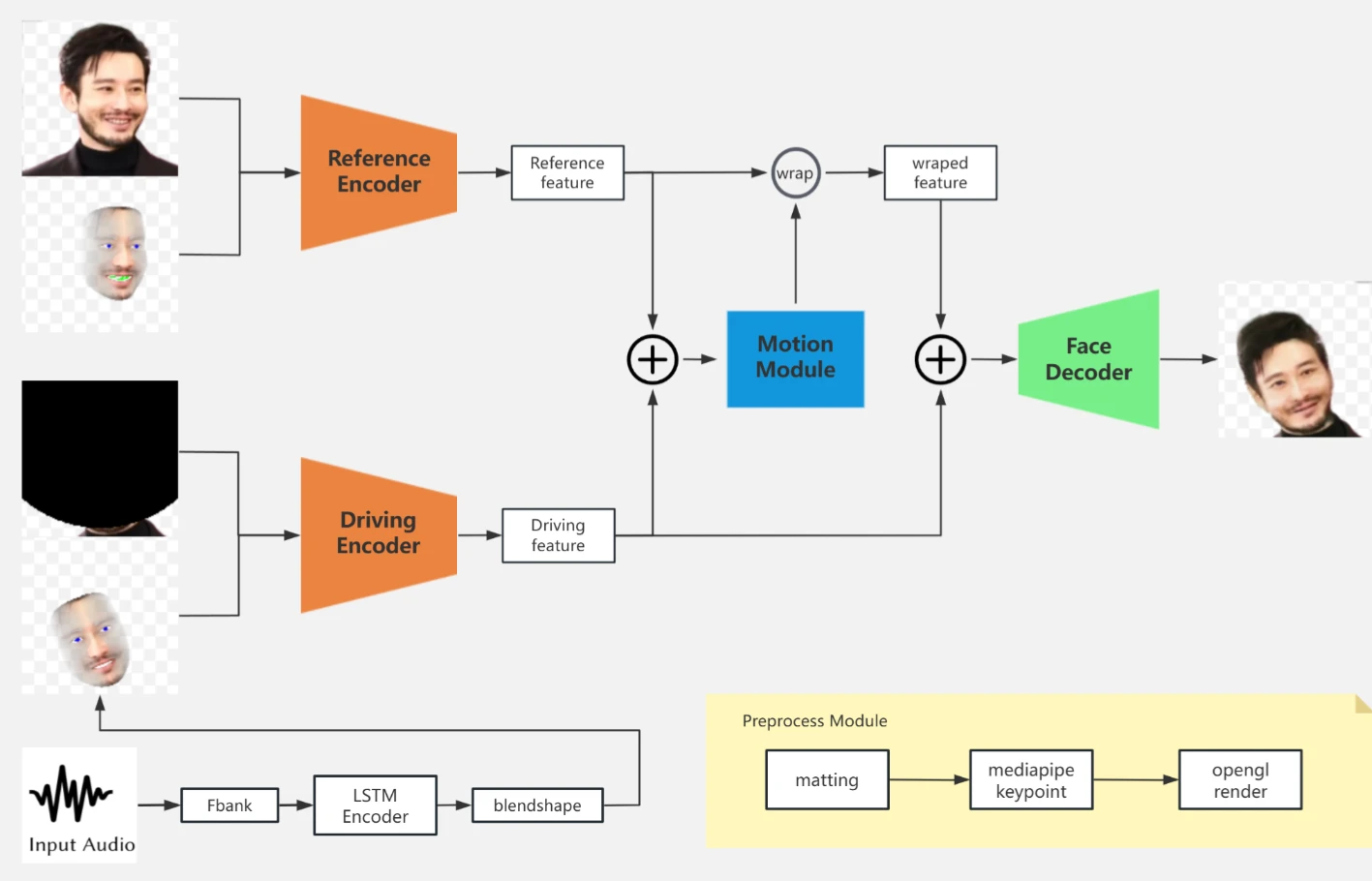
Installation and Usage:
Visit the GitHub repository:
1. Go to MiniMates' GitHub repository: https://github.com/kleinlee/MiniMates.
2. Clone or download the project:
If you use Git, you can run the following command in the terminal or command prompt to clone the repository:
git clone https://github.com/kleinlee/MiniMates.git
If you do not use Git, you can click the "Code" button on the repository page and then select "Download ZIP" to download the project's compressed package.
Install dependencies:
1. Enter the project directory:
cd MiniMates
2. Install the required dependencies according to the project's README file or documentation. Typically, you may need to install some Python libraries and other software packages.
Configure the environment:
The MiniMates project does not depend on Python and CUDA, but you may need to ensure that the necessary runtime libraries and tools are installed on your system. Please refer to the project's documentation for detailed configuration instructions.
Run the project: According to the project's documentation, run the corresponding command to start MiniMates. Typically, you may need to run a Python script or start a Web server.
Access and use: Once the project runs successfully, you can access the MiniMates digital human through a browser or other specified interface and begin using its features.
The open-source project address for MiniMates is: https://github.com/kleinlee/MiniMates














