Script Planner Assistant▸
 AI Apps
 AI News

33Dial
33DialIntroduction
Through the tool 33 Lines, by searching for keywords, you can easily find the films and timestamps where related lines show up. If you're working on a video remix/montage, this site is an absolute godsend. If you're a video creator, you can use it to find footage; if you're an English/Japanese student or teacher, you can use it to locate the usage scenarios of specific sentences and vocabulary. After searching for a keyword, select "Preview" to view the video clips where the keyword appears, and use "Cloud Cut" to clip and download the video locally.
33 Lines also makes it easy to translate video subtitles, supporting the DeepL and ChatGPT translation engines.
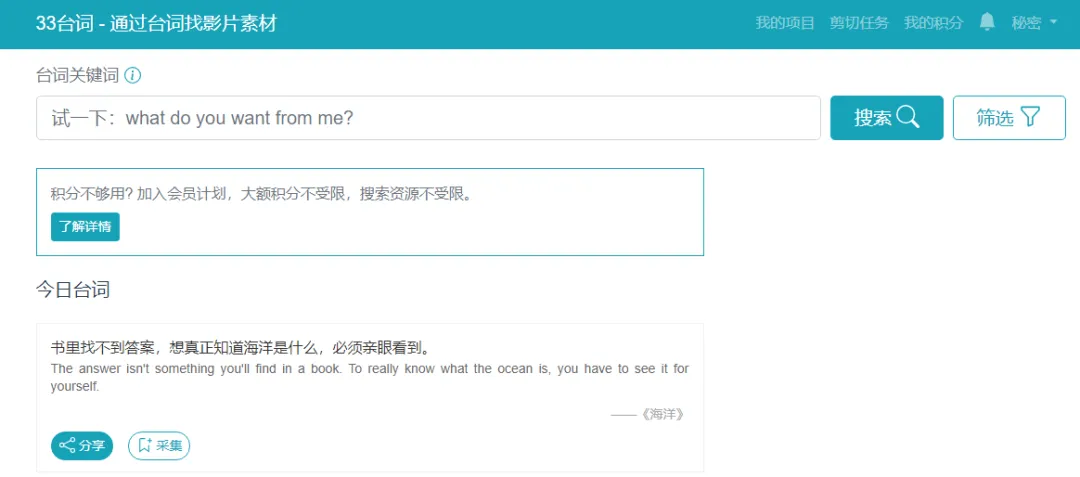
Main Features of 33 Lines
Precise line search: Enter any line snippet to match corresponding scenes in a massive library of films and shows, displaying the exact timestamp.
Clip location: Jump directly to the point in the film where the line appears—no more manual searching.
Multi-language support: Offers both Chinese and English subtitle resources to meet bilingual learning or creative needs.
Creator-friendly: Provides convenient footage-source tracing for video editing and remixing, making content creation far more efficient.
Learning aid: Reverse-search for films through lines, helping language learners memorize content in context and gain deeper understanding.
Online footage processing: Play clips online, clip and export them as MP4 with one click, and save subtitles and video separately. It also supports batch-generating subtitle screenshots from multiple clips—perfect for film remixes.
AI smart generation: Enter keywords or descriptions to automatically pull up related video footage.
How to Use 33 Lines
Register and log in: Go to the 33 Lines official website, register an account with your email, and log in to access all functions.
Enter keywords: Type the line you're after in the search box—for example, "人生没有彩排"—and hit search.
Filter results: The search results list relevant film and TV resources, which you can filter by timestamp and preview. To find specific types of content, you can also use advanced filters—such as genre, year, etc.
Clip and download: Once you've found a suitable clip, click "Cloud Cut," adjust the time range, and click download. You can choose the version with or without subtitles; subtitle files are also saved alongside.
Some features of 33 Lines require credits—for example, Cloud Cut consumes 5 credits per video. New registered users receive 50 credits by default, and you can earn more through inviting users, completing tasks, daily check-ins, or purchasing credits. Only searching for film lines does not consume credits.
When downloading videos on the site, VIP videos are only available to members for download, and each clip download consumes credits—approximately 5 credits per download. New registered users will receive 50 credits.
Detailed usage guide for 33 Lines: http://33-docs.agilestudio.cn/
Related information: