Script Planner Assistant▸
 AI Apps
 AI News

Reactive-Resume: A Free, Open-Source AI Resume Builder
Reactive-Resume: A Free, Open-Source AI Resume BuilderIntroduction
What is Reactive-Resume?
Reactive-Resume is a free and open-source AI resume builder tool that supports OpenAI API integration, offering intelligent content optimization, grammar correction, and multi-language resume translation features. It supports custom single or multiple pages, colors and layouts, drag-and-drop page arrangement, creation of custom sections, and professional templates.
Core Features of Reactive-Resume:
Open Source & Free: Reactive-Resume offers a completely free resume creation service, and its source code is open, allowing users to customize it freely.
Privacy First: The platform does not perform user tracking or serve ads, ensuring the security and privacy of user information.
Real-Time Editing: When editing a resume, users can instantly see a live preview, making it easy to adjust and optimize content.
Multi-Language Support: Supports multiple languages, making it accessible to users from different backgrounds, and encourages user contributions for translations.
OpenAI Integration: Through integration with OpenAI or similar AI technologies, it helps users improve their writing quality, including grammar correction and text optimization.
Rich Customization Options: Offers a variety of template choices, font settings, theme colors, and page layout customization, including dark mode.
Resume Management: Users can create and manage multiple resumes under a single account, tailoring them to different positions.
Sharing & Tracking: Generate personalized links for resumes to easily share with recruiters, and even track who has viewed the resume.
Export Options: Supports exporting resumes to PDF and JSON formats for convenient online submission or backup.
Technical Architecture
Frontend: Built on React (using the Vite framework).
Backend: Uses the NestJS framework.
Data Storage: Utilizes a Postgres database, with Prisma ORM ensuring flexibility in the database system.
Other Key Components: Include Minio for object storage, Browserless for PDF generation and previews, and an SMTP server for handling password recovery emails.
How to Use Reactive-Resume:
Access & Sign Up: Visit https://rxresu.me/ and quickly register using an email, GitHub, or Google account.
Create a Resume: Click to create a resume, choose or customize a template, and start filling in personal information, work experience, education background, etc.
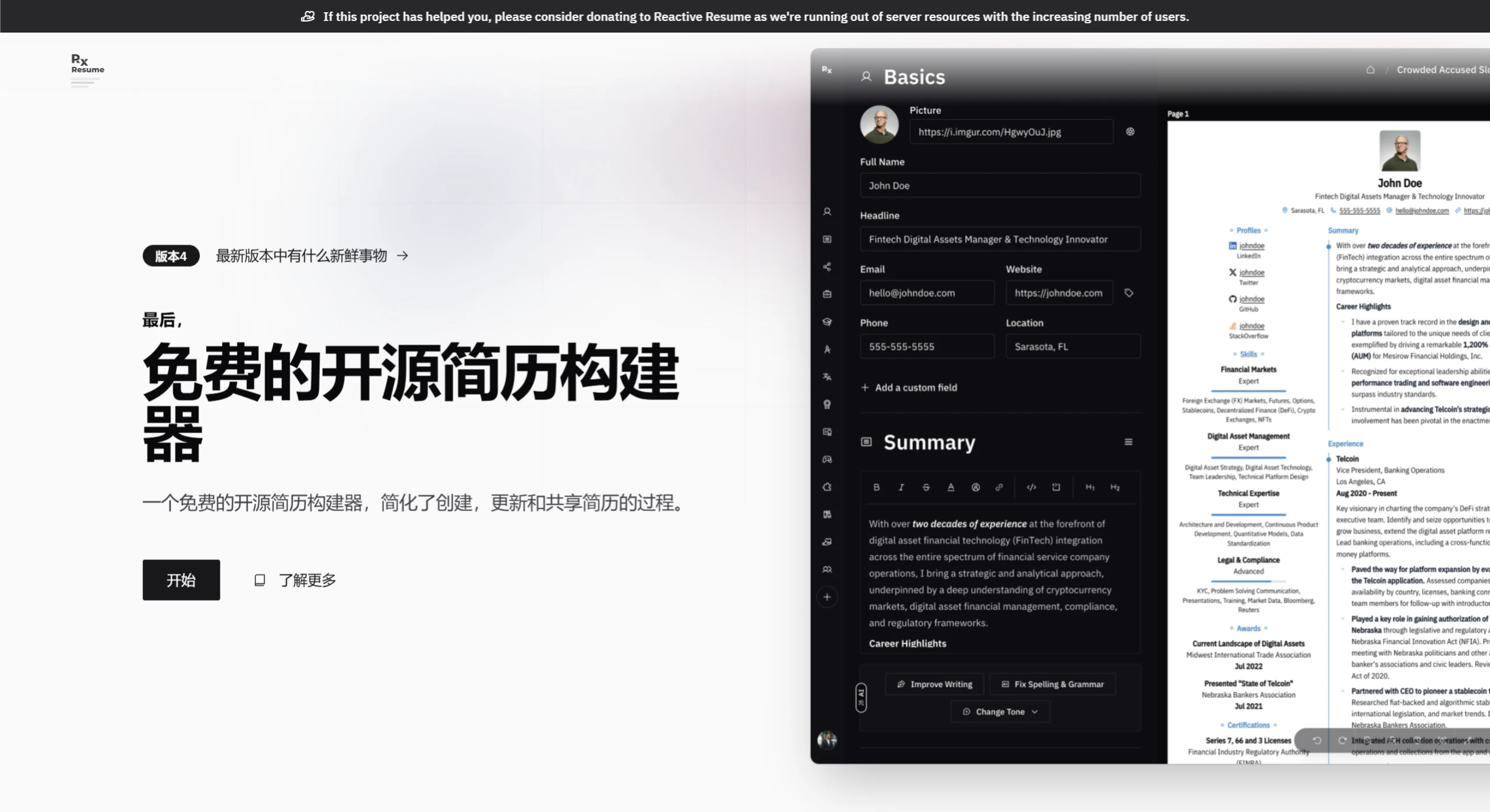
Real-Time Preview: Edit on the left, preview in the middle, and configure on the right — all operations are completed on a single page with instant feedback.
Customize Style: Use the right-side menu to adjust templates, fonts, colors, and even layouts to match your personal style.
Download or Share: After finishing editing, choose to save or publicly host it, or export to PDF format for formal submission, or generate a link to share with employers.
GitHub:https://github.com/AmruthPillai/Reactive-Resume