
 Script Planner Assistant▸
 AI Apps
 AI News
Xiaoban WordPress AI Assistant: Free & Open-Source WordPress Plugin
Xiaoban WordPress AI Assistant: Free & Open-Source WordPress PluginIntroduction
What is Xiaoban WordPress AI Assistant?
A fully open-source WordPress AI assistant plugin. It supports AI chat conversations, article generation, article summarization, article translation, PPT generation, and more. Additionally, it can integrate with models such as DeepSeek, Doubao, and Tongyi Qianwen. The plugin can not only automatically read out AI conversation content but also has the ability to translate articles and play audio.
Main Features of Xiaoban WordPress AI Assistant
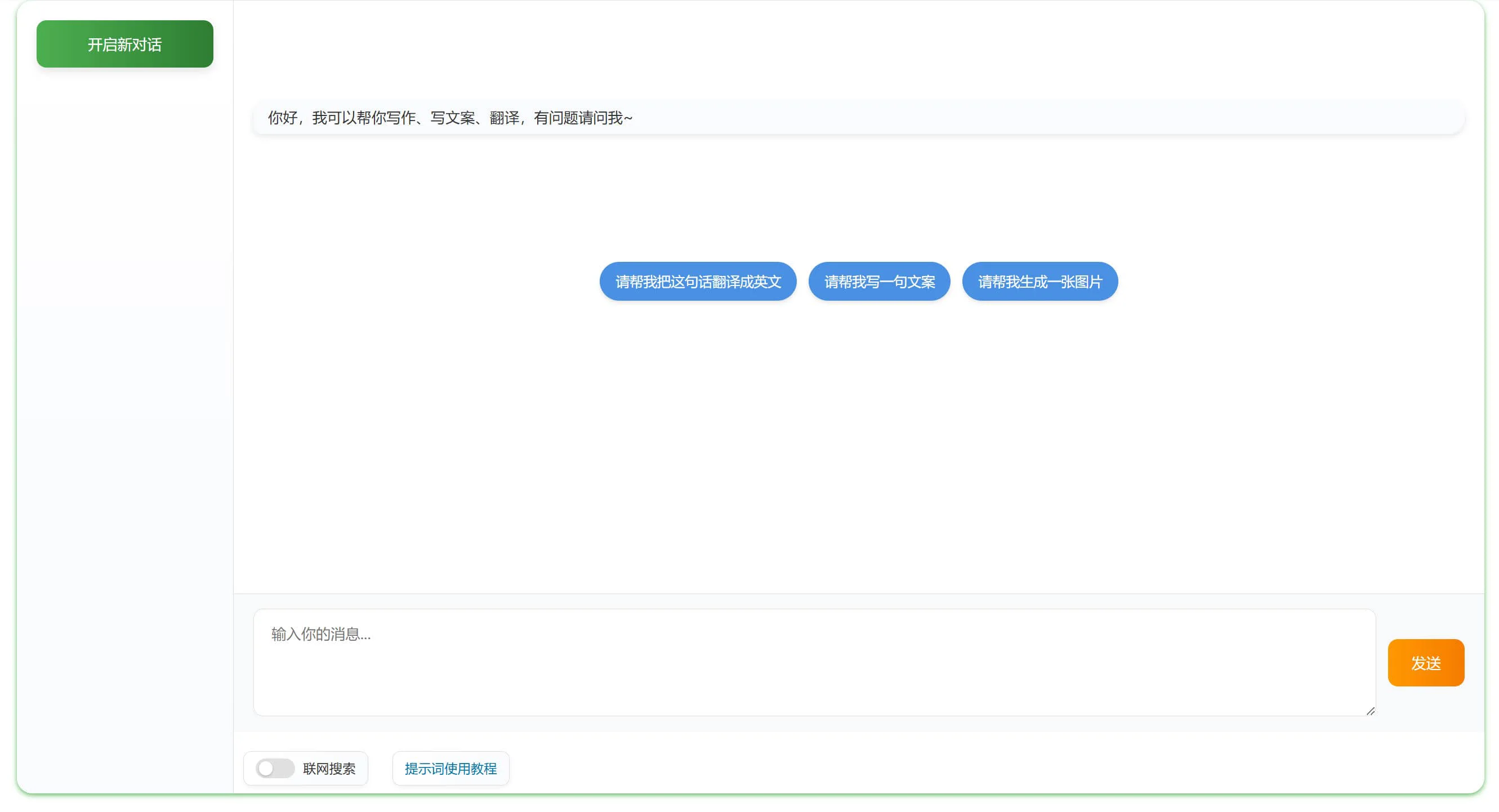
AI Chat Conversation: Users can have real-time conversations with the AI through the plugin, supporting voice input and output.
Article Generation: Users can use AI to automatically generate article content.
Article Summarization and Translation: The plugin provides features to summarize and translate existing articles, supporting multiple languages.
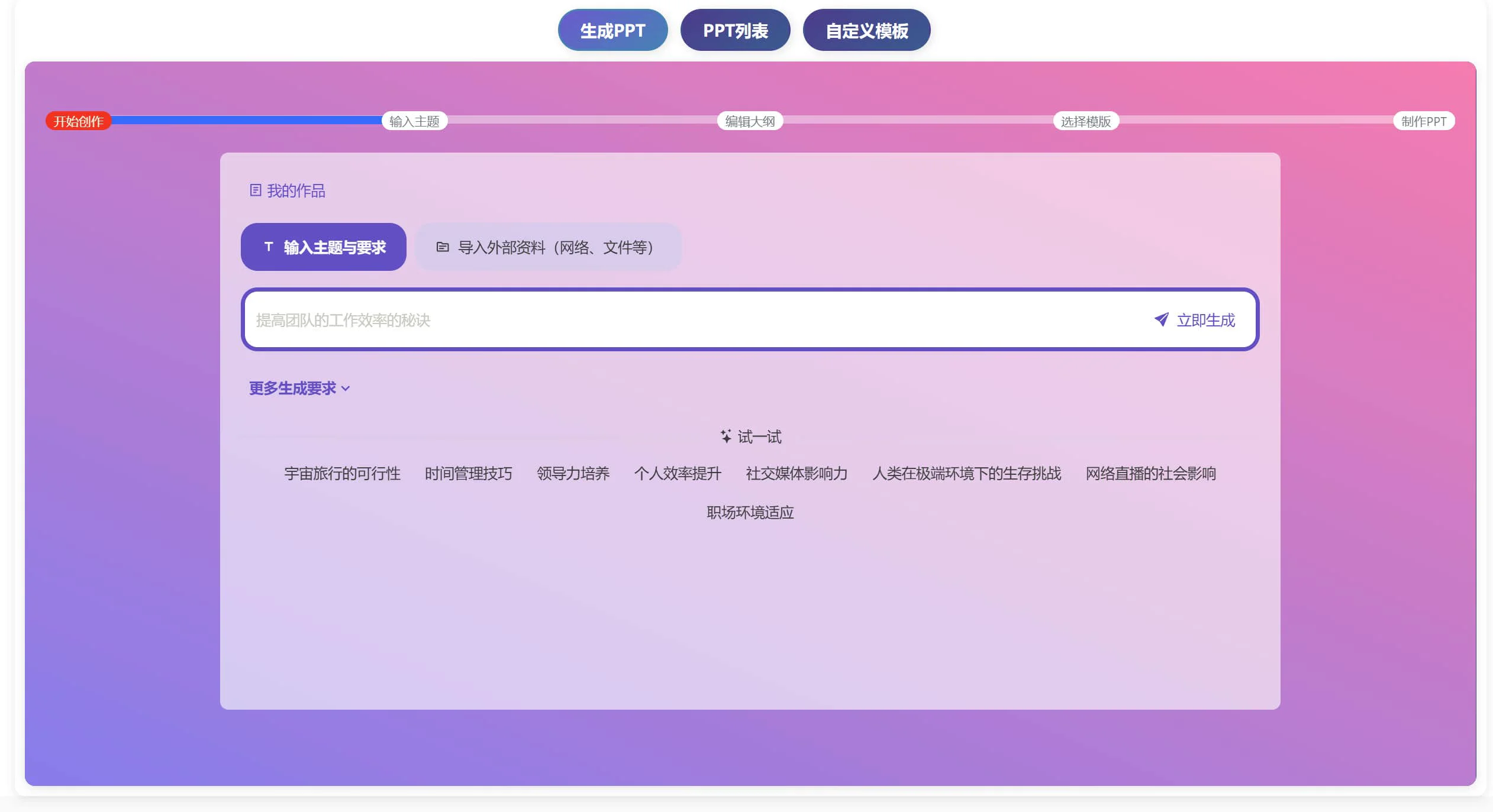
PPT Generation: Quickly generate PPT files through the AI interface, suitable for users who need to create presentations quickly.
Multi-Model Integration Support: The plugin supports multiple AI models, including DeepSeek, Alibaba Tongyi Qianwen, Baidu Qianfan, Doubao, Kimi, and OpenAI, allowing users to choose the model based on their needs.
User Data Management: Users can view and delete their own conversation records, and the system also manages conversation records to protect user privacy.
Frontend Display and Customization Features: The plugin automatically generates a frontend conversation page, allowing users to customize prompts, and supports Markdown format input and output.
Installation and Usage
Installation:
1. Go to https://github.com/suqicloud/wp-ai-chat to download the latest version file
2. Log in to the WordPress admin dashboard
3. Upload the local file package to install, or directly upload it to the website plugin directory /wp-content/plugins on the server, then set permissions.
Usage
When the plugin is enabled, it will automatically create a frontend conversation page. If it is not created automatically, manually add the shortcode: 【deepseek_chat】
The article translation interface needs to be set up separately.
AI PPT generation is also merged from an independent plugin, so compatibility may not be optimal.
GitHub:https://github.com/suqicloud/wp-ai-chat












