Script Planner Assistant▸
 AI Apps
 AI News

Coco AI: A Fully Open-Source, Cross-Platform Unified AI Search Tool
Coco AI: A Fully Open-Source, Cross-Platform Unified AI Search ToolIntroduction
What is Coco AI?
Coco AI is an open-source, cross-platform unified AI search tool developed by INFINI Labs. It can connect to and search across multiple data sources, including local applications, files, and cloud platforms such as Google Drive, Notion, Yuque, and Hugo. By integrating large language models like DeepSeek, Coco AI enables intelligent personal knowledge base management, supports private deployment, and helps users quickly and intelligently access information.
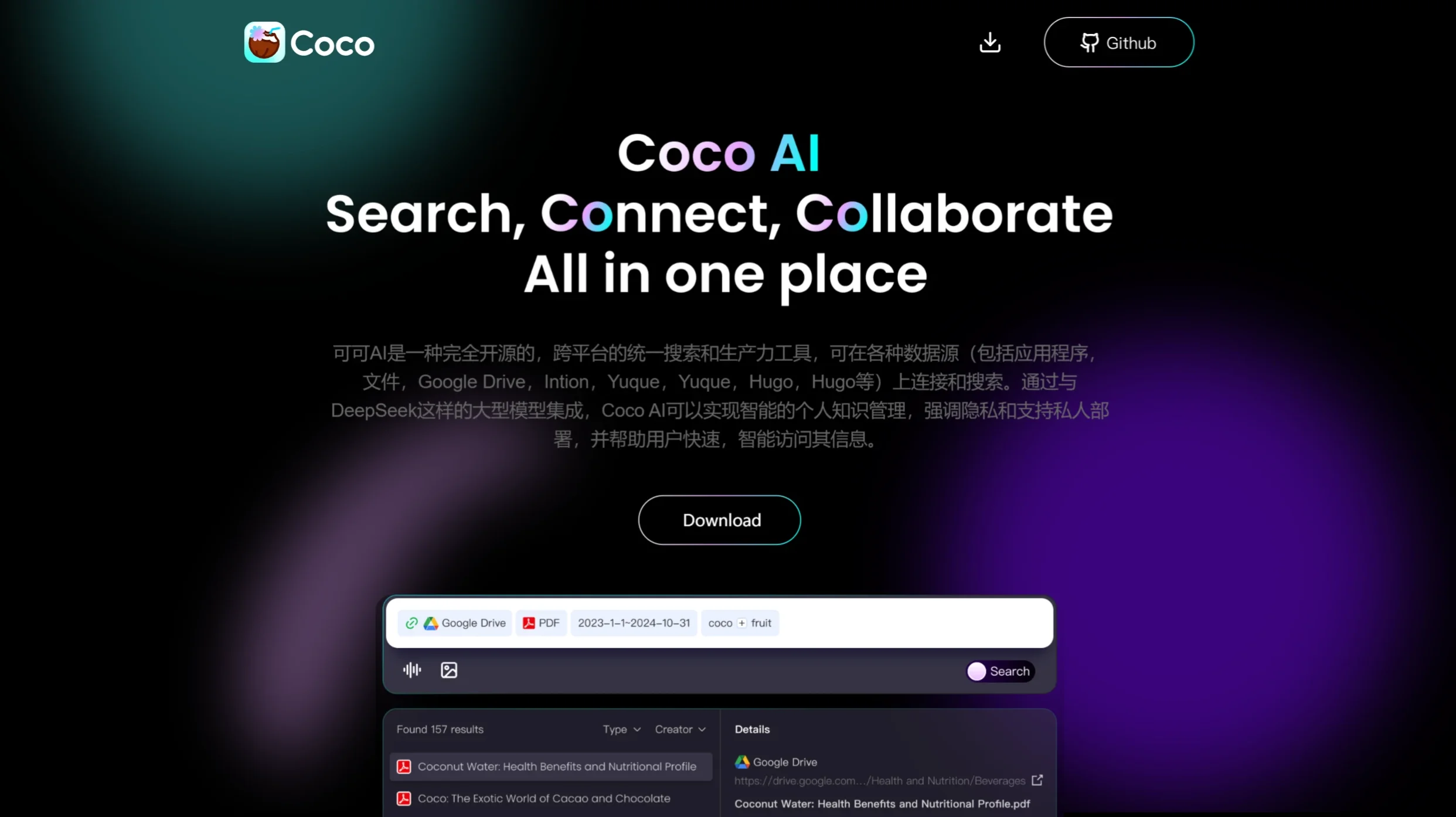
Coco AI Features
Unified Search Platform: Coco AI integrates multiple data sources, including enterprise applications, local files, cloud storage services (such as Google Workspace, Dropbox), knowledge management tools (such as Notion, Yuque), and open-source code hosting platforms (such as GitHub), providing a one-stop search experience.
Cross-Platform Access: Through the COCO App, users can seamlessly switch between desktop and mobile devices, enabling instant data search and access, improving work efficiency.
Intelligent Search Technology: Leveraging AI algorithms, Coco AI can understand query intent and deliver precise search results, while supporting natural language processing to make searching more human-friendly.
Personalized Recommendations: Based on users' search history and usage habits, Coco AI can provide personalized information recommendations, helping users quickly find the most relevant content.
Knowledge Tracking and Verification: Ensures that the information users obtain is up-to-date and verified for accuracy, especially when handling real-time updated data sources.
Use Cases for Coco AI
Enterprise Office: Employees can quickly find files, emails, project progress, and other information distributed across different systems.
Knowledge Management: For knowledge workers, Coco AI can help them quickly locate materials stored in note-taking tools such as Notion and Yuque.
R&D Teams: Developers can quickly locate code snippets and version control information.
Personal Users: Integrates personal cloud and local files, supports data organization and retrieval, making it easy to manage personal documents, photos, and more.
Education and Research: Scholars and students can conveniently access academic resources, notes, and materials stored in the cloud.
How to Use Coco AI
Install the COCO App: Download and install the COCO App through official channels onto your desktop or mobile device.
Connect Data Sources: After logging in, users need to authorize Coco AI to access the required data platforms, such as Google accounts, Dropbox accounts, etc.
Set Preferences: Customize search preferences according to personal or team needs, such as prioritizing certain file types or data sources.
Perform a Search: Enter keywords or questions in the search box, and Coco AI will return a list of relevant results, allowing users to view or directly open the target content.
Utilize Advanced Features: Use Coco AI's advanced search options, such as date range and file type filters, to further refine search results.
GitHub URL: https://github.com/infinilabs/coco-app
Related News: