Script Planner Assistant▸
 AI Apps
 AI News

Mdnice_云技派,专注ai人工智能!
Mdnice_云技派,专注ai人工智能!Introduction
What is Mdnice?
Mdnice is a powerful Markdown editor developed by Mdi Technology, specifically designed for multiple platforms such as WeChat Official Accounts, Zhihu, and Rare Earth掘金 (Juejin). It offers a rich selection of theme styles and free image hosting services, along with a powerful one-click article formatting feature, helping users efficiently create and edit content.
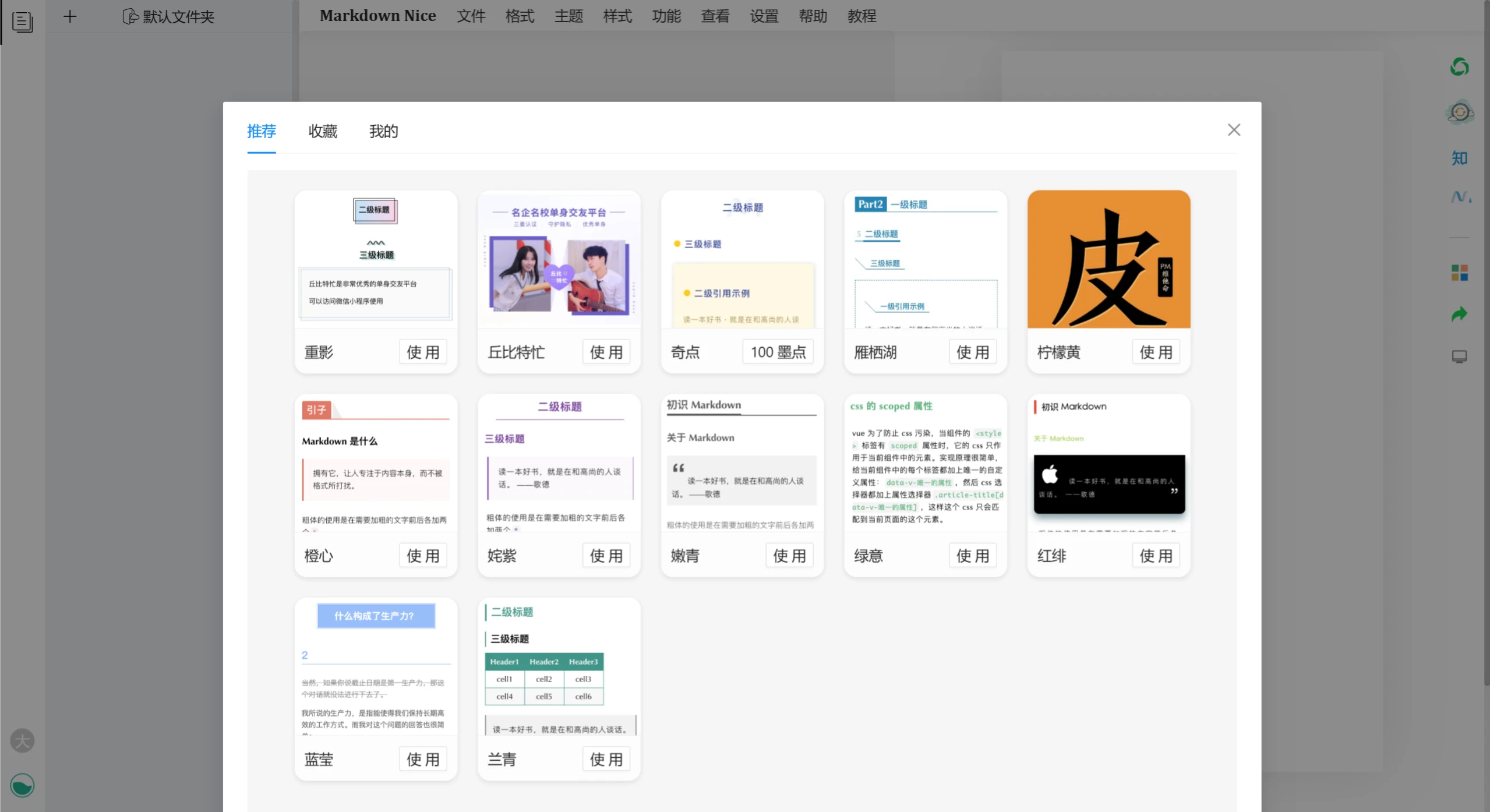
Features of Mdnice
Markdown Support: Mdnice fully supports Markdown syntax, allowing users to focus on the content while writing without worrying about formatting issues.
Diverse Themes: Offers a variety of exquisite themes, enabling users to select a suitable theme according to the article's style and enhance the visual appeal of the article.
One-Click Copy and Publish: Supports one-click copying of formatted articles to platforms such as WeChat Official Accounts and Zhihu, maintaining consistent formatting and simplifying the publishing process.
AI Assistant for Writing: Integrates an AI assistant to help users convert articles into Markdown format, improving writing efficiency.
Code Highlighting and Math Formulas: Supports syntax highlighting for multiple programming languages and math formula rendering, suitable for technical content creation.
Multi-Platform Publishing: Supports direct export to platforms such as WeChat Official Accounts and Zhihu, allowing one-click copying of formatted content without additional adjustments.
Mdnice Feature Description:
Navigation Bar:
File: Supports exporting Markdown files, exporting PDF files (for PC and mobile), and importing text or Markdown files.
Format: Provides various formatting options, including strikethrough, bold, italic, code, inline code, links, tables, and image insertion.
Functions: Includes resetting the editor, find and replace, local history, SitDown HTML to Markdown, and more.
View: Provides a full-screen editing experience, along with toggle controls for the editing area, preview area, and theme CSS area.
Theme: Offers a rich theme system, supporting one-click formatting and custom CSS styles.
Right-Click Menu:
Provides a quick-access shortcut menu for commonly used formatting functions.
Special Formatting Adjustments:
Supports selection between serif and sans-serif fonts.
WeChat external link to footnote conversion feature, convenient for formatting Official Account articles.
Document formatting function to standardize writing format.
Code Theme:
Provides exclusive code block theme settings, including an elegant Mac-style option.
Settings:
Sync Scrolling: The editing area and preview area scroll synchronously.
Include name when uploading images: Automatically adds the image name as a note when uploading images.
Applications of Mdnice:
Official Account Operations: Provides efficient quick formatting for operators, maintaining consistent article style and improving publishing efficiency.
Technical Knowledge Sharing: An ideal choice for tech bloggers to write technical blogs and share code and technical experience, clearly presenting technical details through professional code processing and formatting features.
Team Document Collaboration: Supports team members in collaboratively editing documents, enabling real-time collaboration and information sharing, improving team work efficiency and collaboration.
How to Use Mdnice
Register an Account: Visit the Mdnice editor official website (https://editor.mdnice.com/), log in by scanning a WeChat code or register a new account.
Create a New Article: After logging in, click the "Write Article" button, enter the article title, select a folder, and start editing.
Edit Content: Use Markdown syntax to edit the article, or use the AI assistant to convert the article into Markdown format.
Select a Theme: During the editing process, you can switch themes at any time and preview the formatting effect.
Export and Publish: After completing the editing, you can choose to export as Markdown or PDF, or directly copy the formatted content to platforms such as WeChat Official Accounts and Zhihu for publishing.
Related Information: