Script Planner Assistant▸
 AI Apps
 AI News

Douyin Shop Web: Merchant Backend Login Portal
Douyin Shop Web: Merchant Backend Login PortalIntroduction
The web version of Douyin Store, also known as the merchant backend, is the official one-stop PC-based store management platform provided by Douyin e-commerce for merchants.
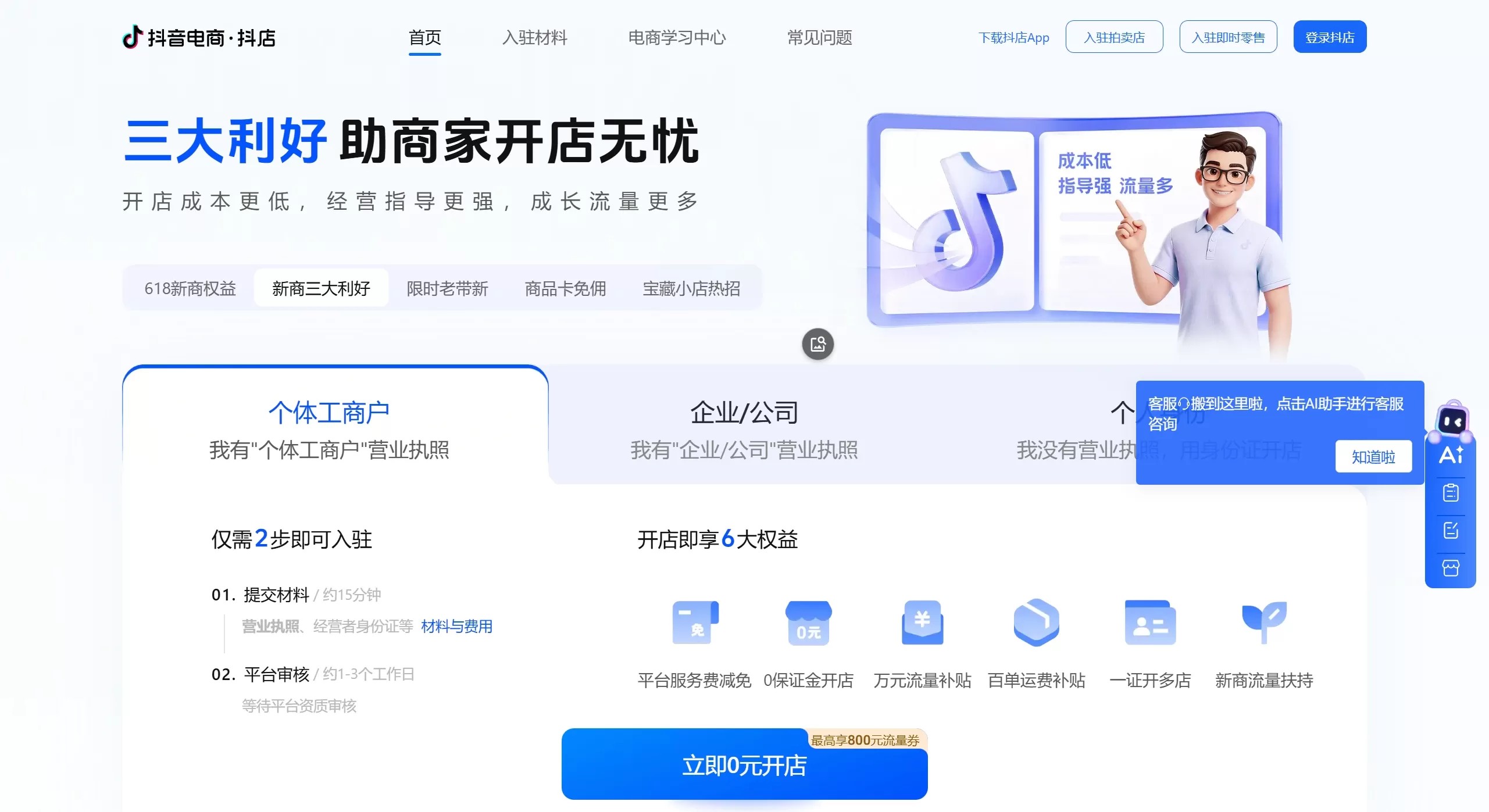
🌐 Douyin Store Merchant Backend Login Entry
The only official website for PC access is: https://fxg.jinritemai.com/.
In addition, the address https://seller.jinritemai.com can also take you directly to the merchant backend.
Please be sure to access through official channels and stay alert to any links from non-official sources to prevent account information leakage.
✨ Main Features of the Douyin Store Web Version
After logging into the Douyin Store web backend, you can efficiently manage your store:
Product Management: Publish, edit, and delist products with support for batch operations, more efficient than the mobile version. The large PC screen also makes it easier to handle complex information such as multiple specifications and HD images.
Order Processing: View the status of all orders, perform operations such as shipping and handling refunds/returns.
Data & Analytics: View detailed analytical reports on store sales data, traffic sources, user behavior, etc., providing support for operational decisions.
Marketing & Promotion: Set up promotional activities such as coupons and flash sales to boost store sales.
Customer Service: Handle user inquiries, complaints, and suggestions through the backend.
Multi-Store Management: Supports one-click login and simultaneous management of up to 10 stores.
🚀 How to Log in to Douyin Store
The login process is simple:
Visit the official website: Open the official URL https://fxg.jinritemai.com/ in your computer browser.
Click Login: Find and click the "Login" button in the upper right corner of the page.
Choose a Method: You can log in using your phone number, email, or an authenticated Douyin account.
Complete Verification: Enter your password or verification code as prompted.
How to Onboard onto Douyin Store
The onboarding process for Douyin Store mainly includes preparing materials, submitting online, platform review, and paying the deposit. Currently, the platform offers a "Zero-Yuan Onboarding" preferential policy for new merchants, allowing you to try operations first and pay the deposit later, significantly lowering the entry barrier.
📝 Step One: Pre-Onboarding Preparation
Before you begin, you need to determine the type of store that suits you and prepare the corresponding materials.
There are three main types of stores on Douyin Store, and their core differences are as follows:
| Store Type | Applicable Entity | Required Core Materials |
|---|---|---|
| Individual Store | Individuals without a business license | Personal ID card, real-name authenticated Douyin account, personal bank card |
| Sole Proprietorship Store | Individual industrial and commercial households | Business license for the individual industrial/commercial household, operator's ID card, bank card |
| Enterprise Store | Company/Enterprise | Enterprise business license, legal representative's ID card, corporate bank account |
Depending on the store type you choose, you need to prepare the following materials:
Individual Store: Photos of the front and back of your personal ID card (validity period must be greater than 1 month), your real-name authenticated Douyin account, a bank card in your name, and a commonly used phone number.
Sole Proprietorship/Enterprise Store: Business license, photos of the front and back of the operator's or legal representative's ID card, personal bank card of the operator or legal representative (or enterprise corporate account), and a phone number that has not been registered with Douyin Store.
If you plan to sell specific categories (such as food, cosmetics), you also need to prepare the corresponding industry qualifications, such as the Food Business License. If brands are involved, you need to provide a trademark registration certificate or a brand authorization letter.
🚀 Step Two: Submit Your Onboarding Application Online
Visit the official website: Open the official Douyin Store web onboarding platform: https://fxg.jinritemai.com/.
Start Onboarding: Click the "Onboard to Douyin E-commerce" or "Onboard Now" button on the page.
Select Entity Type: Choose "Individual", "Individual Industrial and Commercial Household", or "Enterprise/Company" based on your qualifications.
Account Registration: Enter a phone number that has not been registered with Douyin Store, get the verification code, and complete the login.
Fill in and Submit Information: Follow the page prompts to upload the prepared qualification photos (such as ID card, business license), and fill in information such as the store name, logo, and business category. Ensure all information is accurate, and the business category falls within the scope of the business license.
⏳ Step Three: Wait for Platform Review
After submitting the application, the platform will conduct a review. The review for individual stores is usually very fast, while the review time for sole proprietorship and enterprise stores is generally 1-3 business days. Please pay attention to SMS notifications and in-site messages.
💰 Step Four: Pay the Deposit
This is a key step in onboarding, and the current policy is very friendly:
Zero-Yuan Onboarding (Trial Operation): New merchants do not need to pay a deposit during the initial opening period and can conduct limited trial operations first.
Payment Trigger Point: A deposit only needs to be gradually recharged through goods payment when the store's paid order volume exceeds 200 orders, or the total order amount exceeds 10,000 yuan.
Deposit Standards: Collected in tiers based on the store's paid GMV (Gross Merchandise Volume) in the previous calendar month:
GMV from 0-50,000 yuan: Deposit is 500 yuan.
GMV from 50,000-100,000 yuan: Deposit is 2,000 yuan.
GMV of 100,000 yuan or more: Deposit is 5,000 yuan.
Deposit Refund: This amount can be applied for a full refund after the store is closed in compliance with regulations.