Script Planner Assistant▸
 AI Apps
 AI News

Awesome DeepSeek Integration: The Official DeepSeek Toolbox
Awesome DeepSeek Integration: The Official DeepSeek ToolboxIntroduction
DeepSeek Official Tools Box (Awesome DeepSeek Integration) is a collection of various tools and resources carefully curated by the DeepSeek official team on GitHub. The project is maintained by the DeepSeek official team and provides more than 50 officially certified plugin tools, along with detailed usage tutorials, including integration cases such as applications, AI Agent frameworks, RAG frameworks, browser extensions, VS Code plugins, and more.
Main Categories of the DeepSeek Official Tools Box:
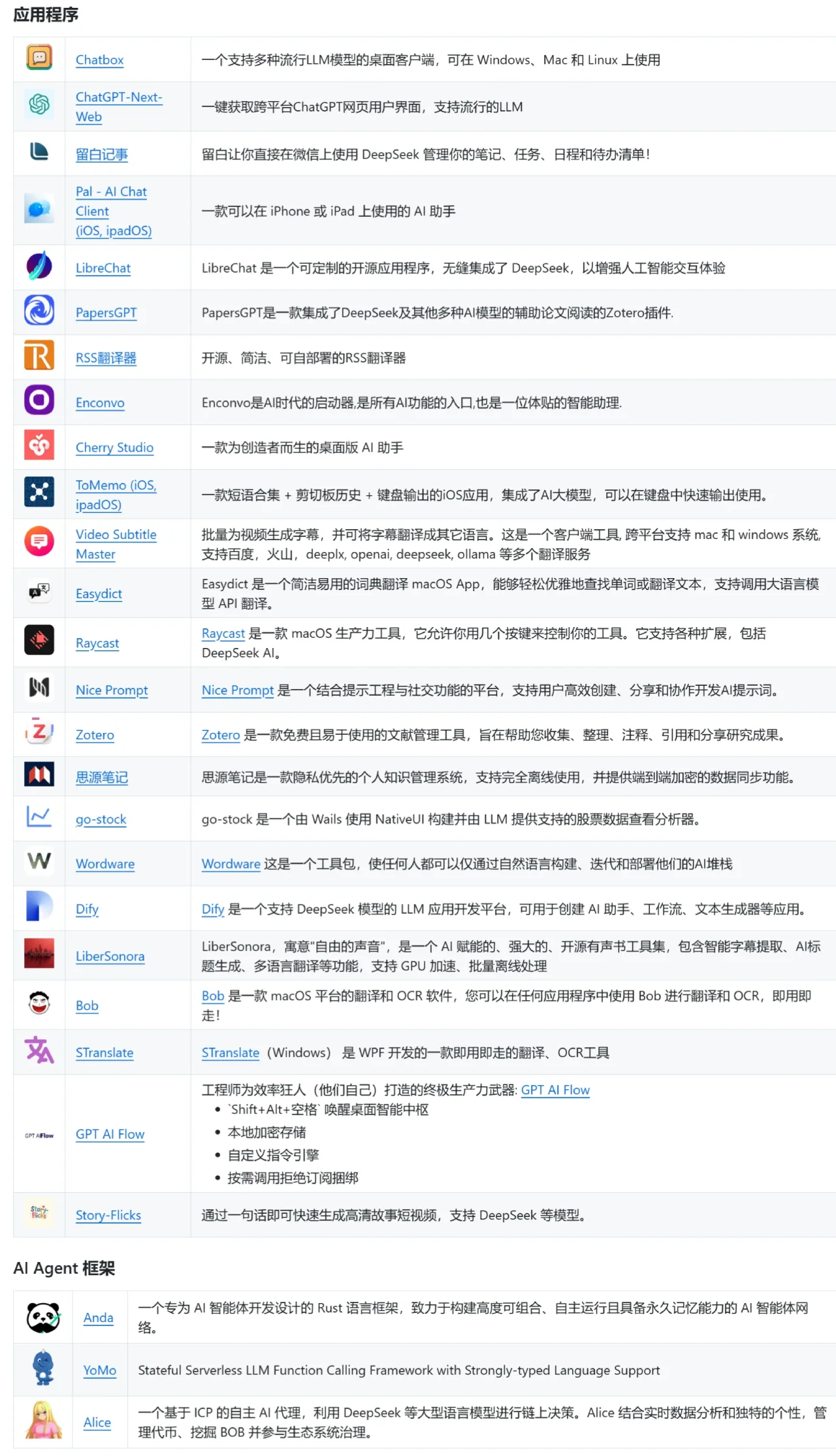
Applications: These applications can provide users with specific functions or services to meet diverse needs.
AI Agent: This is a virtual assistant with autonomous decision-making capabilities and response mechanisms, commonly used in the execution of automated tasks.
RAG (Retrieval-Augmented Generation): An instant messaging plugin.
Browser Extensions: These are small program extensions that add extra functionality to the web browsing process.
Development Plugins: Tools tailored specifically for developers, which may include code editing, debugging, and other features.
Other Tools: This category includes some unique solutions that have not yet been classified into any of the above categories; they may be experimental or demonstrate new technologies.
Main Features of the DeepSeek Official Tools Box:
Quickly find applications that support DeepSeek: Users no longer need to search everywhere for related applications and plugins; everything is available here.
Improve work efficiency: Whether you are a developer or an ordinary user, you can find the right tools here to effectively boost your work efficiency.
Curated by the official team: The authority of its content is beyond doubt. Every recommendation has been strictly screened to ensure the practicality and timeliness of the resources.
How to Use the DeepSeek Official Tools Box:
Visit the GitHub page: Simply click the corresponding GitHub address to enter the project page.
Browse the list: Quickly find the right application or plugin according to your needs.
Install and use: Follow the instructions on the page to easily install and use the relevant tools.
GitHub:https://github.com/deepseek-ai/awesome-deepseek-integration