
 Script Planner Assistant▸
 AI Apps
 AI News

Xiaoyi Web: Huawei's Web-Based AI Assistant
Xiaoyi Web: Huawei's Web-Based AI AssistantIntroduction
Xiaoyi is the AI intelligent assistant launched by Huawei, and a web version is now available, allowing users to access it directly through a browser without needing to download anything. The Xiaoyi web version supports both mobile and PC, and offers a variety of AI features including AI knowledge Q&A, AI writing, AI document reading, and AI image recognition. Users simply need to log in to their account to use it for free.
Xiaoyi Web Version URL:xiaoyi.huawei.com/chat
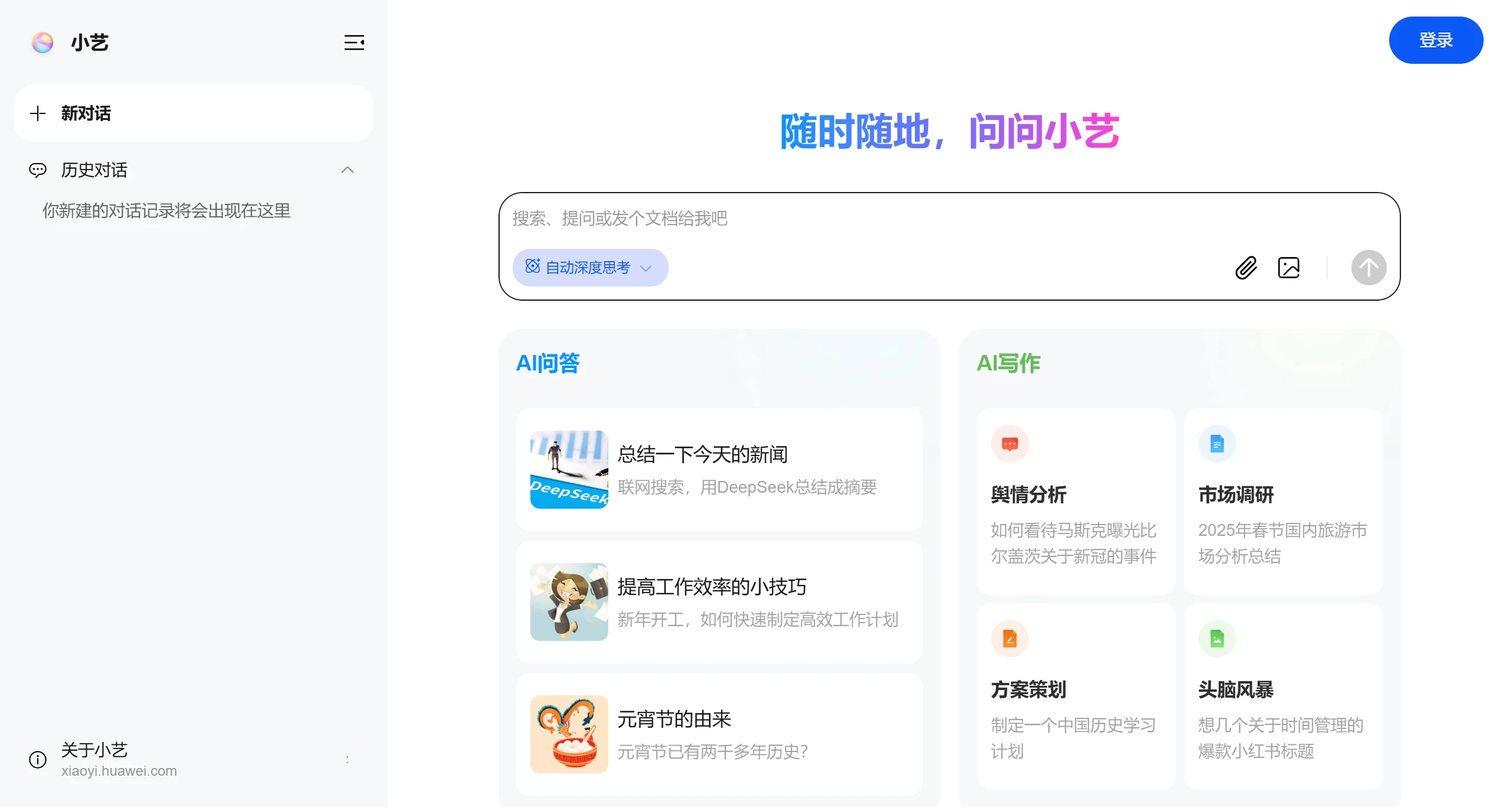
Main Features of the Xiaoyi Web Version:
AI Q&A: Intelligent conversation that answers various questions.
AI writing: Assists with creation and article polishing.
Programming assistant: Code writing and debugging guidance.
AI translation: Multilingual translation services.
Web search: The web version supports web search functionality, allowing you to retrieve the latest information online.
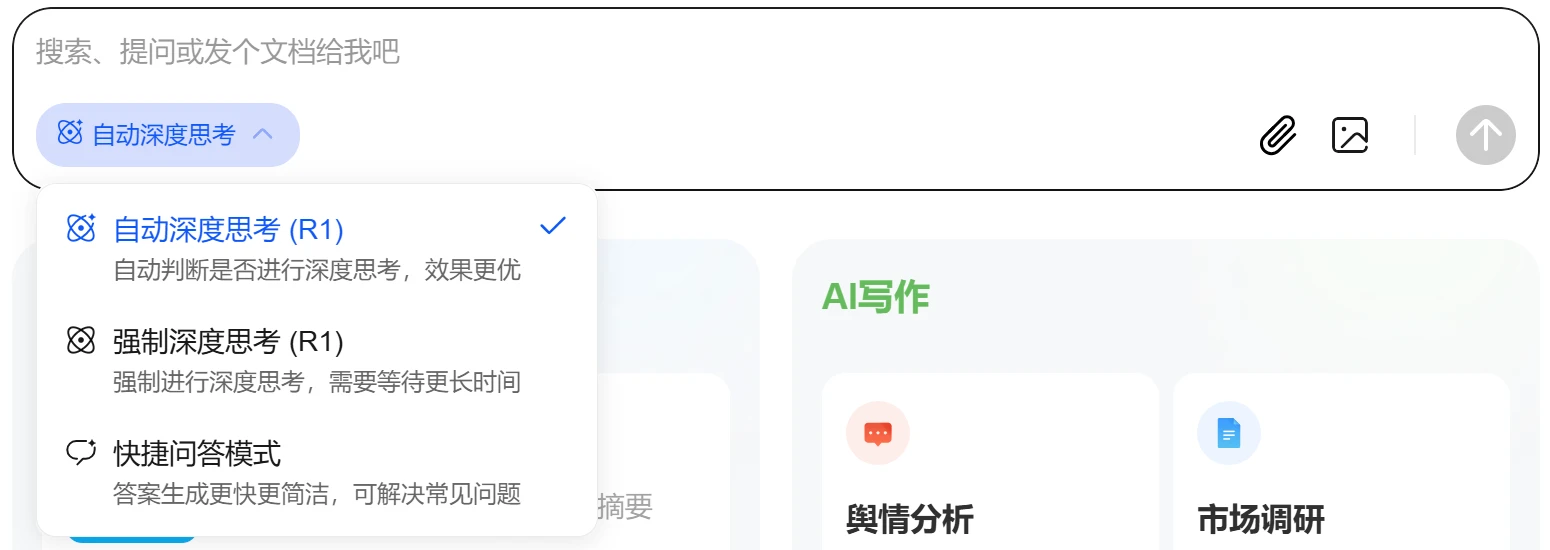
Thinking mode: Supports both automatic and forced deep thinking modes. Users can switch flexibly based on their needs, with automatic mode set as the default.
In addition, the web version of the Xiaoyi assistant has also been integrated with the full-strength version of DeepSeek R1. It provides deeper thinking and information processing capabilities, and the user experience is essentially the same as DeepSeek. It supports both attachment uploads and image uploads. I feel it's the closest thing to the official DeepSeek version—many platforms claim to integrate the full-strength version but actually don't offer attachment upload functionality or only provide image upload. What I particularly love is the three Q&A modes in the bottom-left corner, with 【Automatic Deep Thinking】 set as the default. Xiaoyi will automatically determine whether to invoke DeepSeek's deep thinking based on your questions. Generally, for simple questions, Wenxin Yiyan can handle them, so there's no need to use deep thinking.
How to Use the Xiaoyi Web Version
Using the Xiaoyi web version requires users to log in to a Huawei account. After logging in, you can freely access and use all features including AI Q&A, AI writing, programming assistant, and AI translation.
In addition, the Xiaoyi web version also supports being set as the default search engine (available on both mobile and PC). After completing the setup in the browser, users performing search operations will be directed directly to Xiaoyi and receive answers, which is very convenient.
The Huawei Xiaoyi Assistant App has also officially announced integration with DeepSeek. After upgrading the HarmonyOS native version of the Xiaoyi Assistant to version 11.2.10.340, users can experience the DeepSeek-R1 with web search functionality in the Agent Square.















