
 Script Planner Assistant▸
 AI Apps
 AI News

Qingyan PPT: AI PPT Generator Co-Developed by Zhipu Qingyan & AiPPT
Qingyan PPT: AI PPT Generator Co-Developed by Zhipu Qingyan & AiPPTIntroduction
清言pptis an AI PPT generation tool jointly developed by 智谱清言 and AiPPT. Built on 智谱清言's large model technology and natural language processing capabilities, it automates the entire PPT creation workflow from content input to visual presentation, completing content generation, PPT production, and speech draft generation in 1 minute, making your PPT assignments pain-free.
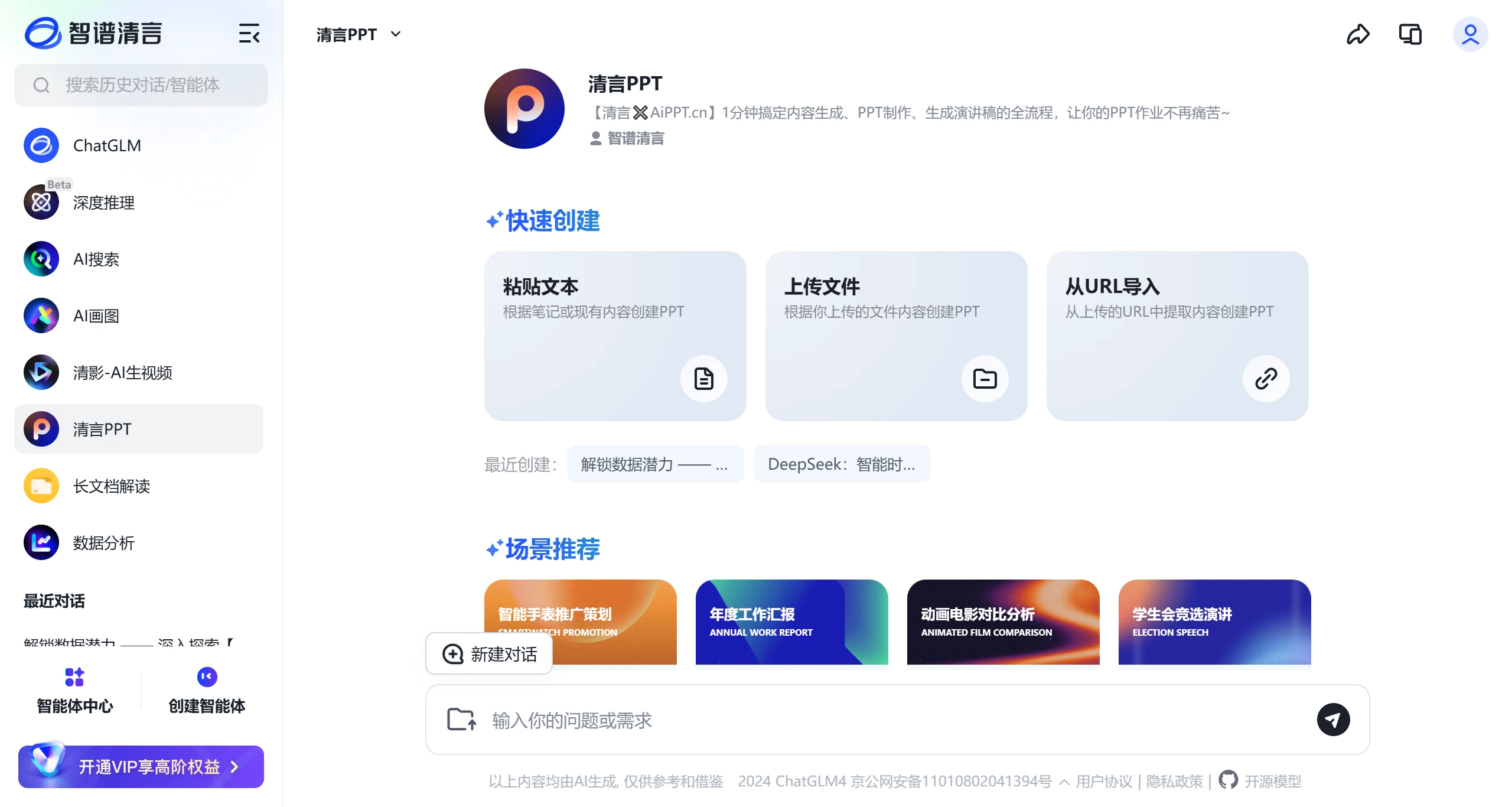
Features of 清言PPT:
1. Multimodal Content Input
Text Input: Supports direct input of long texts (up to 20,000 characters), with the system automatically extracting key information to generate a structured outline.
File Upload: Compatible with Word, PDF, Excel and other formats, allowing up to 10 files to be uploaded simultaneously. The AI automatically integrates the content and generates a PPT framework.
URL Import: Enter a webpage link, and the tool automatically scrapes the webpage content and converts it into PPT material, suitable for market analysis reports, industry news, and similar scenarios.
2. Intelligent Agent Technology
Built-in intelligent algorithms can automatically match generation logic based on the industry scenarios entered by the user (such as "product promotion" or "annual summary"), ensuring professional content and layout.
3. Template Library and Scenario Adaptation
Provides a rich library of free and paid templates covering business, education, technology, and other themes. Templates can also be filtered by keywords (such as "tech feel" or "minimalist style") to ensure the visual style matches the content theme.
4. Precise Content Matching and Optimization
Outline-Page Linkage: The generated outline can be refined and adjusted level by level, with the AI synchronizing changes to PPT page content in real time.
Smart Layout: Automatically optimizes image-text ratio, font size, and color coordination, with support for manual fine-tuning of layout details.
5. Efficient Output and Compatibility
Supports one-click export of PPTX source files, preserving layered elements for further in-depth editing, while also providing a collage mode for quickly generating preview images.
Steps to Use 清言PPT:
1. Visit the 智谱清言 Official Website
Access the "清言PPT" module through the 智谱清言 official website (web version) or the Windows client (requires download and installation). On the web version, you can find 清言PPT in the left navigation bar.
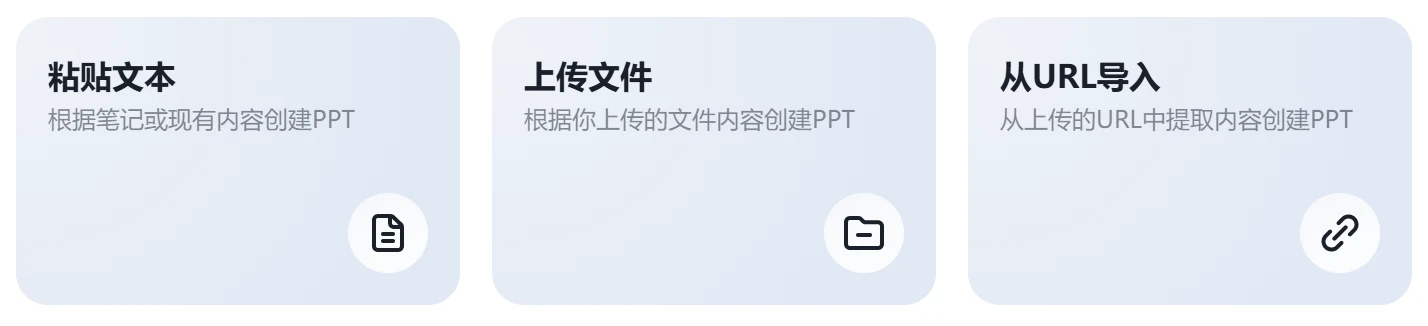
2. Choose a Content Creation Method
Text Input: Directly paste or enter the core content to be presented (such as project plans or data analysis).
File Upload: Click the "Upload File" button and select local documents (supports batch upload of multiple files).
URL Import: Enter a webpage link (such as an industry report URL), and the system automatically parses the content.
3. Set Scenario Requirements
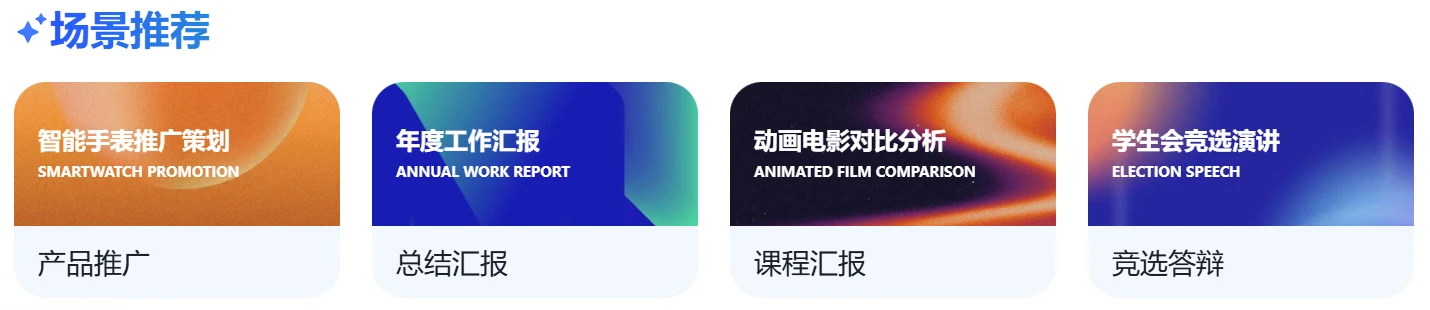
In the generation interface, select the PPT application scenario (such as "work summary" or "product launch event"), and add keywords (such as "data visualization" or "brand tone") to refine the generation direction.

4. Generate and Edit the Outline
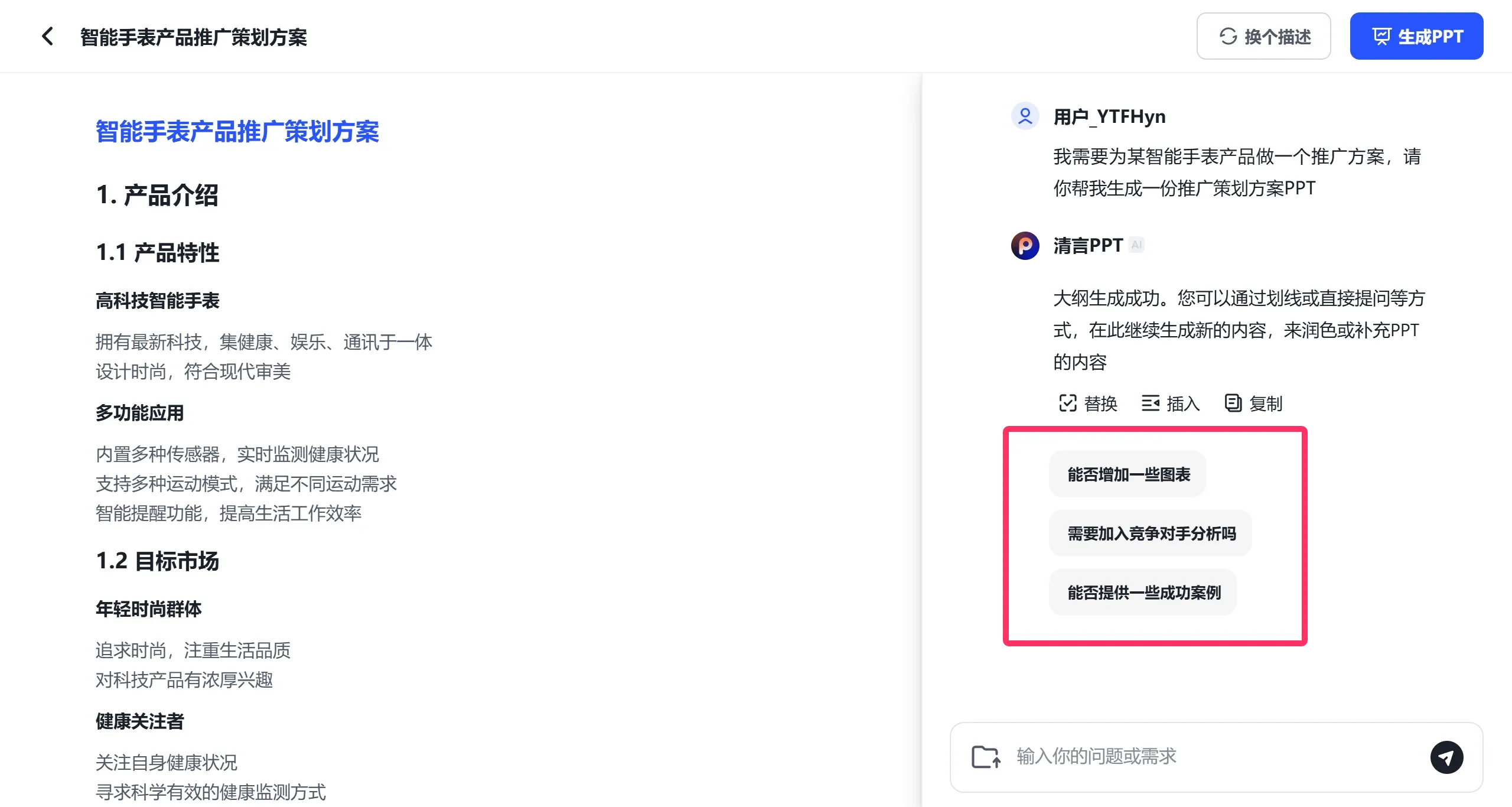
The AI automatically generates an initial outline. Users can manually adjust the order of sections and add or remove content nodes, with the system providing real-time feedback on the revised logical structure.
Through the "Smart Optimization" feature, the AI suggests adding data charts, case studies, or transition pages based on industry standards.
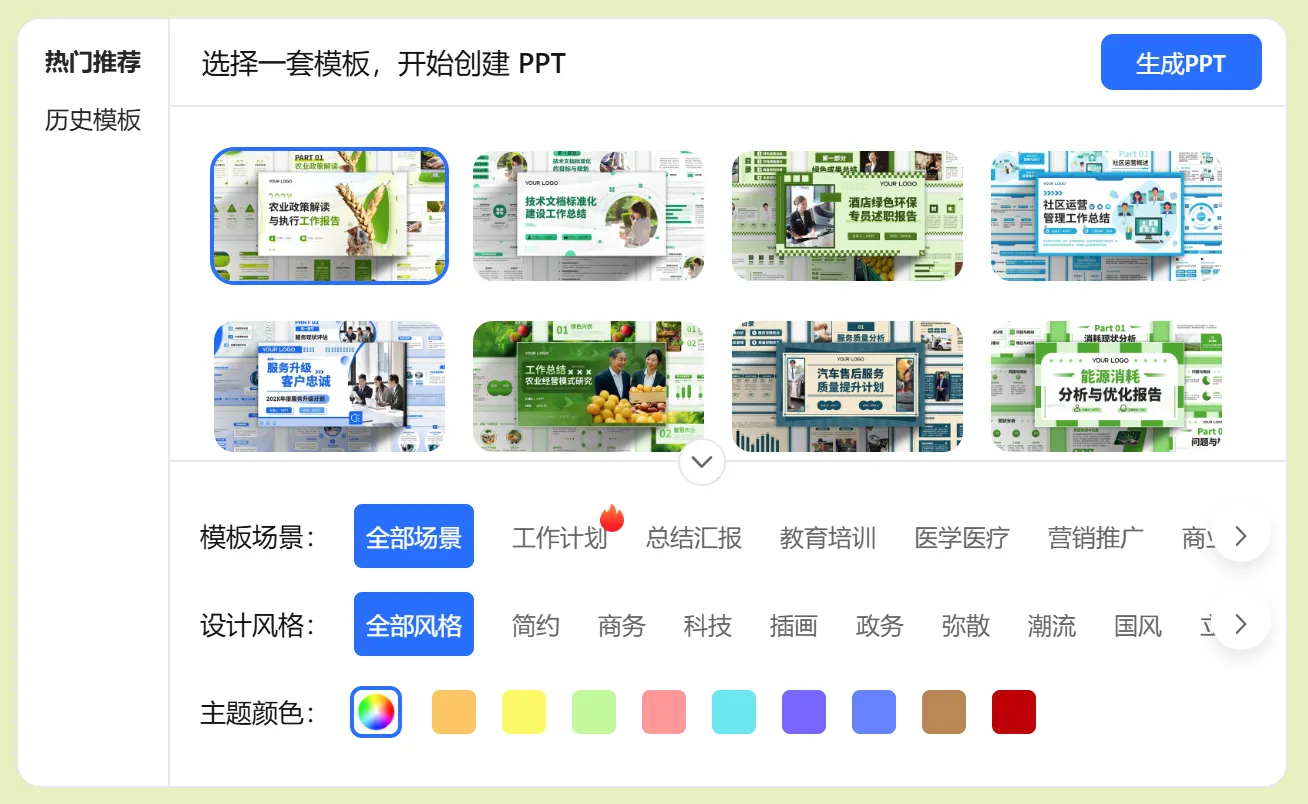
5. Choose a Template and Generate the PPT
Filter by style or search by keyword to select a template from the template library, preview it, and confirm the application.
Click "Generate PPT", and the AI automatically completes page layout, image insertion, and animation configuration.
6. Detail Adjustments and Export
Online Editing: Adjust text styles, replace images (supports local upload or AI-recommended material library), and modify color schemes.
Output Files: Click "Download" to obtain the PPTX source file, or export as PDF, collage image, and other formats.
Applications of 清言PPT:
Workplace Reports: Quickly generate PPTs for performance reports and project summaries. The AI automatically organizes performance data and improvement suggestions, reducing layout time by over 80%.
Product Promotion: Input product features and market data to generate visualized proposals including competitive analysis and user profiles, suitable for roadshows or internal reviews.
Education and Training: Convert course handouts or research papers into structured teaching PPTs, with the AI automatically adding knowledge expansion modules and interactive Q&A pages.
Event Planning: Generate process descriptions, venue layout diagrams, and budget tables based on event planning documents, with support for one-click insertion of Gantt charts and timelines.
清言PPT deeply integrates 智谱清言's GLM large model with AiPPT's visual algorithms to complete content generation, PPT production, and speech draft generation in 1 minute, solving the time-consuming and labor-intensive pain points of traditional PPT creation.
Related News:















