
 Script Planner Assistant▸
 AI Apps
 AI News

PinTree: Open-Source Project to Turn Browser Bookmarks into a Navigation Site
PinTree: Open-Source Project to Turn Browser Bookmarks into a Navigation SiteIntroduction
PinTree is an open-source project that helps users quickly convert browser bookmarks into beautiful navigation websites.

How to use Pintree?
1. Install Pintree
First, you need to install Pintree on your computer. You can download the latest version by visiting Pintree's GitHub page, or use its online service directly.
2. Export Bookmarks
In your browser, you need to export your bookmarks as a JSON file. Most browsers provide a bookmark export feature, which you can find in the bookmark manager. After exporting, save the JSON file to your computer.
3. Use Pintree to Generate the Navigation Website
Open Pintree and follow the steps below:
Upload the JSON file you just exported.
Customize the appearance and functionality of the navigation website as needed, such as selecting themes, layouts, etc.
After confirming the settings, click the generate button, and Pintree will automatically create a static navigation website.
4. Deploy the Navigation Website
The generated website can be deployed in several ways:
GitHub Pages: If you are familiar with GitHub, you can upload the generated files to a GitHub repository and host them via GitHub Pages.
Vercel or Netlify: These platforms provide simple deployment services; you just need to upload the generated files.
Purchase your own domain name and server: Bind a domain name and server, and upload the generated static files.
5. Access
Once the website is deployed, you can access your navigation website via the generated URL.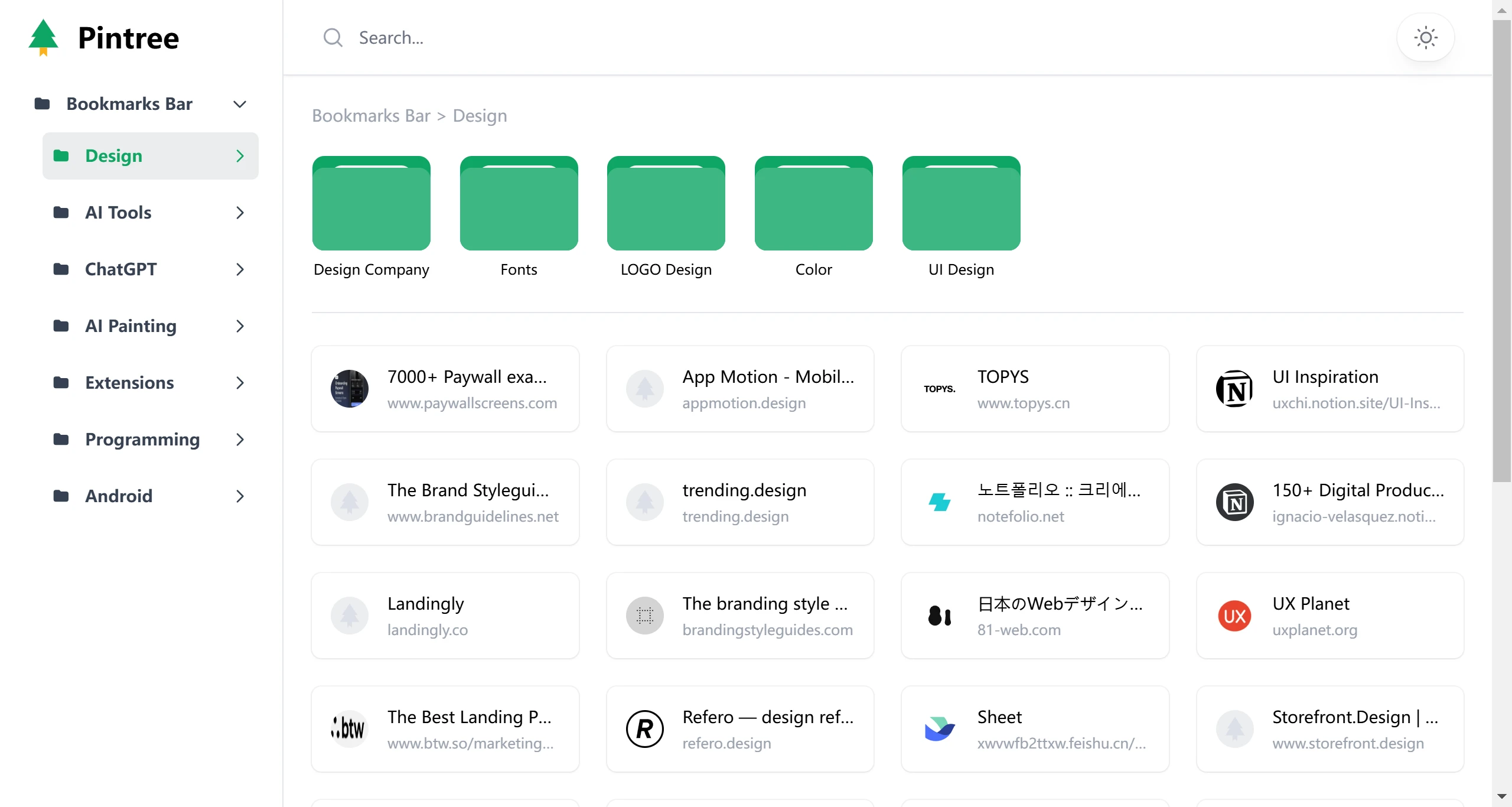
When using Pintree, you can also use the Pintree Bookmarks Exporter extension to simplify the bookmark export process. This extension supports Chrome and Edge browsers; users just need to install the extension and click the export button to quickly generate a JSON file. In addition, Pintree allows users to customize the icons and names of links in the generated navigation website for better organization and presentation of bookmarks.
When deploying the website, besides GitHub Pages, Vercel, and Netlify, users can also choose other static website hosting services such as Surge or Firebase Hosting. These platforms also offer simple deployment processes suitable for users with different needs. By following these steps, you can not only create a personalized navigation website but also share the link with others to jointly use and manage bookmarks.
GitHub:https://github.com/Pintree-io/pintree












