
 Script Planner Assistant▸
 AI Apps
 AI News

Cherry Studio: An Open-Source Cross-Platform AI Chat Client
Cherry Studio: An Open-Source Cross-Platform AI Chat ClientIntroduction
Cherry Studio is an open-source desktop AI client that supports multiple large language models (LLMs), integrating multiple LLMs and supporting Ollama local model deployment.
Cherry Studio comes with AI assistants for over 30 industries and many service providers, integrating more than 300 large language models. During use, you can freely switch between models to answer questions, helping users improve work efficiency in various scenarios and fully leverage the advantages of different large models to solve problems.
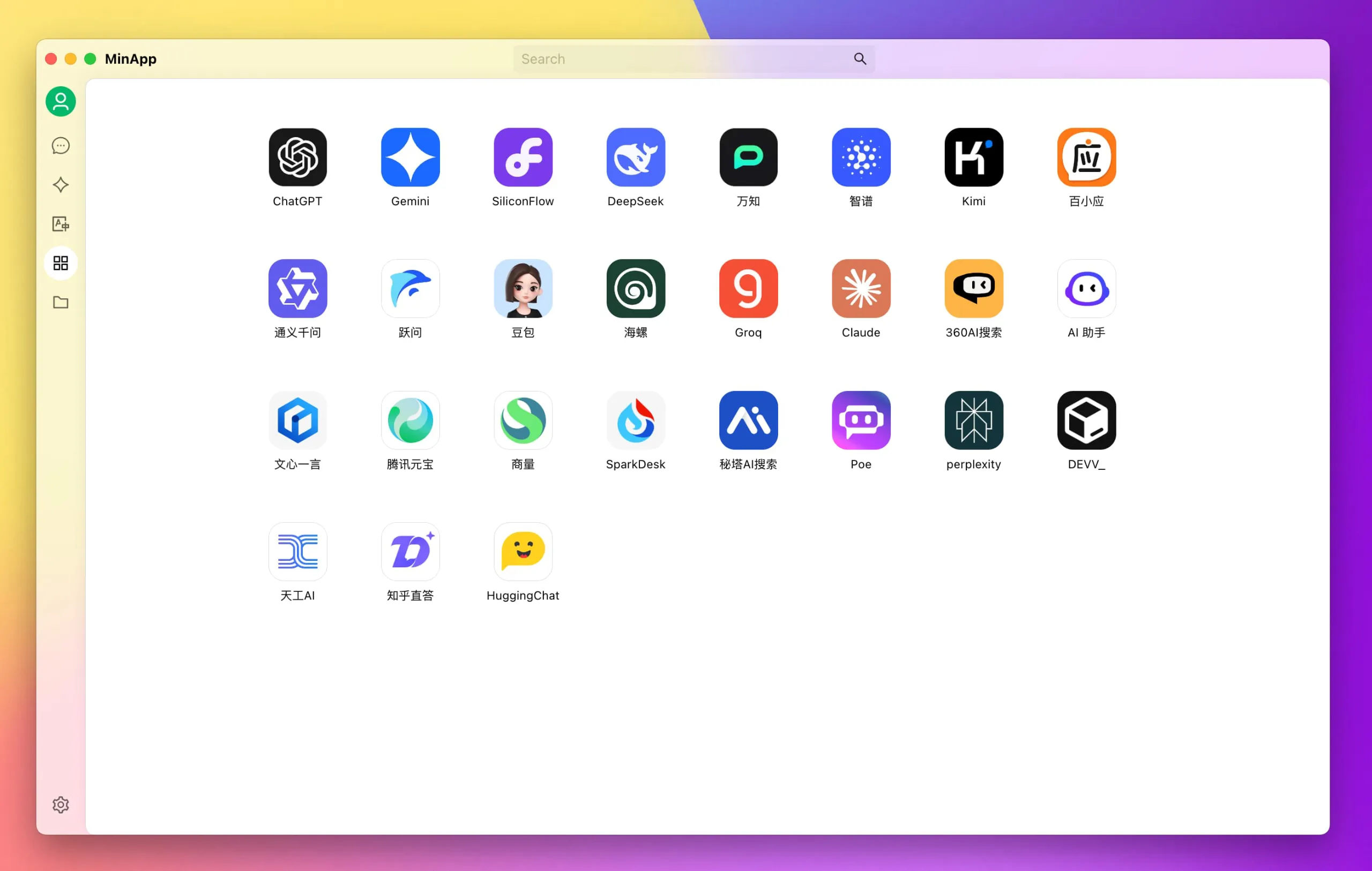
Main Features of Cherry Studio
Multi-model support: Cherry Studio integrates multiple advanced LLM models, allowing users to quickly switch between different models to meet different needs. These models cover multiple industries, providing rich AI assistant functions.
Cross-platform compatibility: Supports Windows, macOS, and Linux systems, ensuring users get a consistent experience across different devices.
Large model conversations: Beyond basic AI conversations, it can also help you complete document or image conversations, as well as formula and HTML previews.
AI drawing: Supports multiple drawing models, allowing you to fully unleash your imagination and let CherryStudio help you complete the work.
AI translation: Whether it's translating pages or the conversation bar, CherryStudio can quickly translate the content you input.
Built-in assistants: CherryStudio comes with AI assistants for over 30 industries, making your use of large models more efficient.
Multi-source knowledge base: Whether local files or web pages, they can serve as knowledge sources to quickly build your personalized knowledge base.
Multiple backup methods: Including local backup and cloud backup, enabling worry-free switching between multiple devices, more convenient and secure.
Main Features of Cherry Studio:
Diversified LLM Service Support:
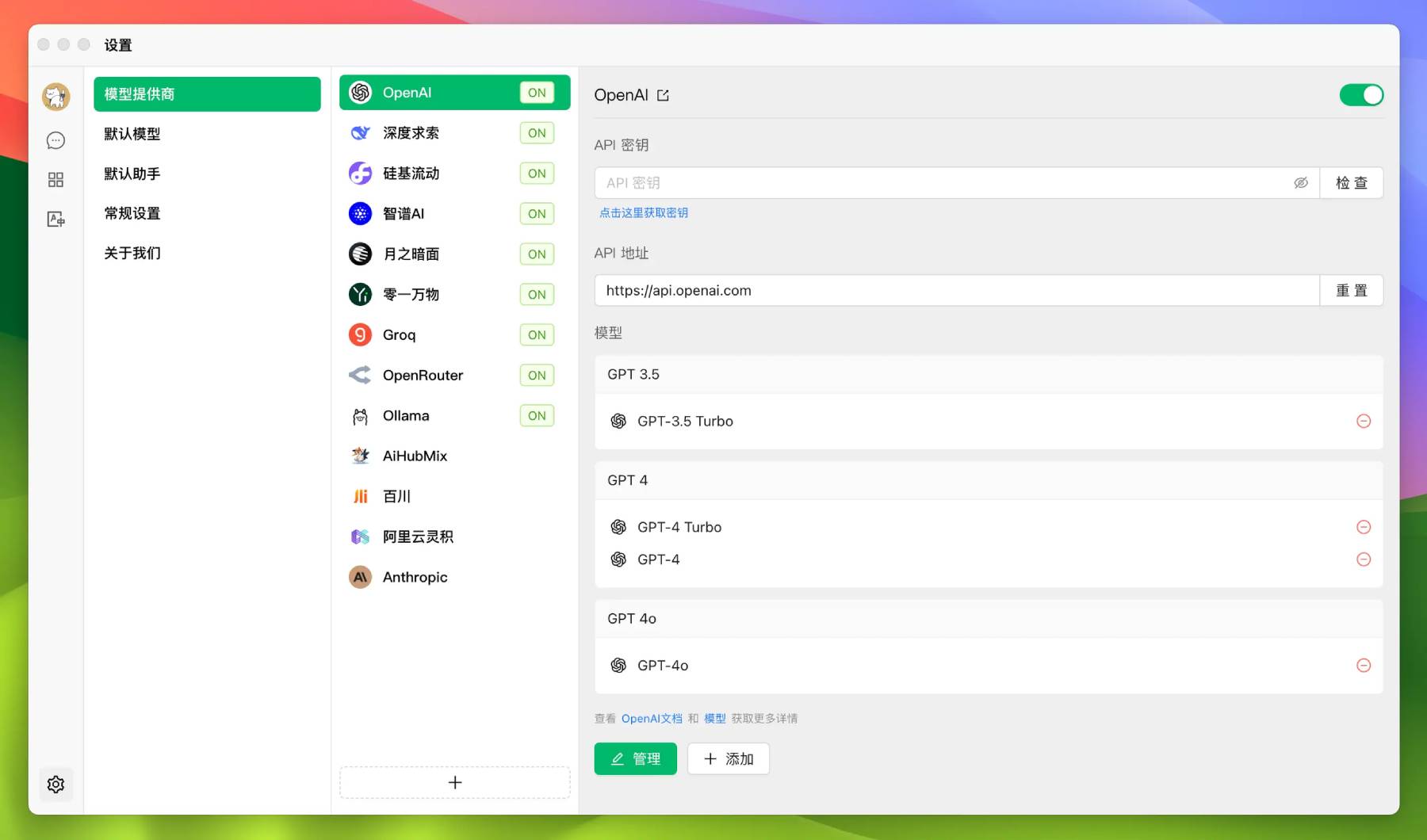
Supports mainstream LLM cloud services: OpenAI, Gemini, Anthropic, SiliconFlow, etc.
Integrates popular AI Web services: Claude, Peplexity, Poe, Tencent Yuanbao, Zhihu Direct Answer, etc.
Supports Ollama local model deployment.
Intelligent Assistants and Conversations:
Built-in 300+ pre-configured AI assistants
Supports custom creation of dedicated assistants
Simultaneous conversations with multiple models for diverse perspectives
Document and Data Processing:
Supports multiple formats including text, images, Office, and PDF
WebDAV file management and data backup
Mermaid chart visualization
Code highlighting display
Practical Tool Integration:
Global search function
Topic management system
AI-driven translation function
Drag-and-drop sorting
Mini-program support
Quality User Experience:
Windows, Mac, Linux cross-platform support
Out-of-the-box use, no environment configuration required
Supports light/dark themes and transparent windows
Complete Markdown rendering
Convenient content sharing function
Application Scenarios for Cherry Studio:
Developers: Use Cherry Studio for code generation and debugging.
Designers: Leverage Cherry Studio for creative text generation and design descriptions.
Writers: Use Cherry Studio to assist in writing and editing articles.
How to Install Cherry Studio?
1. Visit the Github repository.
2. Download the installation package, navigate to the download page, and select the installation package suitable for your operating system.
3. Install the program: Double-click the downloaded installation package and follow the prompts to install. During the installation process, you can choose the installation path and other configuration options.
4. Configure the environment: Configure the necessary environment variables and dependencies according to the software's requirements.
5. Launch and use: After installation is complete, launch Cherry Studio, follow the on-screen prompts, and enjoy using its powerful features
Github Repository:https://github.com/CherryHQ/cherry-studio














