
 Script Planner Assistant▸
 AI Apps
 AI News

NotebookLM: Google's Gemini-Powered AI Note-Taking Tool
NotebookLM: Google's Gemini-Powered AI Note-Taking ToolIntroduction
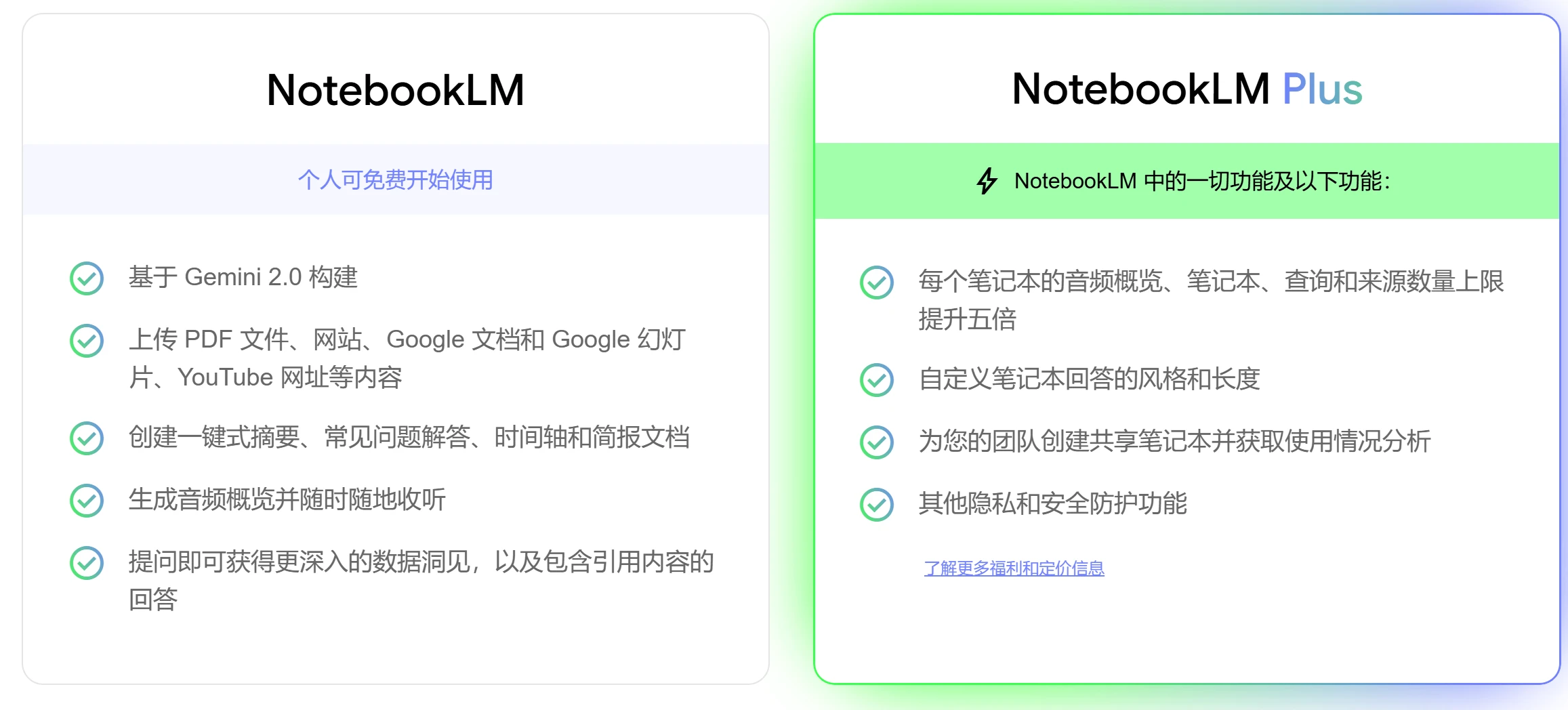
NotebookLM is an AI note-taking and research assistant tool developed by Google. It is built on Google's Gemini 1.5 Pro language model and offers features such as instant summaries, personalized guides, citation-based responses, collaboration tools, and privacy controls. It helps users quickly summarize and organize notes, serving as a powerful virtual research assistant. Users can upload documents, and NotebookLM becomes an instant expert on those documents, providing summaries of complex information and helping users draw connections across different research areas.
NotebookLM Main Features:
Intelligent Q&A
Leveraging a powerful language model, NotebookLM can directly answer users' questions about their note content. For example, if you have recorded a complex concept in your notes, simply ask a question, and NotebookLM will provide a clear explanation, even citing the relevant note passages.
Users can ask a wide range of questions, and NotebookLM will provide accurate answers based on the uploaded documents and materials.
Automatic Summarization
When faced with large volumes of information, NotebookLM can automatically generate summaries of notes, helping users quickly grasp the core content. This is an extremely useful feature for students who need to review large amounts of material or professionals who need to quickly skim through documents.
For example, when you first add a Google Doc to NotebookLM, it automatically generates a summary along with key topics and questions to help you better understand the material.
Content Connections
NotebookLM can identify connections between notes, helping users uncover hidden knowledge relationships. This helps build a more comprehensive knowledge system, promoting deeper understanding and creative thinking.
For example, it can help content creators generate video scripts and provide creative new ideas.
Personalization
By studying the user's notes, NotebookLM can provide personalized suggestions and assistance. For example, it can generate questions that the user might ask based on their notes, for reference.
Users can pin NotebookLM to specific Google Docs of their choice, making it a personalized AI expert in the information areas they care about most.
File Types Supported by NotebookLM
PDF Files: Users can upload PDF documents and extract the knowledge they need from them. NotebookLM supports uploading up to 50 PDF files per notebook.
Website Content: Users can submit website URLs to NotebookLM for summarization and analysis.
YouTube Videos: Supports uploading YouTube videos and generating summaries and key points.
Audio Files: Users can upload audio files, and NotebookLM will generate text summaries and provide an audio overview feature, transforming the content into engaging audio files.
Google Docs and Slides: Supports uploading Google Docs and Slides for intelligent processing and summarization.
NotebookLM Use Cases
Document Organization and Insights: Supports multiple file formats including PDF, Google Docs, and Markdown, quickly extracting key information and obtaining important insights.
Learning and Knowledge Management: Helps users take classroom notes, organize study resources, and improve learning efficiency.
Writing and Creation: Generate story outlines, write articles, and overcome writer's block.
Meetings and Minutes: Summarize meeting minutes and extract key action items.
Project Management: Organize project documents and track project progress.
Academic Research: Students and researchers can use NotebookLM to organize literature and generate research reports.
Content Creation: Writers and content creators can use this tool to organize ideas and generate creative inspiration.
Personal Notes: Ordinary users can also use NotebookLM as a daily note-taking tool to record moments of life and inspiration.
A core feature of NotebookLM is its source-based citation capability. It can not only generate summaries and answer questions, but also provide citations to the original sources within its answers, ensuring users can trace back to the source of the information, which enhances the credibility and verifiability of the information. This feature is very important for academic research and professional writing. Additionally, the automatic summarization feature saves a great deal of time for those who need to read large volumes of literature. Each time new documents are imported, NotebookLM generates concise summaries, allowing users to quickly understand the content. Overall, it is extremely convenient.
Related News:
Local-NotebookLM: An open-source local version of NotebookLM that can convert PDFs into podcasts
Recommended 12 excellent AI note summarization tools
Notebook Copilot: A free open-source notebook development assistant















