
 Script Planner Assistant▸
 AI Apps
 AI News

Junie: An AI Coding Assistant by JetBrains
Junie: An AI Coding Assistant by JetBrainsIntroduction
JetBrains, the development company behind programming tools such as IntelliJ IDE (for Java and Kotlin), has just announced the launch of an AI programming tool: Junie.
Junie, the AI coding assistant launched by JetBrains, is a tool deeply integrated into the IDE ecosystem. It understands project context, provides intelligent code completion, multi-line code generation, unit test generation, and more. By combining large language models (LLMs), Junie not only accelerates the development process but also improves code quality, supporting multiple programming environments such as .NET and Visual Studio.

Key Features and Advantages of Junie:
Deep integration with JetBrains IDEs: Junie is deeply integrated with JetBrains' IntelliJ IDEA, PyCharm, and other IDEs, allowing developers to leverage AI's intelligent suggestions directly within their familiar environment, utilizing the powerful features of the IDE to provide more accurate and effective assistance.
Context-aware AI chat: Junie is able to converse with developers within the IDE, providing contextually relevant help and suggestions. Simply provide a task, and it will analyze the project structure and search to find all relevant information. Run the inspections you are familiar with.
Code completion and generation: Junie can automatically generate code snippets based on context, supporting multi-line code completion and in-editor code generation. This means that developers only need to type part of the code, and the AI assistant can automatically complete the entire line based on context, saving time and improving accuracy.
Code inspection and correction: Junie can run code and tests, minimizing new warnings and compilation errors. After making changes, Junie can check project status and verify that all tests have passed.
Code refactoring and optimization: Junie provides refactoring and renaming suggestions, helping developers optimize code structure to make it clearer and more efficient.
Cross-language support: Junie supports multiple programming languages and can convert code between different languages, making it convenient for developers working across multiple tech stacks.
Unit test generation: It can automatically generate unit tests based on code logic, reducing the burden on developers to manually write test code, improving code quality and maintainability.
Improved development efficiency: By reducing manual coding time, Junie enables developers to implement features faster and focus more on solving complex problems and innovation, thereby improving overall development efficiency.
Test generation: Junie can automatically generate meaningful test cases for code segments, helping developers discover potential bugs and edge cases, thereby improving code reliability and maintainability.
Documentation and commit message generation: Junie can automatically generate project documentation and commit messages for version control systems (VCS), helping developers save time and improve work efficiency.
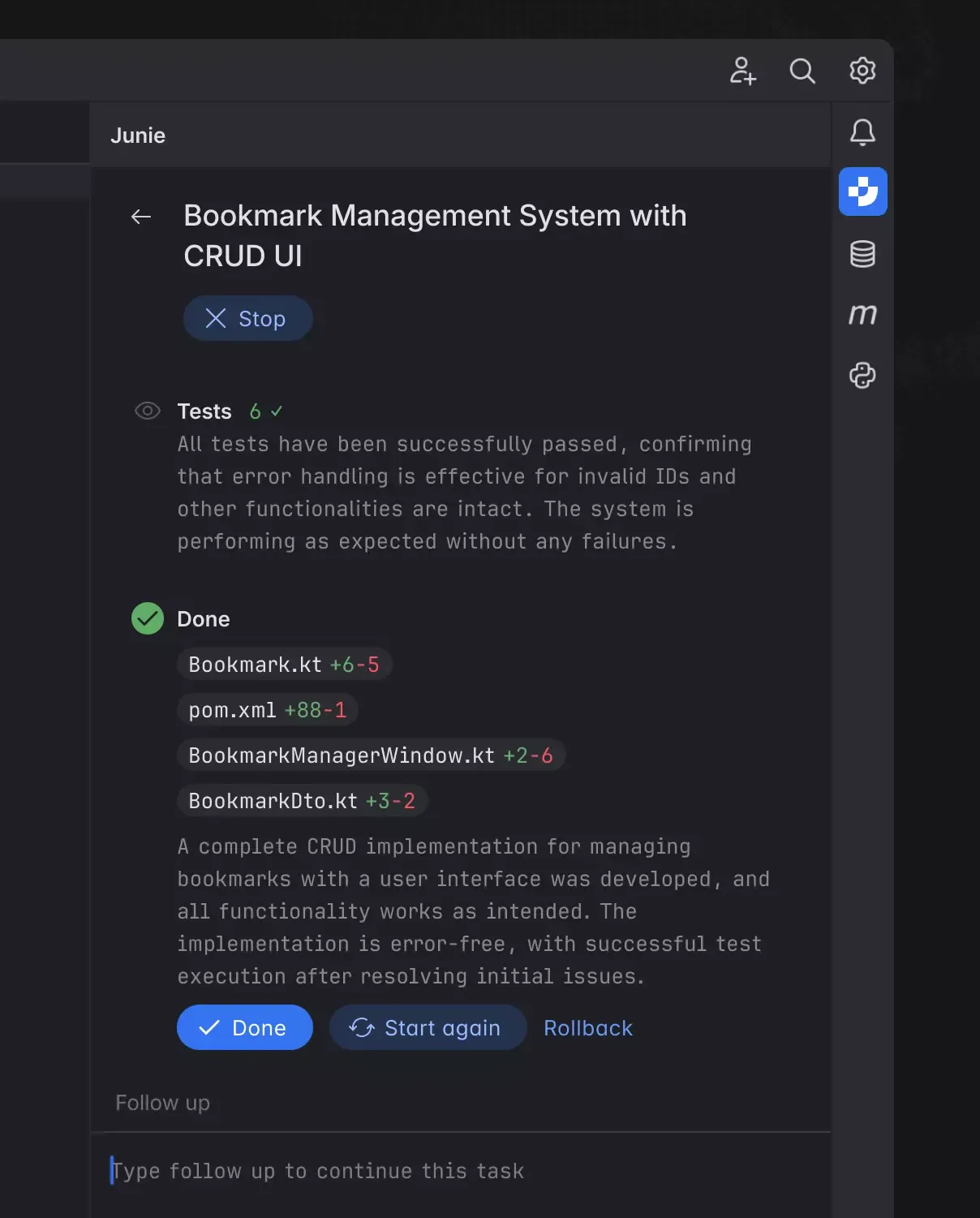
Advantages of Junie:
Improved development efficiency: Through intelligent code completion and natural-language-to-code conversion, developer input errors and lookup time are significantly reduced.
Enhanced code quality: Features such as real-time syntax checking, code refactoring suggestions, and intelligent documentation generation help developers optimize code structure and improve code readability and maintainability.
Simplified development workflow: Features such as automatic fixes and suggestions, along with intelligent debugging, allow developers to focus more on business logic and reduce repetitive work.
How to Use Junie
Make sure you have a version of the JetBrains IDE that supports AI Assistant installed.
Install the AI Assistant plugin: Click the icon shown in the figure in the right sidebar, then click Install Plugin, and wait for the installation to complete.
After installation is complete, click Sign in to JetBrains Account and click to agree to the agreement.
After completing the above configuration, you can enable the AI Assistant feature via keyboard shortcuts or by entering the main menu.
Chat directly with JetBrains AI within the IDE; the AI will automatically combine the project context to enrich your queries.
Intelligent code completion: type in the editor to receive instant suggestions, press Tab to accept the suggestion, or press Esc to dismiss it.
Generate commit messages: in the commit tool window, click the AI icon button to generate commit messages.
Junie is currently only available through an early access program behind a waitlist, and only supports IntelliJ IDEA Ultimate and PyCharm Professional IDE on Linux and Mac systems; support for WebStorm is also coming soon.












