
 Script Planner Assistant▸
 AI Apps
 AI News

Operator: OpenAI's Browser-Based AI Agent
Operator: OpenAI's Browser-Based AI AgentIntroduction
Operator is a browser-oriented intelligent agent capable of simulating human computer operation capabilities. This AI agent can perform various web-based operations, such as ordering food online, booking travel, and automated e-commerce shopping. Operator marks the transition of AI from a passive tool to an active participant, ushering in the era of universal intelligent agents.
Operator official website:https://openai.com/index/introducing-operator
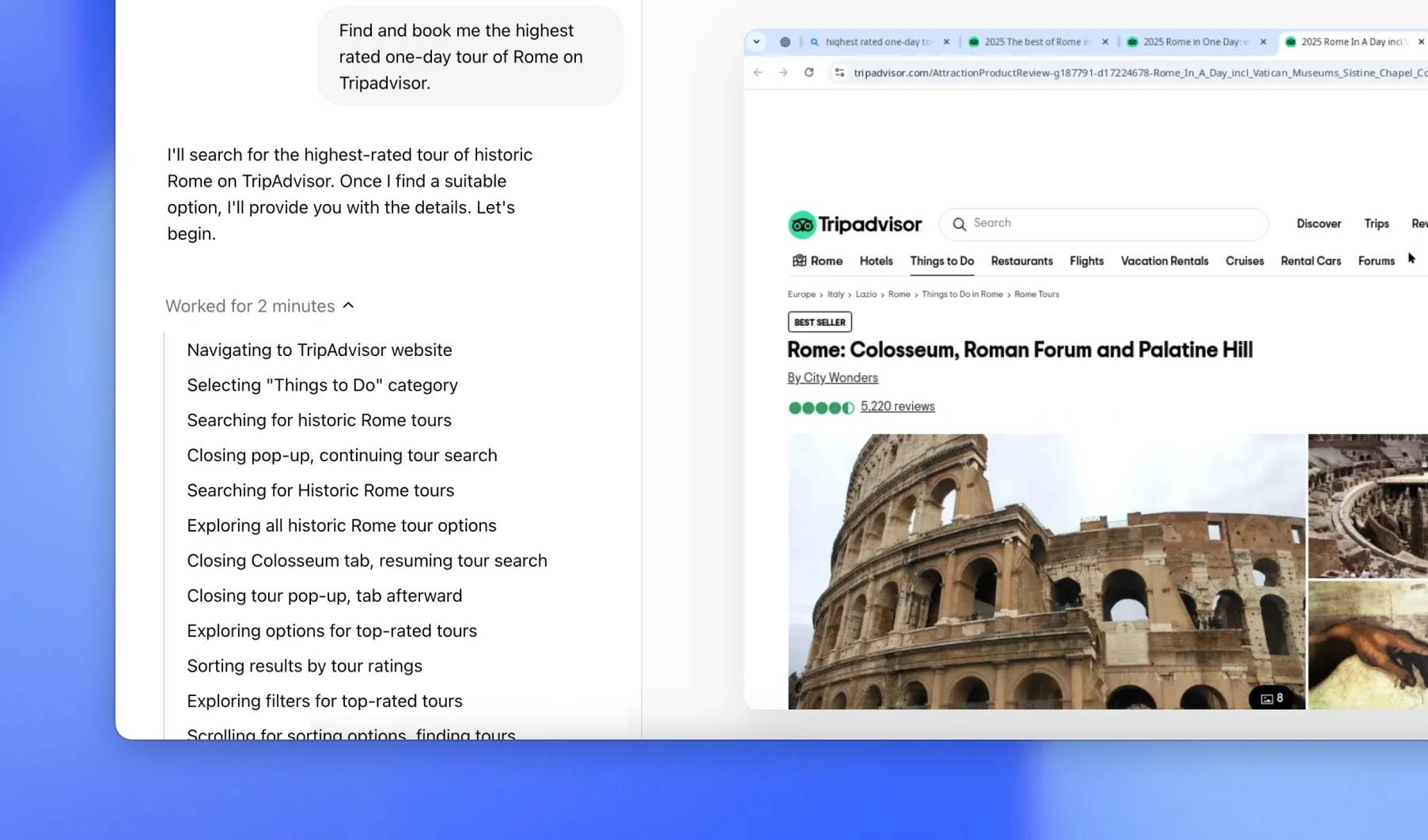
Operator Features:
Computer-Using Agent (CUA) Model: Operator is built on a new model called CUA, which combines the visual capabilities of GPT-4o with the advanced reasoning abilities of reinforcement learning, enabling AI to interact directly with graphical user interfaces (GUIs), including clicking buttons, operating menus, and entering text.
Independent Operation Capability: Operator can independently complete tasks such as filling out forms, shopping online, and booking services without requiring direct human operation of the browser.
Built-in Browser: It has its own browser environment, allowing it to navigate the web freely and execute vision-based tasks rather than relying solely on API calls.
Error Correction and Collaboration: When encountering complex situations or errors, Operator can attempt to self-correct and return control to the user when necessary, ensuring tasks are completed successfully.
Web Operations: Operator can automatically perform web-based operations, including filling out online forms, shopping online, and booking travel. This means users can complete tedious tasks through Operator without manual operation.
Intelligent Interaction: The tool can interact with buttons, menus, and text fields on web pages, understanding and executing user instructions. For example, users can ask Operator to make restaurant reservations, and Operator will ask for relevant information and complete the reservation process.
Task Automation: Operator can handle repetitive tasks, such as automatically filling in information and processing shopping lists. Users only need to provide basic information, and Operator will automatically complete the subsequent operations.
Feedback and Learning: After executing tasks, Operator provides feedback to users on completion status, including total cost and estimated delivery time. This feedback mechanism helps users understand task progress and provides reference for future operations.
Operator Use Cases:
Web Operation Automation: Filling out forms, data scraping, content creation (such as making memes), etc., particularly suitable for tasks requiring extensive web interaction.
Personalization and Customization: Users can adjust Operator's behavior by adding custom instructions to adapt to specific websites or task requirements.
Multi-task Processing: Supports running multiple tasks simultaneously, such as booking campsites while purchasing personalized items, improving efficiency.
Online Food Ordering: Operator can make restaurant reservations on OpenTable.
Hotel Booking: Capable of automatically recognizing commands and completing booking operations on websites.
Flight Ticket Purchase: Handles daily tedious and repetitive tasks, such as purchasing flight tickets.
Shopping: Automatically fills in tedious online forms and shops online.
How to Use Operator:
Task Description: Users only need to briefly describe the task they want to complete, and Operator will automatically handle the subsequent steps.
Control: Users can take over control of the remote browser at any time.
Security: When tasks require login, entering payment information, or solving CAPTCHA verification codes, Operator will proactively request the user to take over.
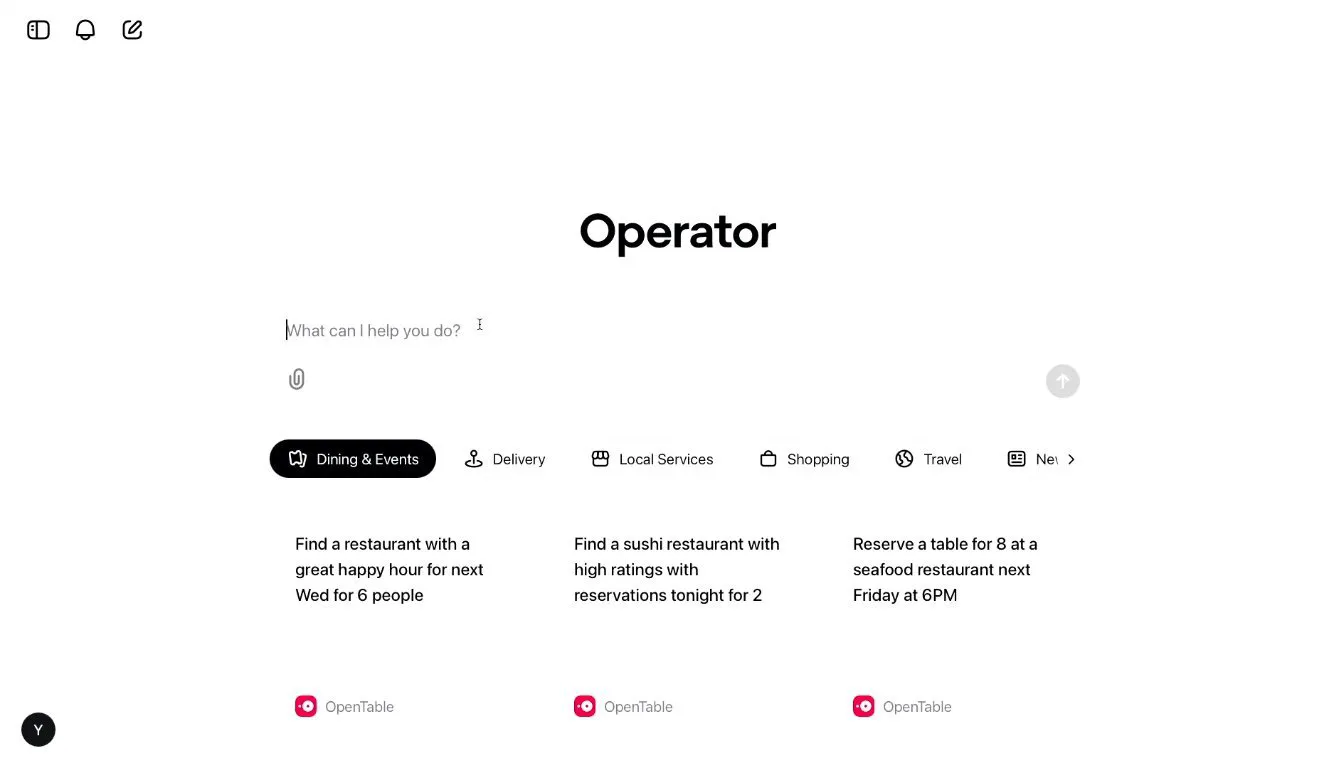
Interface: Operator's interface is similar to the chat bot ChatGPT, invoking "AI agents" to complete things requested by users.
Example: In the demo case, Operator was asked to make a reservation at a restaurant; users only need to enter the command, and the AI agent can complete the reservation.
Operator Technical Background:
CUA Model: Operator is powered by the new CUA (Computer-Using Agent) model.
GPT-4o: Combines the visual capabilities of GPT-4o with advanced reasoning abilities.
Reinforcement Learning: Achieves advanced reasoning capabilities through reinforcement learning.
Visual UI: Specifically trained for understanding and interacting with visual UI interfaces.
Browser Interaction: Built-in browser that can view web pages and interact with them through typing, clicking, and scrolling.
User Experience and Feedback Mechanism
Intuitive Interaction: Users only need to describe tasks in natural language, and Operator will execute them, simplifying the human-computer interaction process.
Safety Control: For tasks requiring sensitive information (such as login or payment), Operator will ask the user to intervene to ensure security.
Continuous Iteration: As a research preview version, Operator will continue to improve based on user feedback, and may be integrated into other services like ChatGPT in the future.
The release of Operator marks the transformation of AI from a passive tool to an active participant in the digital ecosystem, bringing the benefits of agents to businesses seeking to provide innovative customer experiences and improve conversion rates.















