
 Script Planner Assistant▸
 AI Apps
 AI News

Mendeley: Free Reference Management Software by Elsevier
Mendeley: Free Reference Management Software by ElsevierIntroduction
Mendeley is a free reference management software provided by Elsevier, and it is also an online academic social networking platform. Developed by Elsevier, Mendeley helps you store, organize, record, share, and cite references and research data. It is widely used in academic research across various disciplines and is especially suitable for researchers, scholars, and students. Mendeley's main features include reference management, PDF reading and annotation, adding and organizing, collaboration with peers worldwide, backup, sync and mobility, as well as networking and discovery.
Mendeley has very powerful PDF import and recognition capabilities, especially for full-text journal PDFs. Simply drag the PDF file into Mendeley, and it can automatically identify Title, Author, Publication...
Reference Import and Management
Import methods:
Drag and drop PDF files directly into the Mendeley interface.
Use the "Add file" or "Import" function to import references from a folder.
Import reference information directly from academic databases via the browser plugin.
Organizing References:
Create folders and subfolders to categorize references by research topic, project, or any custom tags.
Use the search function to quickly find references, with full-text search support.
Citing and Writing
Word Plugin: Install Mendeley's Word plugin to easily insert citations in your document and automatically generate a reference list, supporting multiple citation formats.
Auto-formatting: Adjust the reference style with one click according to the format requirements of the target journal.
Reading and Annotation
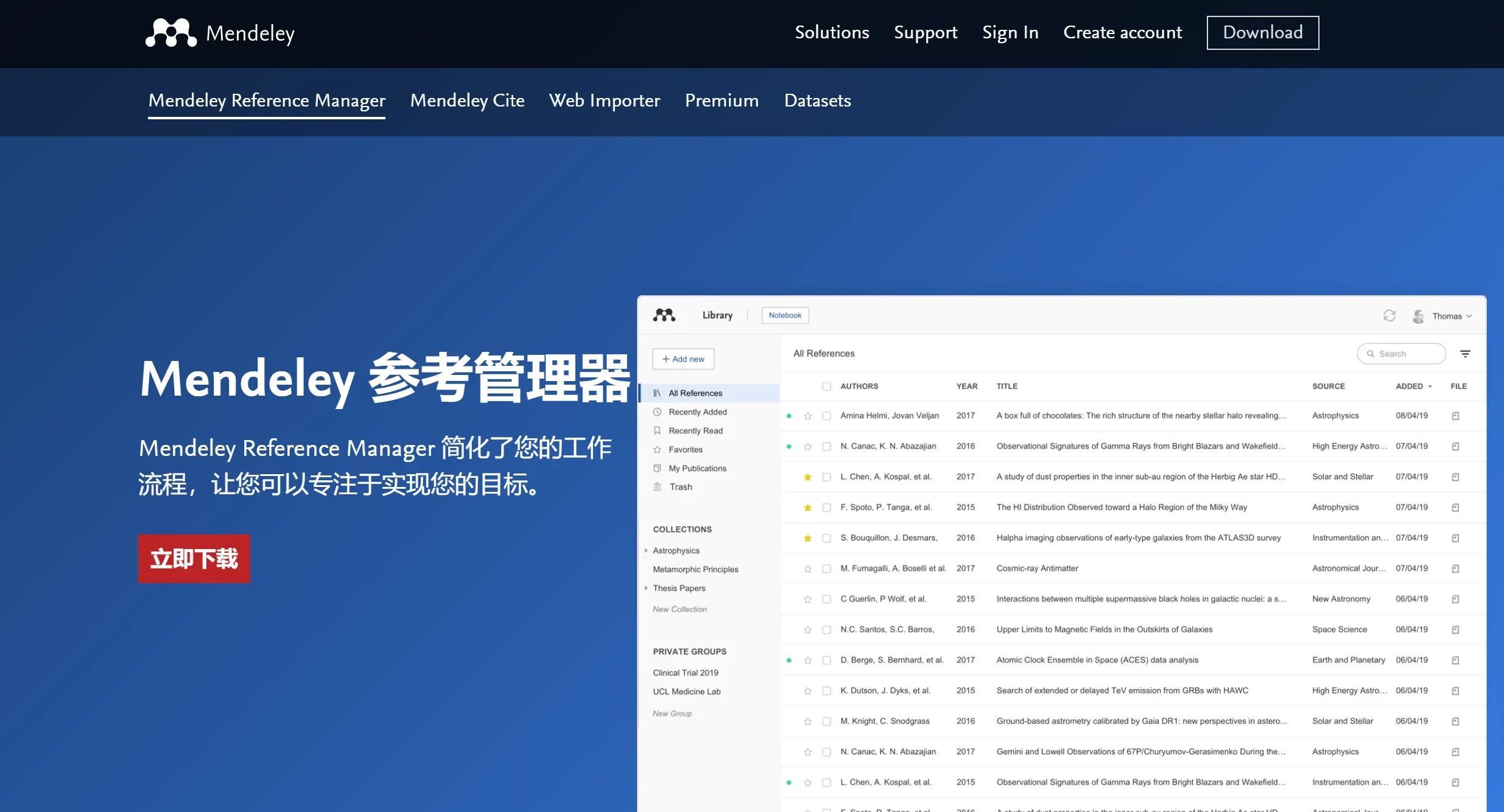
PDF Reader: Built-in PDF reader that supports highlighting, underlining, and annotations, making reference analysis and note-taking convenient.
Reference Details: Reference details are displayed on the right side, making it easy to edit and correct inaccurate metadata.
Team Collaboration and Sharing
Shared Folders: Share your reference library with team members to facilitate knowledge exchange.
Online Discussion: Some versions support online collaboration for discussing reference content.
Multi-Platform Sync
Cloud Backup: All changes are automatically synced to the cloud, ensuring access to the latest reference library across different devices.
Other Features
Smart Recommendations: Provides related reference recommendations based on your reading and collection habits.
Data Backup: Ensures the safety of references and annotations, allowing recovery even if local files are lost.
Mendeley Applications:
Automatically generate references
Easily collaborate online with other researchers
Conveniently import papers from other research software
Find related papers based on what you read
Access your papers online from anywhere
Mendeley Installation and Usage
Software Download: Download the installation package for Windows, Mac, and Linux from the Mendeley official website. The installation process is very simple.
Create an Account: After completing the installation as prompted, create a Mendeley account and verify it via email to facilitate data sync across multiple devices.
Import References: Users can import references into the software by dragging and dropping, manually adding, or using Mendeley's Web Importer tool.
Manage References: Users can categorize, annotate, and comment on imported references for easy subsequent lookup and citation.
Cite References: When writing a paper, users can use the Mendeley Cite plugin to quickly insert citations, improving writing efficiency.
In addition, Mendeley also provides plugins for MS Word and Open Office, making it easy to insert and manage references in word editors.















