
 Script Planner Assistant▸
 AI Apps
 AI News

Mathcha: A WYSIWYG Online Math Editor
Mathcha: A WYSIWYG Online Math EditorIntroduction
Mathcha is a WYSIWYG (What You See Is What You Get) editor for mathematics. It allows the input of mathematical formulas in multiple formats and the drawing of function graphs, mathematical symbol diagrams, and geometric figures. It can also integrate with other math services.
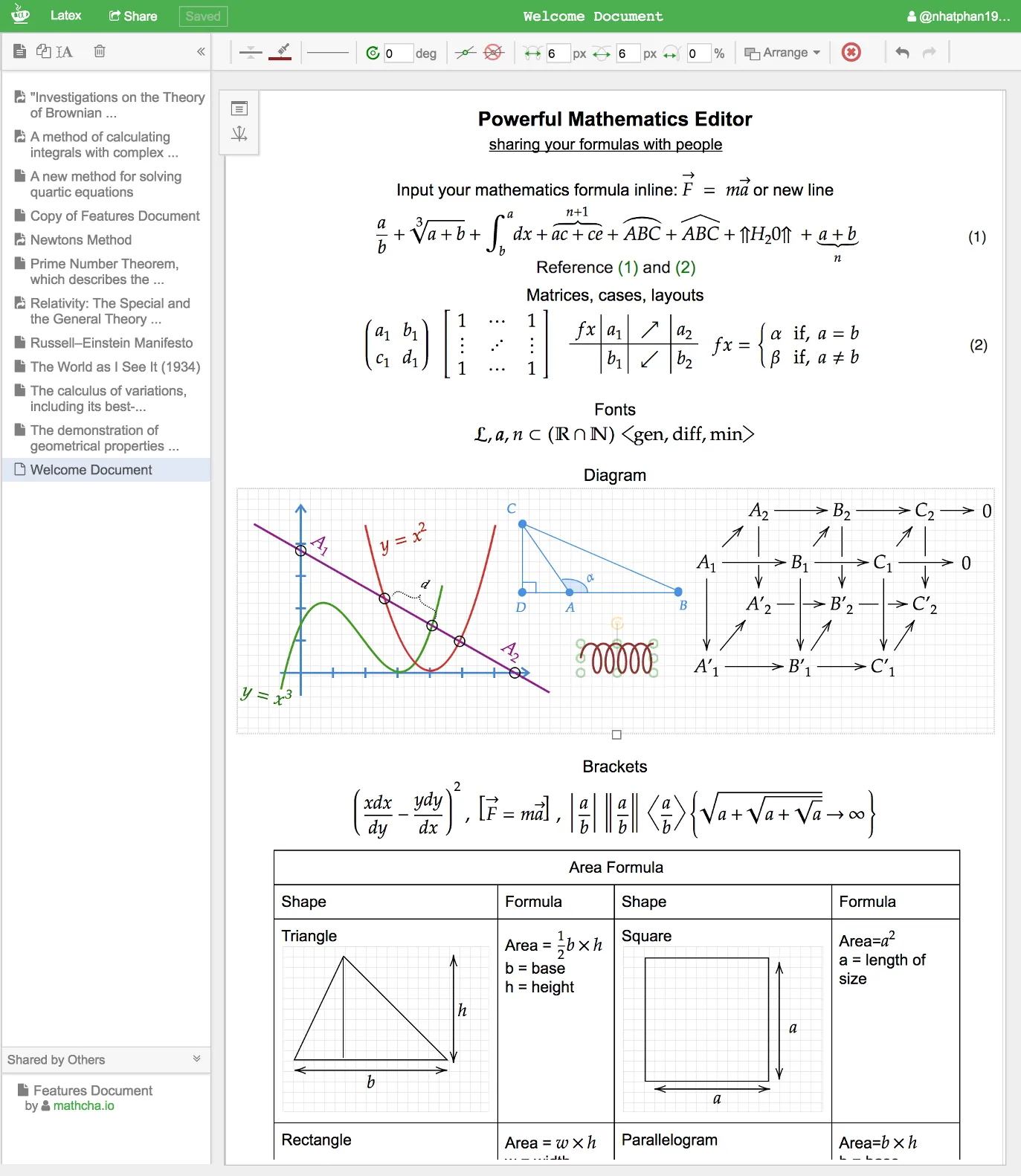
Mathcha Features:
WYSIWYG Editing: Mathcha provides an intuitive interface where users can see the final result of their edits directly on the screen. There is no need to learn complex LaTeX code, which greatly simplifies the process of inputting mathematical formulas.
LaTeX Support: Edit math content effortlessly without mastering complex LaTeX syntax. Even though there is no need to write LaTeX code directly, Mathcha can still output high-quality LaTeX code, making it ideal for users who want to insert math content into LaTeX documents. It supports direct input of LaTeX symbols and also offers handwriting recognition to convert handwritten input into LaTeX format.
Graphics and Diagrams: Mathcha is not limited to formula editing; it also supports the drawing of various mathematical figures and charts, including function graphs and geometric shapes, which is highly useful for teaching and research.
Online and Offline Versions: A free online version is available for editing anytime and anywhere. Paid users can use the offline version, which is suitable for scenarios where offline work is required.
Extensive Symbol Library: A rich collection of mathematical symbols and formula templates is built in, allowing users to quickly find the math elements they need through simple clicks or searches.
Export Options: After editing, users can export their work in multiple formats, such as images, PDF, LaTeX code, or TikZ code, making it convenient to use across different document editing software.
Collaboration and Sharing: Mathcha supports document sharing and allows team members to collaborate on editing, making it suitable for remote learning and project collaboration.
Education Friendly: In the field of education, Mathcha simplifies the process of creating assignments and exam papers. Teachers can easily create materials containing complex mathematical expressions.
Auto-Save and Cloud Sync: The auto-save feature ensures that work is not lost. Through cloud synchronization, users can continue their work on different devices.
Convenient Handwriting Recognition: For users who are not familiar with typing formulas on the keyboard, the handwriting input feature is a highlight. Users only need to draw the formula, and it will be converted into accurate mathematical symbols and formulas.
Document Management: Users can create, save, and share documents. Mathcha provides an online notebook feature that makes it easy to manage mathematical documents.
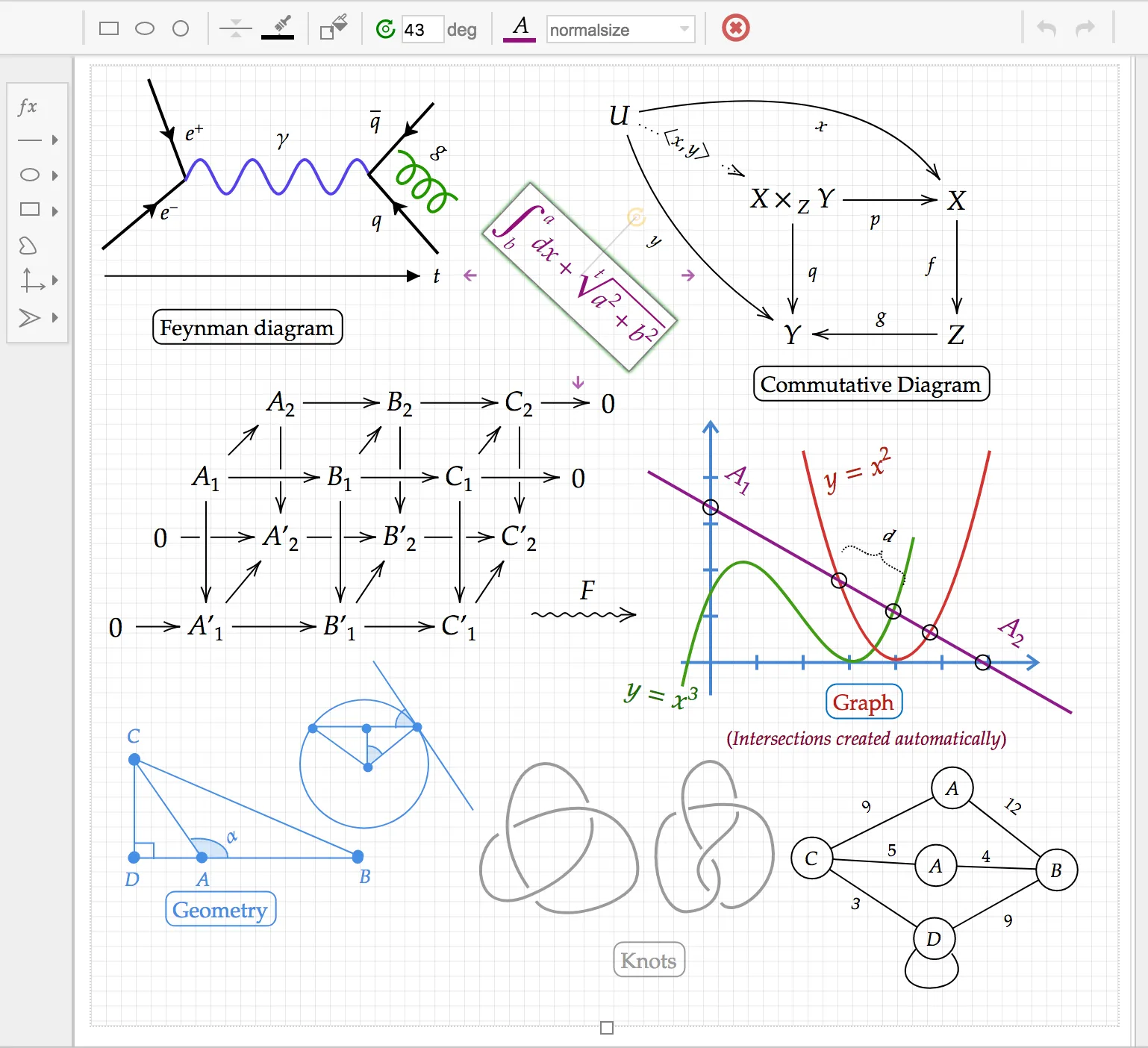
Mathcha Use Cases:
Academic Writing: Quickly and accurately insert mathematical formulas and figures when writing papers or reports.
Teaching Material Preparation: Teachers create courseware and exercise collections.
Personal Learning: Students can use it to clearly present mathematical concepts while preparing homework or reviewing notes.
Online Collaboration: Share and edit mathematical content within team projects.
Mathcha is especially suitable for users who frequently deal with mathematical formulas, diagrams, and graphics, such as mathematicians, physicists, engineers, teachers, and students.















