
 Script Planner Assistant▸
 AI Apps
 AI News

Bukeng Box: A Free All-in-One Office Plugin for Office & WPS
Bukeng Box: A Free All-in-One Office Plugin for Office & WPSIntroduction
Bukeng Box is a free all-in-one Office plugin that supports Word, Excel, ppt, and WPS three-piece suite, greatly improving office efficiency. It supports Windows 7 and above operating systems, Office 2010 and above, and common versions of WPS, but does not support MacOS.
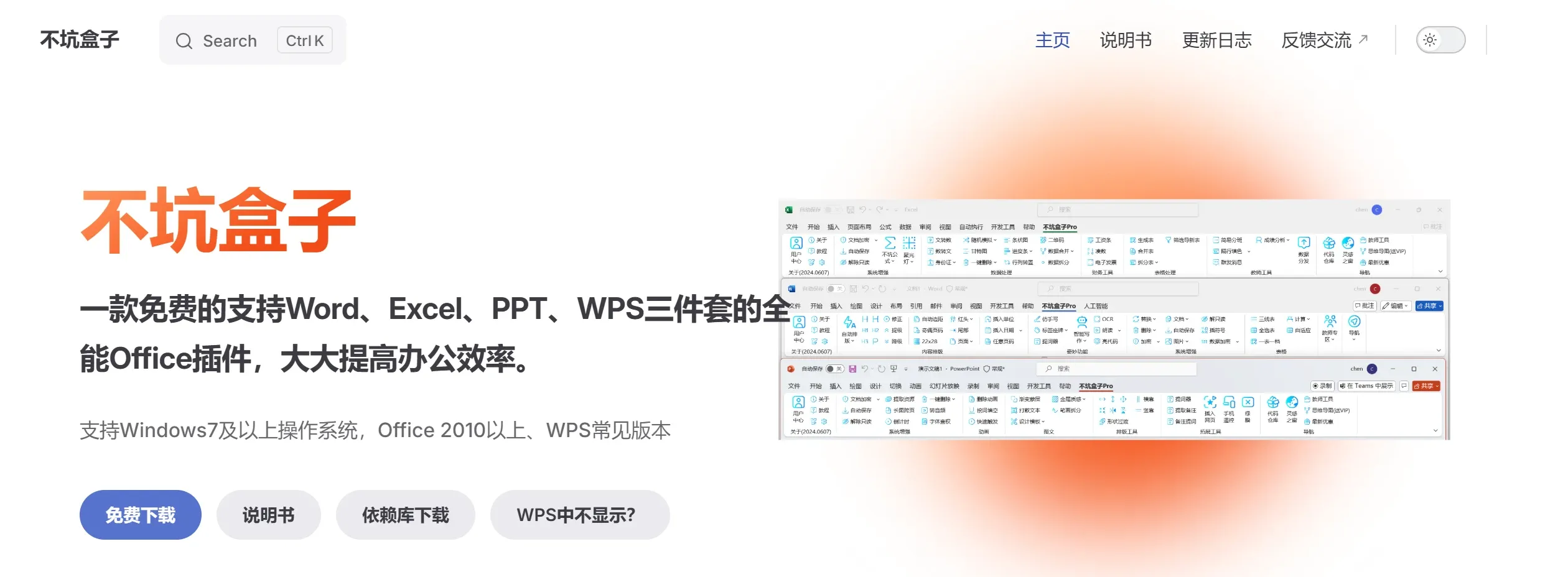
Bukeng Box Features:
All-in-one: Supports the Word, Excel, and PPT office three-piece suite, with wide coverage and rich functionality.
Free: Basic features are completely free, and many features that require payment elsewhere are still free here.
One-click content formatting: A free and powerful automatic formatting feature that allows you to freely add formatting rules, easily achieving one-click formatting.
Smart writing: Users are free to choose AI such as DeepSeek, iFlytek Spark, Kimi, etc., and write wherever you drag in Word.
System enhancement features: Enhances Office basic features, such as one-click deletion, replacement, auto-save, and more.
Inspiration Window: Open a webpage while writing a document, and the text and images inside the webpage can be added to your Office document with one click.
Teacher Zone: Essential tools for various subjects, including manuscript templates, word mining and filling, chemical equation baseboards, right-aligned brackets, etc.
Phone remote control: Through the Internet regardless of distance, use your phone to remotely control PPT playback on your computer, control mouse movement, highlight key content, and more.
Mockup display: Display PPT pages in beautiful templates, making it easy to showcase main content when sharing courseware.
How to use Bukeng Box?
After installing Bukeng Box on your computer, a Bukeng Box ribbon will appear in your Office software's function area. This is the functionality Bukeng Box adds to your Office software.
Description of the three areas in Bukeng Box:
The leftmost area is the directory: it provides descriptions of each function organized by suite.
The rightmost area is the outline for the corresponding function: you can click on the outline to view related content.
The middle area is the content area: it provides specific instructions on how to use a particular function.
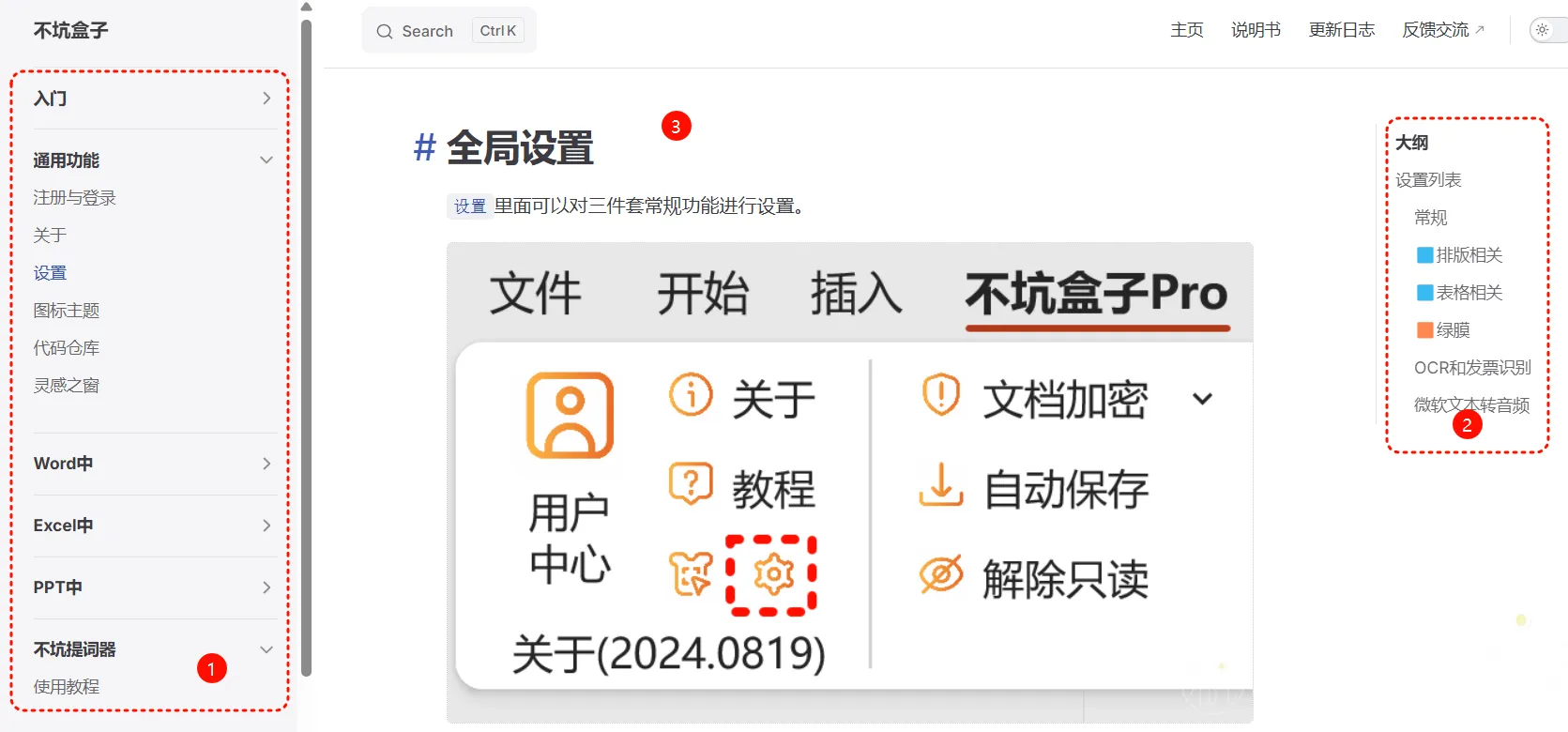
Open the Bukeng Box ribbon, then use the features inside it just like you would normally use the built-in features of Office. Different features may have different conditions and methods of use. To reduce operation steps and simplify the operation process, most features of Bukeng Box require you to first select the object to be processed, then click the button in the ribbon.
Bukeng Box Pricing and Features:
Bukeng Box adheres to the principle of free basic features + paid advanced features.
Currently, 90% of the features in Bukeng Box are free, and innovative features such as automatic formatting, inserting web pages, and Inspiration Window remain completely free.
If you need to use advanced features, such as smart writing, payment is required (activate the Pro version).
Pro Version Permissions
Bukeng Box uses WeChat scan code login, and all permissions are tied to the account. The free version and the paid version use the same installation package; there is no separate Pro version installation package.
Once you have Pro version permissions, you can use the features marked with a diamond in the Bukeng Box feature list.
Related News:















