
 Script Planner Assistant▸
 AI Apps
 AI News

PolarBear Immersive Translate: Free Immersive Web Translation & Selection Tool
PolarBear Immersive Translate: Free Immersive Web Translation & Selection ToolIntroduction
Polar Bear Immersive AI Translation, a free immersive web translation and selection translation tool, integrates cutting-edge technologies such as DeepL, Google, Baidu, and GPT, as well as bilingual subtitle translation for videos (YouTube, Netflix), and a dedicated image translation version for cross-border e-commerce. It provides free, accurate, and fast full-text webpage translation, helping you quickly access vast amounts of foreign language information, with barrier-free retrieval and browsing of foreign literature, foreign websites, and overseas news. Immersive translation supports languages from around the globe, allowing you to immerse yourself in the world's information universe.
Polar Bear Immersive Translation Features:
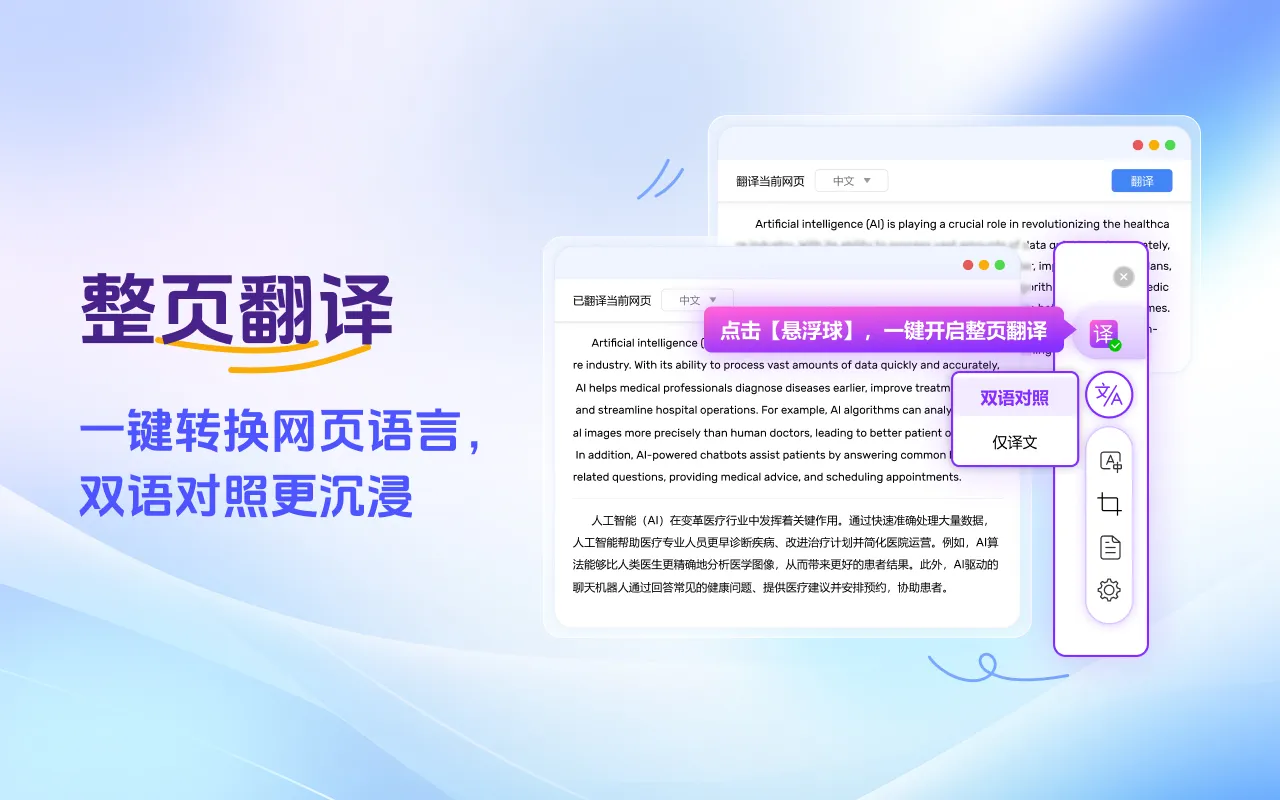
Webpage Translation: One of the core features, perfectly fixing the issue of Google Translate being unavailable in China. Restore Google Translate with one click, and supports Chrome-based browsers such as Google, 360, and QQ.
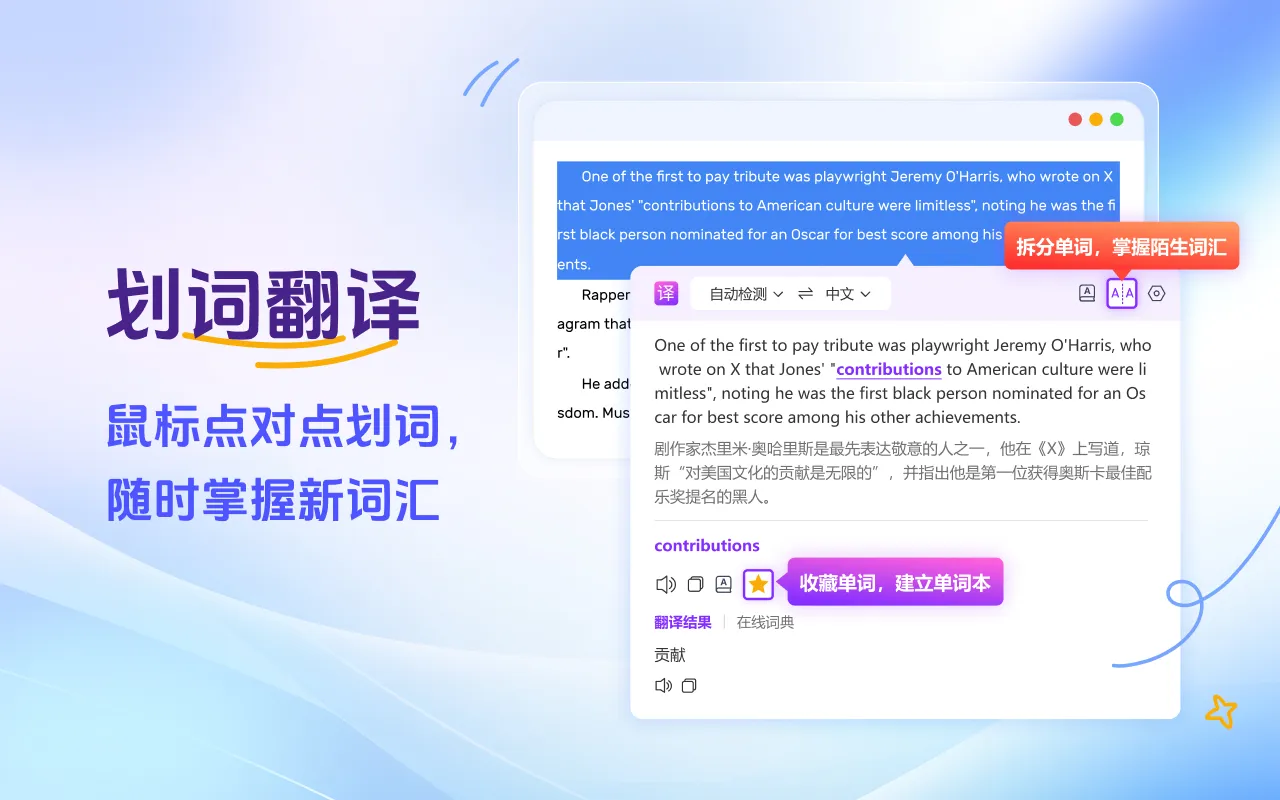
Selection Translation: When encountering unfamiliar foreign words while browsing, simply select them with your mouse to translate with one click. The translation result will appear near the mouse cursor. If you enable the "Quick Selection Translation" button, the translation will appear instantly upon highlighting.
DeepL Translation: In-depth parsing, precise conveyance, breaking down language boundaries for barrier-free communication. Choose DeepL Translation and experience professional-grade language conversion!
PDF Translation: Easily translate PDF files and obtain translations with one click, without cumbersome conversions. The translation of PDF documents is specially optimized to preserve the original formatting, making it ideal for reading academic literature and professional materials.
Academic Translation: Focused on the academic field, with professional optimization to ensure the accuracy of specialized terms and terminology, presenting you with the most authentic translation.
Document Translation: Supports multiple formats, easily handling various types of documents. Efficient translation that accurately conveys the original meaning, giving your documents a new lease on life!
Vocabulary Book: When browsing translation results, reading English literature, or any learning materials, just a simple click allows you to add unfamiliar words to your vocabulary book. Word pronunciation, part of speech, definitions, and example sentences can all be saved together, with support for word categorization for easy future review.
Google Translate: Real-time online, accurate and efficient, effortlessly converting global languages.
Image Translation: Intelligently identifies image content, supports extracting text directly from images and translating it, making it convenient to process foreign language information in non-text formats.
Dictionary Translation: Massive vocabulary with authoritative definitions to help you learn languages easily. Dictionary translation.
Online Translation: Real-time online translation, instantly obtain translated text.
Chinese-English Bilingual Display: Provides translation results in a side-by-side bilingual format with the source text and translations. You can even choose the bilingual display style you prefer, customize the appearance of translation results, check translations more quickly, and learn foreign languages more conveniently.
Subtitle Translation: Automatic bilingual subtitle translation on mainstream online video sites (dozens of online video sites including YouTube, Netflix, etc.).
Screenshot Translation: When encountering text that cannot be selected, take a screenshot of the area you need to translate, and it will be translated into your desired language.
Polar Bear Immersive Translation Settings:
Auto Detect: Quickly and automatically detect the source language, automatically remember the target translation language, support translation between 100+ languages, and support switching the target translation language, allowing you to easily open your browser anywhere in the world for unobstructed browsing.
Always/Never Translate This Website: For your most frequently visited foreign language websites, you can choose "Always Translate This Website," which will automatically provide you with translation results every time you visit that site, significantly reducing time costs and improving work efficiency. If you don't need to translate a particular website, you can also set "Never Translate This Website" to customize your translation preferences.
Concise Mode: If you don't need the bilingual side-by-side translation result format, you can also choose the concise mode of "Display Translation Only," allowing you to immediately experience the lightning-fast mode of Google Translate.
Polar Bear Immersive Translation Use Cases:
Education & Learning: Help students and teachers easily read foreign language materials.
Research Work: Accelerate the reading and comprehension of academic literature.
Business Communication: Provide accurate translation services for cross-border e-commerce and international business professionals.
Daily Use: Provide instant translation assistance for travel, watching foreign language videos, and reading foreign language news.
Polar Bear Immersive Translation, as a highly integrated and feature-rich translation tool, is particularly suitable for users who frequently need to handle multilingual content, such as academic researchers, cross-border e-commerce practitioners, foreign language learners, and business professionals with frequent international communication.
Related Information:
Where is the "One-Click Translation" feature on Xiaohongshu?
How to Translate Videos? 9 Video Translation Software Recommendations for You!















