Script Planner Assistant▸
 AI Apps
 AI News
NetEase Popcorn: Free Smart Media Library Player
NetEase Popcorn: Free Smart Media Library PlayerIntroduction
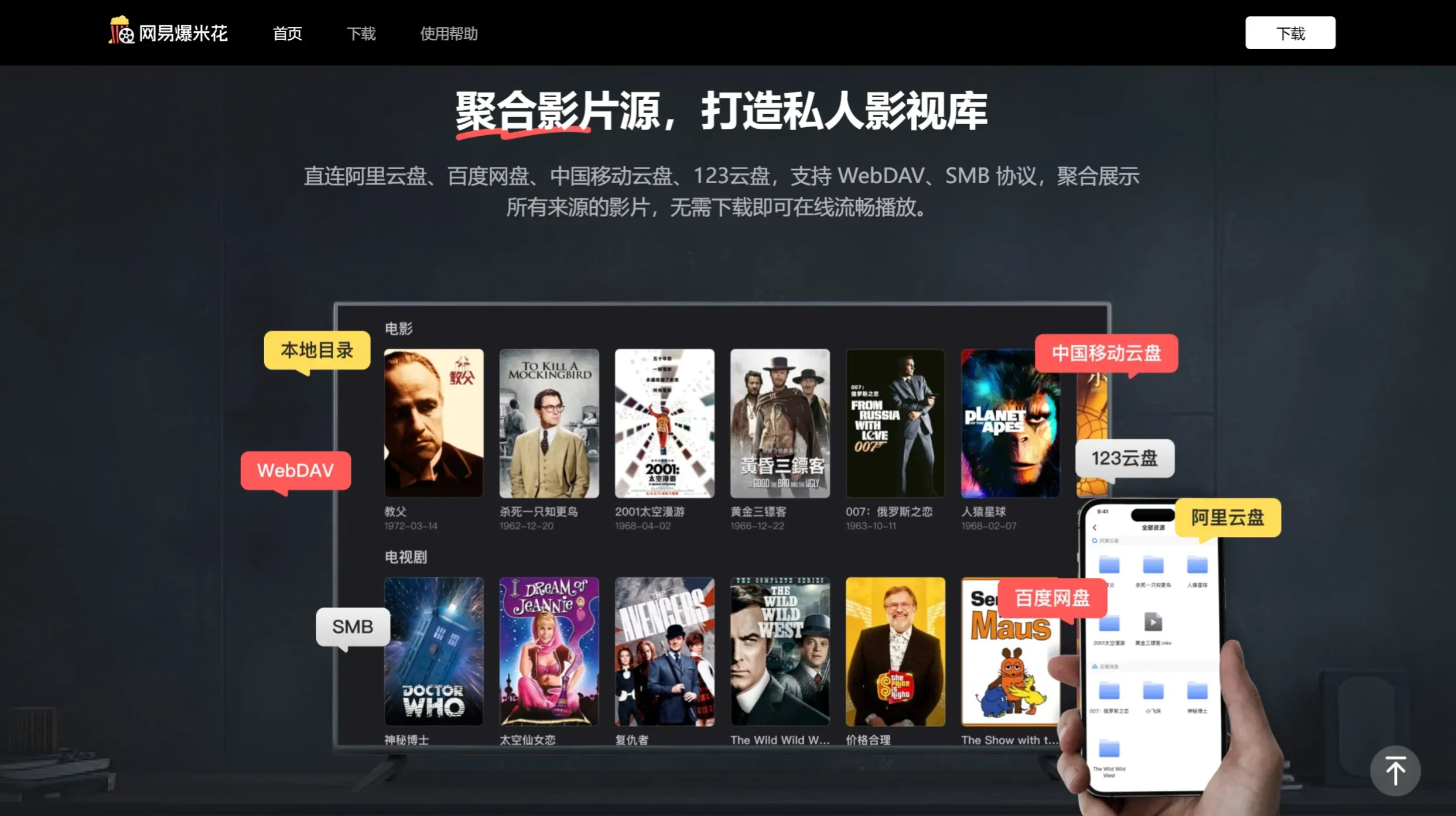
NetEase Popcorn (formerly NetEase Filmly) is a free smart media library and universal player independently developed by Guangzhou NetEase Computer System Co., Ltd., launched in May 2024. NetEase Popcorn supports Android and iOS systems, features powerful scraping capabilities, and can automatically match posters, ratings, and synopses for movie and TV resources. Users can import local resources by directly connecting to Alibaba Cloud Drive, Baidu Netdisk, and more. It also supports WebDAV and SMB protocols, making it easy to set up a personal media library.
NetEase Popcorn Features:
Multi-platform Support: NetEase Popcorn supports Android and iOS systems, allowing users to use it on phones, tablets, TVs, and other devices, ensuring a seamless cross-platform experience.
Smart Scraping Functionality: This player features powerful scraping capabilities, using intelligent algorithms to automatically extract movie titles, as well as season and episode information for TV shows from file names and folder names. It then matches the corresponding media information, including posters, stills, ratings, synopses, cast information, categories, seasons, and episodes.
Direct Cloud Storage Connection: NetEase Popcorn supports videos from WebDAV, SMB, Alibaba Cloud Drive, Baidu Netdisk, and China Mobile Cloud Drive. Users only need to log in and authorize NetEase Popcorn to access files in third-party services to conveniently import videos into NetEase Popcorn. Once imported, videos can be played smoothly online without downloading.
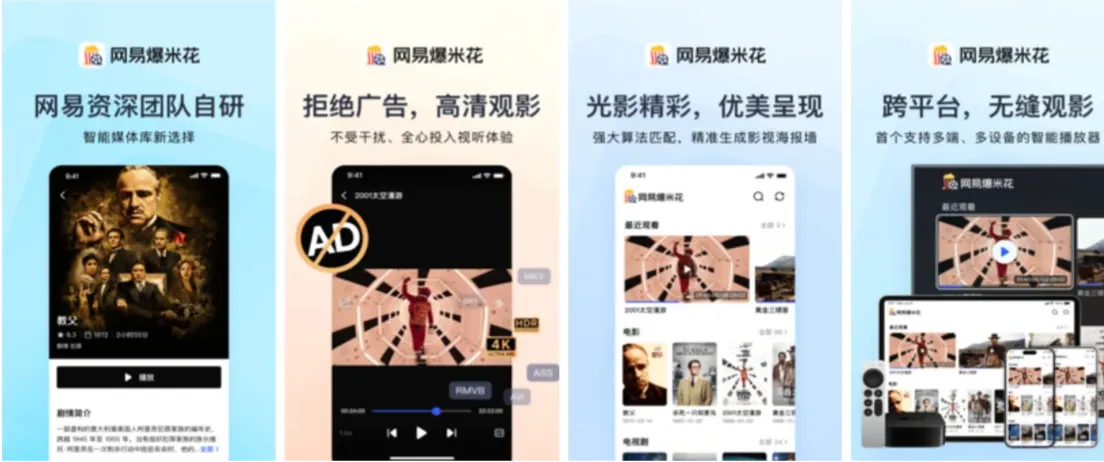
Rich Playback Features: Users can enjoy a variety of playback options, including variable speed playback and ad-free viewing. In addition, the player supports over 200 audio and video formats, including RMVB and MP4, and can smoothly play 4K and HDR videos.
Smart Poster Wall: NetEase Popcorn can automatically generate a poster wall, intelligently recognize films, and accurately match movie posters, ratings, synopses, and other information. It automatically categorizes films and aggregates TV show seasons and episodes.
Powerful Video Format Compatibility: NetEase Popcorn supports over 200 audio, video, and subtitle codecs, ensuring users can play video files in various formats and avoiding compatibility issues.
Cross-device Synchronization: By simply logging into the same NetEase Popcorn account on different devices, users' playback records and media resources can be synchronized across devices, allowing them to seamlessly watch their favorite content anytime, anywhere.
Completely Ad-free: NetEase Popcorn (formerly NetEase Filmly) is committed to providing an uninterrupted, fully immersive viewing environment, so you and your family and friends can enjoy watching content together with ease.
How to Use NetEase Popcorn?
Open the app, click the small plus sign (+) in the upper right corner, and select the video resource connection option.
It supports connecting to Baidu Netdisk, Alibaba Cloud Drive, etc. Simply enter your account and password to log in.
Once videos are imported, the app will automatically categorize them, making movies and TV shows clear at a glance.
Click on a poster to enter the details page to view information such as the director, cast, and plot synopsis.
NetEase Popcorn also supports importing video resources through other cloud storage services such as Quark Netdisk. You can select the corresponding cloud drive in the app, enter your account and password to connect, and then browse and import video files once connected.