
 Script Planner Assistant▸
 AI Apps
 AI News

StereoCrafter: Tencent's Open-Source 2D-to-3D Video Conversion Framework
StereoCrafter: Tencent's Open-Source 2D-to-3D Video Conversion FrameworkIntroduction
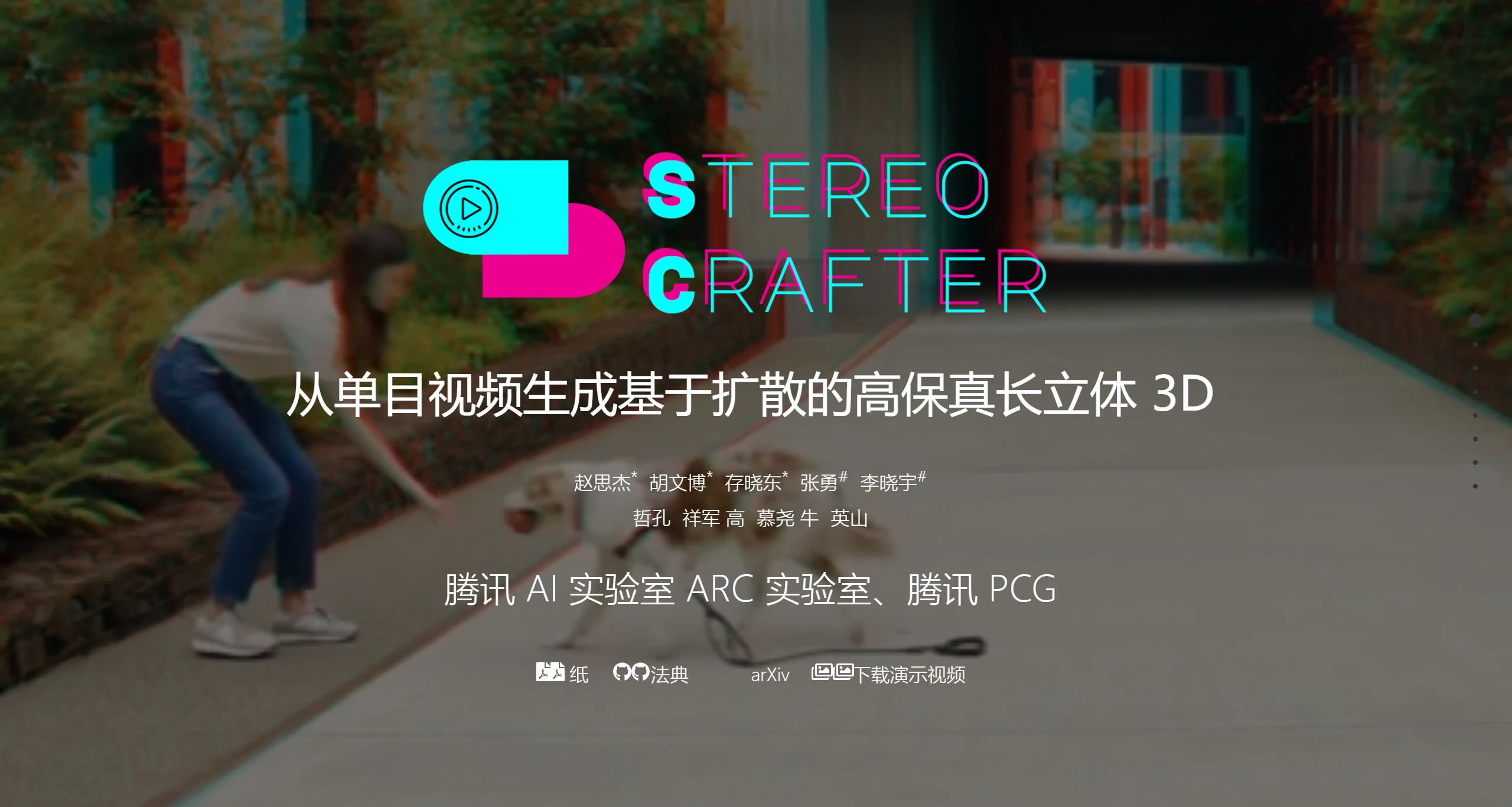
StereoCrafter is an open-source framework developed by Tencent AI Lab that converts ordinary 2D videos into immersive stereoscopic 3D videos.
The StereoCrafter framework consists of two main steps: depth-based video splatting and stereoscopic video inpainting. First, depth information is extracted from the input monocular video through depth estimation, and this information is used for video warping and the generation of occlusion masks. Next, a stereoscopic video inpainting model is used to fill in the empty areas in the warped video, thereby synthesizing the right-view video. This approach not only improves the quality of the generated 3D video but also ensures flexibility and adaptability for video inputs of varying lengths and resolutions.
In addition, StereoCrafter supports multiple video sources, including movies, vlogs, 3D cartoons, and AI-generated content (AIGC) videos, further expanding its range of applications. StereoCrafter is designed to meet the growing demand for 3D content, especially in the field of immersive experiences, providing users with a richer visual experience.
Main Features of StereoCrafter:
Video Conversion: StereoCrafter can convert any 2D video into high-fidelity stereoscopic 3D video, supporting various display devices such as 3D glasses and Apple Vision Pro.
Depth Estimation: StereoCrafter uses depth estimation technology to analyze the depth information in videos, thereby generating realistic 3D effects.
Video Inpainting: StereoCrafter also includes a stereoscopic video inpainting function, capable of handling occlusions and other visual issues in the video, ensuring that the generated video is of high quality and coherent.
Multiple Format Support: The generated video can be output in anaglyph, VR, or side-by-side format to suit different viewing needs and devices.
High-Efficiency Performance: StereoCrafter has been optimized to process videos quickly.
StereoCrafter Application Scenarios
StereoCrafter is suitable for various video sources such as movies, vlogs, 3D animations, and AIGC videos, and can present stereoscopic effects on devices such as 3D glasses, Apple Vision Pro, and 3D displays.
Film Production: In film and video production, StereoCrafter can help creators convert traditional 2D films into 3D versions.
Vlogs and Content Creation: Content creators can use StereoCrafter to convert their 2D video content into 3D.
Education and Training: In the education field, stereoscopic videos can provide a more immersive learning experience.
Virtual Reality and Augmented Reality: The 3D videos generated by StereoCrafter can be used in VR and AR applications.
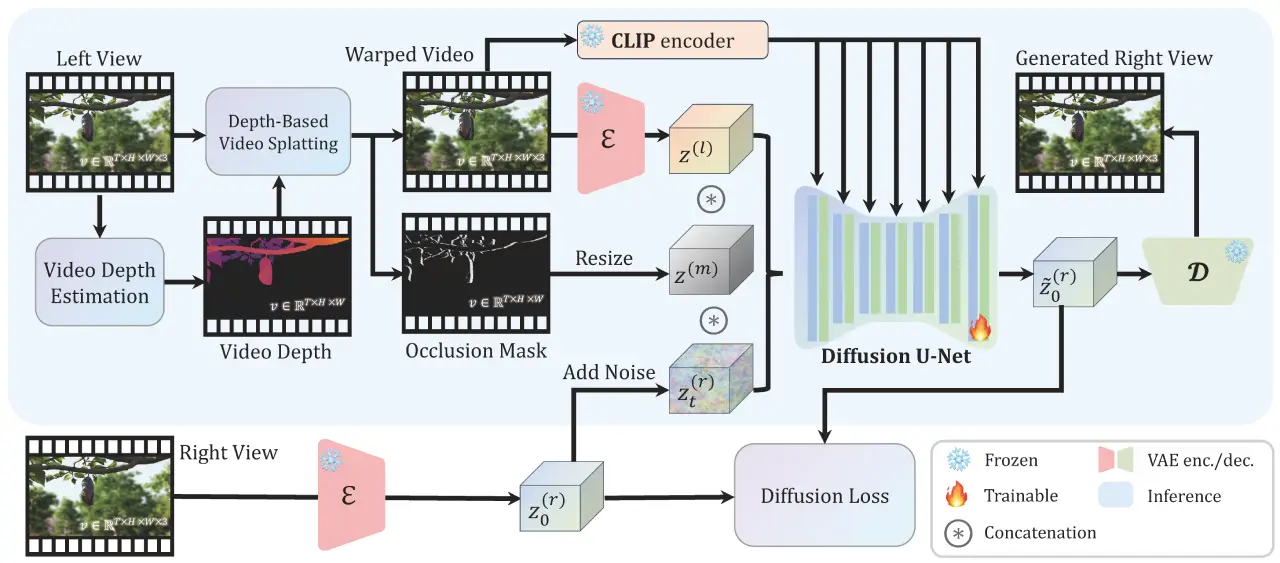
Steps and Methods for Video Conversion Using StereoCrafter:
1. Preparation
Before starting, make sure you have the following prepared:
Monocular Video Material: Select the 2D video you want to convert, ensuring that the video quality meets the requirements.
Software Installation: Visit StereoCrafter's official website, download, and install the required software or models.
2. Depth Estimation
Use StereoCrafter's depth estimation feature to generate the depth information of the video. This step is the key to converting 2D video into 3D video. The specific steps are as follows:
Import your video material into StereoCrafter.
Run the depth estimation algorithm to generate depth maps of the video. These depth maps will be used for subsequent 3D reconstruction.
3. Video Repainting
After obtaining the depth information, perform video repainting processing:
Repaint the video based on depth information, extracting occlusion information while performing video transformation.
This step ensures that the occlusion relationships of objects are handled correctly during the conversion process.
4. Stereoscopic Video Inpainting
After completing the repainting, perform stereoscopic video inpainting:
Use the pre-trained stable video diffusion model to inpaint the generated stereoscopic video, ensuring the quality and coherence of the video.
This step can eliminate possible artifacts and discontinuous boundaries.
5. Output and Playback
Finally, output the generated 3D video:
Select an appropriate output format (such as anaglyph, VR, or side-by-side format) for playback on different 3D display devices.
You can play the generated video on devices such as Apple Vision Pro and enjoy an immersive viewing experience.
By following the above steps, you can use StereoCrafter to successfully convert ordinary 2D videos into high-quality stereoscopic 3D videos.
StereoCrafter Project Homepage:https://stereocrafter.github.io/
Github Code Repository:https://github.com/TencentARC/StereoCrafter
ArXiv Technical Paper:https://arxiv.org/pdf/2409.07447











