Script Planner Assistant▸
 AI Apps
 AI News

WriterDuet: Professional Screenwriting Tool
WriterDuet: Professional Screenwriting ToolIntroduction
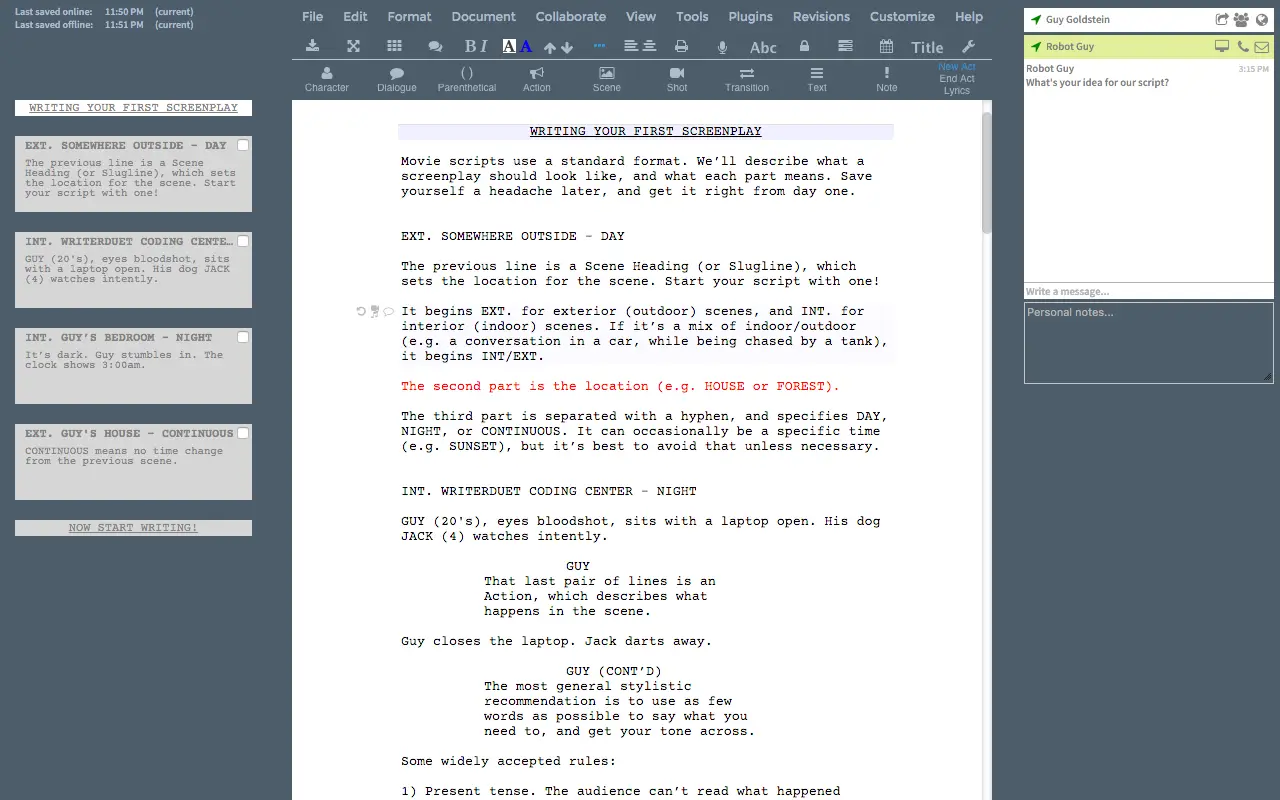
WriterDuet is a professional screenwriting software that provides industry-standard formatting and real-time collaboration features. Users can easily write and edit scripts on any device. WriterDuet supports unlimited revision history and outlining features, making it ideal for screenwriters to write and collaborate. It supports real-time collaboration, allowing multiple screenwriters to work on the same script simultaneously.
WriterDuet Main Features
Real-time Collaboration: Users can edit scripts in real time across different devices, with changes syncing instantly. Whether in the same room or thousands of miles apart, team members can always see each other's modifications and stay on the same page.
Multi-format Support: WriterDuet automatically adapts to script formatting, including characters, scenes, dialogue, etc. It supports importing and exporting multiple file formats, including Final Draft, Celtx, Fountain, and PDF, making it easy for users to switch between different platforms and software.
Unlimited Revision History: WriterDuet provides unlimited revision history tracking, enabling users to check and revert to previous versions at any time, ensuring that important changes are never lost.
Multi-platform Support: WriterDuet can be used on multiple devices, including computers and mobile devices.
Offline Work: In addition to online editing, WriterDuet also offers offline editing capabilities, allowing users to continue creating without an internet connection and sync changes once reconnected.
WriterDuet Target Users
WriterDuet is suitable for all types of screenwriters. It is widely used in scriptwriting for films, TV shows, and other media, and has attracted over a million users, including many well-known screenwriters and production teams:
Team Collaboration: Especially suitable for projects that require multiple collaborators, such as films and TV shows.
Individual Users: Also very friendly for individual users who want to engage in digital scriptwriting, real-time backup, and text-to-speech reading of scripts.
WriterDuet Pricing and Permissions
WriterDuet offers both free and professional versions. The free version has limited features, while the professional version provides more advanced features:
Unlimited Scripts: The free version may limit the number of scripts that can be created, while paid users can create and manage unlimited script projects.
Advanced Formatting Tools: Make scripts conform to industry standards, possibly including more detailed format control options such as custom styles and tags.
Version History and Comparison: Provides more detailed version control, allowing users to easily compare different versions of scripts, and may even support automatic highlighting of changes.
Advanced Collaboration Tools: May include more granular permission management, such as restricting certain users to only view or comment, without editing rights.
Offline Access: Advanced users may be able to edit scripts offline and seamlessly sync changes when reconnected to the network.
Enhanced Security: Higher levels of data encryption and backup services to ensure secure storage of scripts.
Custom Reports and Statistics: Provides in-depth analysis of script content, such as character dialogue distribution and scene usage frequency.
Advanced Search and Filtering: Helps users quickly find specific content or elements within scripts.
Personalized Settings and Themes: Allows users to customize the interface to suit personal preferences or improve work efficiency.
Technical Support and Priority Service: Paid users may enjoy faster customer support response times and dedicated user services.
WriterDuet Usage Steps:
Register an Account: Visit the WriterDuet official website and create a free account.
Create a Project: After logging in, click "New Project" to start creating.
Real-time Collaboration: Invite other users to join the project and co-edit the script.
Export Files: Once completed, scripts can be exported as PDF, FDX, and other formats.
Related Information: