
 Script Planner Assistant▸
 AI Apps
 AI News

Tencent Cloud AI Code Assistant: Coding Aid Powered by Hunyuan LLM
Tencent Cloud AI Code Assistant: Coding Aid Powered by Hunyuan LLMIntroduction
Tencent Cloud AI Code Assistant is a programming efficiency-boosting auxiliary tool self-developed by Tencent Cloud, based on the Hunyuan code large model. It can be installed as a plugin into editors (such as VS Code or the JetBrains series of IDEs), providing features like technical conversations, code completion, code diagnosis, and optimization. Tencent Cloud AI Code Assistant can generate code based on comments and automatically complete business logic code and functions, thereby accelerating the development process.
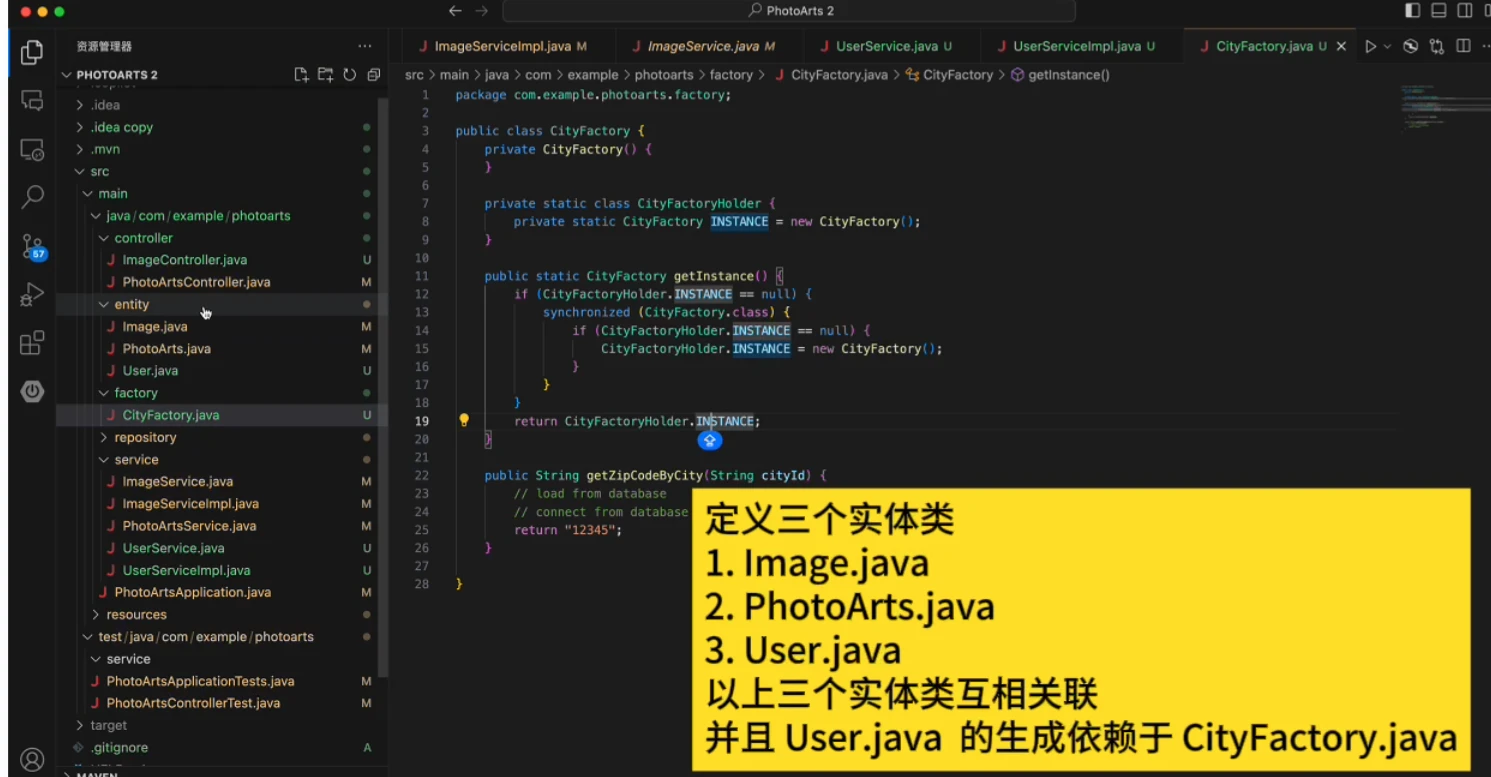
Tencent Cloud AI Code Assistant Features:
Tencent Hunyuan Model: Based on the Tencent Hunyuan code model, it helps various Tencent departments train and integrate different code models. Over 50% of R&D within Tencent uses this code assistant.
Multi-language Support: Supports Python, JavaScript/TypeScript, Java, C/C++, Go, C#, Rust, Swift, Lua, Kotlin, TSX/JSX, Vue, Proto, PHP, and other languages/frameworks.
Mainstream IDE Support: Compatible with mainstream integrated development environments (IDEs), supporting VS Code and the entire JetBrains suite.
Code Completion: Automatically generates code based on comments and context, supporting multiple programming languages such as Python, JavaScript, Java, C/C++, etc.
Technical Conversation: Through natural language processing technology, it supports developers in communicating with the tool to obtain real-time programming suggestions and solutions.
Code Diagnosis & Optimization: Capable of analyzing existing code and providing optimization suggestions to help developers improve code quality.
Unit Test Generation: Automatically generates unit tests, improving test coverage and reducing the manual effort of writing tests.
Accelerated Development Process: Assists with completion, bug diagnosis, and test generation, freeing you from mechanical work so you can focus on code creation.
Improved R&D Efficiency: Through technical conversations and code completion, it assists in generating business code, comments, unit tests, and more, greatly improving development efficiency.
Tencent Cloud AI Code Assistant Core Features:
Code Completion: Based on contextual understanding, Tencent Cloud AI Code Assistant can automatically recommend the most likely code snippets, significantly reducing keystrokes.
Code Optimization: Analyzes existing code and proposes refactoring suggestions such as loop optimization, variable renaming, and redundant code removal to ensure code is both efficient and maintainable.
Comment Completion: Automatically generates detailed comment descriptions based on the logic of functions or modules, helping team members understand the code logic.
Code Explanation: Quickly understand existing code, reducing comprehension costs.
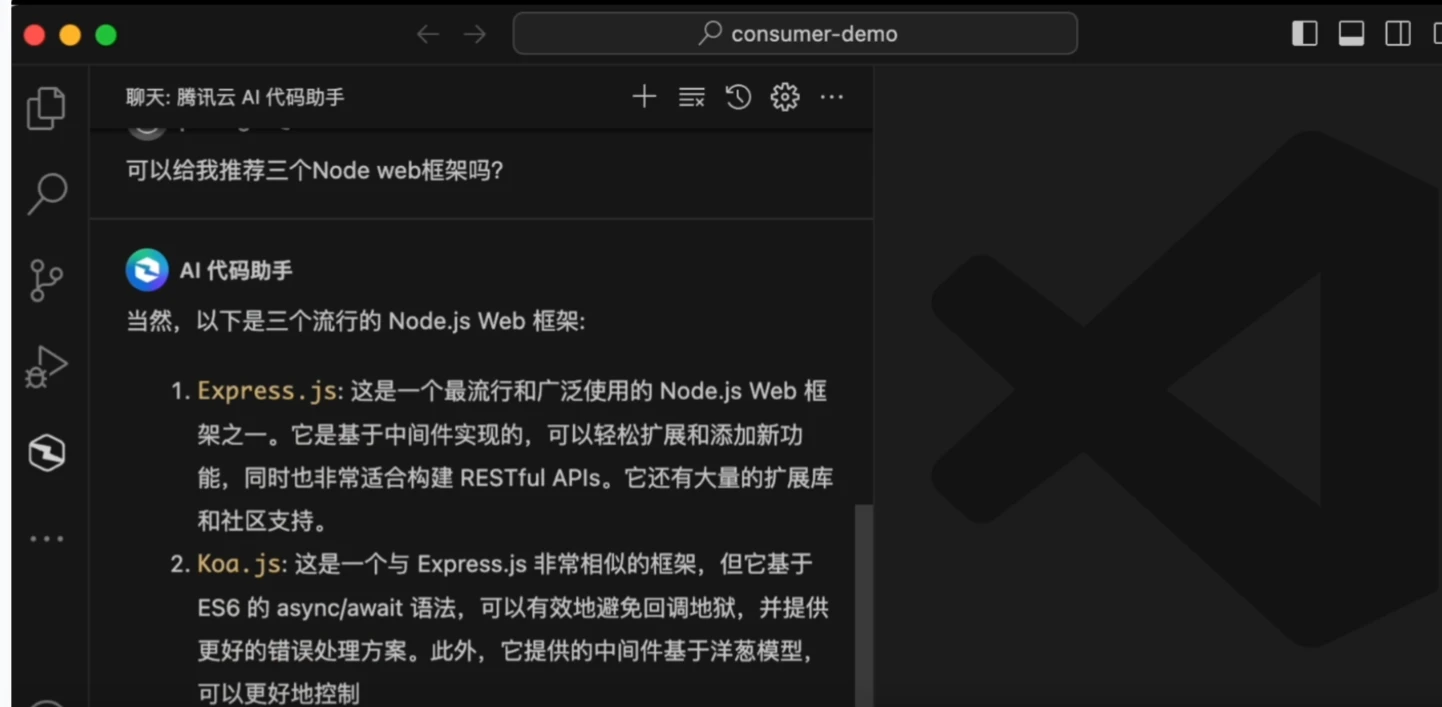
Tencent Cloud AI Code Assistant Installation & Usage:
Installation:
Visual Studio Code: Open Visual Studio Code, click the Extensions icon in the left navigation bar, or use the shortcut Ctrl+Shift+X (Cmd+Shift+X on macOS). Type "Tencent Cloud AI Code Assistant" in the search box, find the plugin, and click the "Install" button to install. Restart Visual Studio Code after installation is complete.
JetBrains IDEs: Open a JetBrains IDE (for example, IntelliJ IDEA). Go to "File" > "Settings" (Windows/Linux) or "IntelliJ IDEA" > "Preferences" (macOS). In the settings window, select "Plugins". Click the "Marketplace" tab and search for "Tencent Cloud AI Code Assistant". After finding the plugin, click the "Install" button to install. Restart the IDE after installation is complete.
Usage
After installation, you need to log in to your Tencent Cloud account and complete Tencent Cloud's real-name identity verification before you can use it.
Related Articles:
14 Recommended AI Programming Assistants for Intelligently Writing and Generating Code!












