
 Script Planner Assistant▸
 AI Apps
 AI News

Kaokan Academic: AI-Powered Research Made Easy
Kaokan Academic: AI-Powered Research Made EasyIntroduction
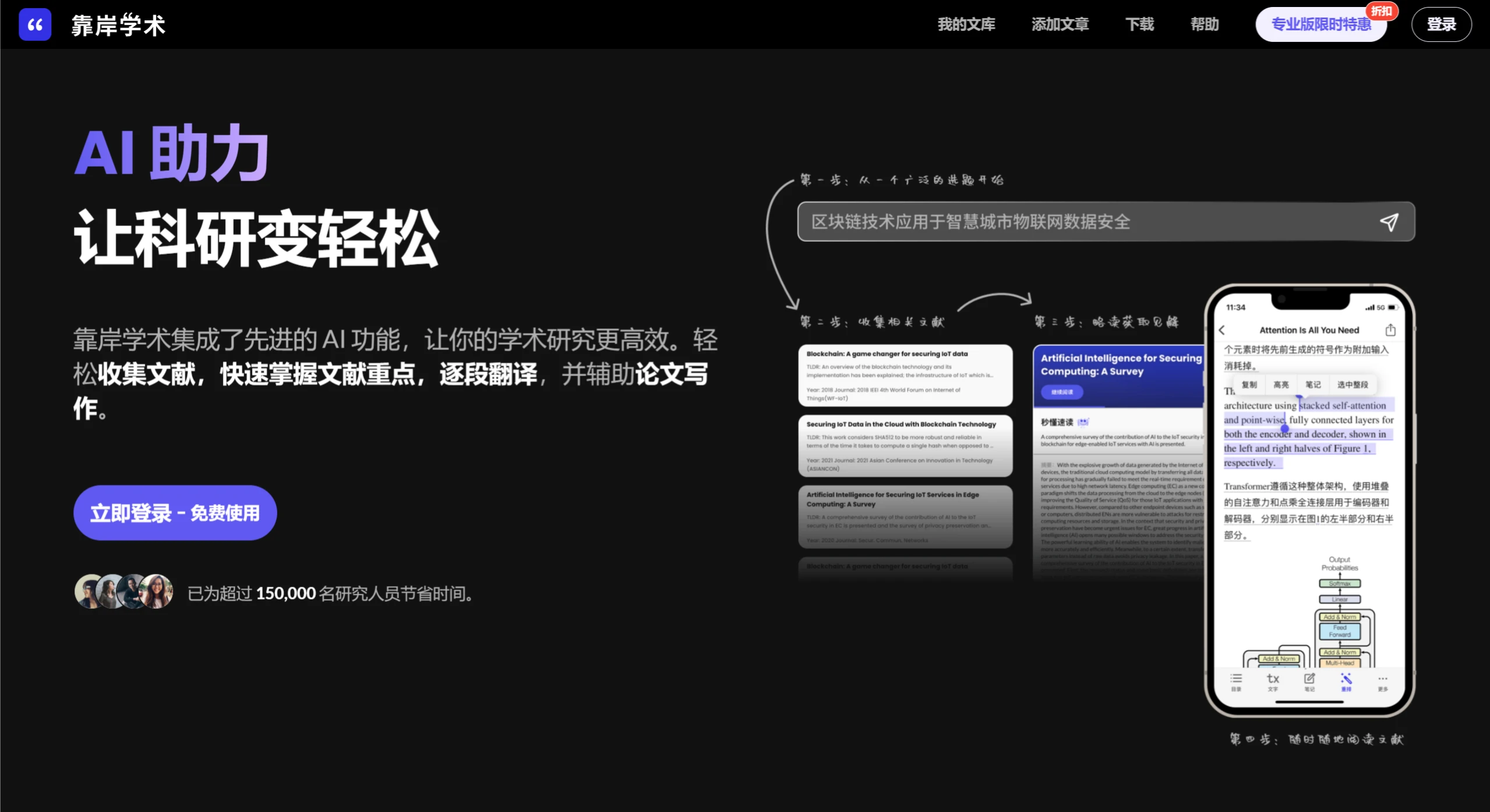
Scholaread is an all-in-one tool that integrates PDF reading of academic papers, academic translation, literature management, and note-taking. It offers full-text translation and side-by-side translation features to help users better understand foreign-language literature. By incorporating advanced AI capabilities, Scholaread makes your academic research more efficient. Easily collect papers, quickly grasp the key points of the literature, translate paragraph by paragraph, and assist with academic paper writing.
Core features and advantages of Scholaread
Literature Management and Sync
Seamlessly integrates with Zotero, allowing users to sync their Zotero library with one click for easy access and synchronization of literature across multiple devices.
Supports cross-platform use, including mobile phones, tablets, computers, and web, ensuring your literature is always with you and accessible anytime, anywhere.
Optimized Reading Experience
Provides layout adaptation features that convert double-column papers into a format suitable for reading on mobile devices.
Paragraph-by-paragraph side-by-side translation, leveraging AI technology to deliver high-quality full-text translation, especially suitable for handling English or other foreign-language papers, reducing language barriers.
Boosted Academic Research Efficiency
Speed-reading mode and side-by-side translation features help you quickly grasp the core content of papers and improve reading speed.
Note-taking and highlighting features make it easy to mark and annotate while reading, facilitating later review.
Multi-device Sync and Backup
Ensures the safety and synchronization of literature data, prevents loss of papers, and keeps your reading progress consistent across different devices.
Charts and Image Preview
Preview charts and images directly within the paper without leaving the current page, enhancing reading intuitiveness.
PDF Reading
Scholaread offers a reflow mode that converts complex double-column paper layouts into a waterfall format suitable for mobile reading, making it easy for users to read literature on phones, tablets, and computers.
Academic Translation
Scholaread incorporates world-leading translation engines, supporting full-text translation and paragraph-by-paragraph side-by-side translation in multiple languages (such as English, French, German, etc.), helping users better understand foreign-language literature. Users can view the original and translated text side by side while reading, improving reading efficiency.
Literature Management
Scholaread supports syncing with Zotero, allowing users to import their Zotero library with one click for easy management of their literature. In addition, the app offers highlighting and note-taking features, enabling users to record key information during reading.
AI-Assisted Features
Leveraging big-data AI models, Scholaread provides article summaries to help users quickly understand paper content. Charts and citations can also be viewed with a single click, eliminating the need for frequent page-turning.
Why choose Scholaread?
Struggling with English papers?
AI-powered paragraph-by-paragraph side-by-side translation, along with multiple translation modes such as word selection and screenshot translation, helps you understand the original content faster and better, allowing you to efficiently grasp the core content of papers.
Is reading papers on a small screen inconvenient?
AI-generated quick overviews let you view charts and illustrations on small screens without zooming in or out. Reading papers on tablets and phones becomes as natural and smooth as reading WeChat public account articles.
Can't find papers on a specific topic?
AI intelligent search recommends keywords based on your initial topic and generates literature reviews to help you quickly discover relevant papers.
Difficulties with citations and writing?
Scholaread's Word plugin helps you cite accurately, polish your text, and check grammar, instantly improving your writing quality.
Multi-device sync, limitless reading
One account lets you sync files across Windows, Mac, Linux, Android, iOS, and the web. Save time and boost research efficiency.
Scholaread uses advanced PDF layout parsing algorithms to convert papers with intricate layouts into a clean format suitable for screens, freeing reading from device limitations and clearly presenting images, formulas, and tables. Paragraph-by-paragraph side-by-side full-text translation not only makes reading smoother but also ensures that the spread of knowledge is no longer restricted by language. We firmly believe that every paper has its value and every piece of research deserves to be seen. We hope scholars around the world can overcome language barriers and jointly promote progress in the world.
In the future, Scholaread will provide even more comprehensive literature management solutions, achieving seamless integration between reading and writing, ensuring that every effort in scientific research is preserved and reflected. Scholaread is committed to creating a first-class academic reading experience, helping every scholar maximize the value of their time.















