
 Script Planner Assistant▸
 AI Apps
 AI News

Kuaishou Cloud Cut: Online AI Video Editing Platform by Kuaishou
Kuaishou Cloud Cut: Online AI Video Editing Platform by KuaishouIntroduction
Kuaishou Cloud Cut is a browser-based PC video editing tool that provides powerful free video editing software and a massive library of licensed素材. Users can perform video editing, live stream clipping, and image-to-video operations online without downloading any software. Kuaishou Cloud Cut supports cloud rendering, multi-user collaboration, smart cutout, and image quality enhancement.
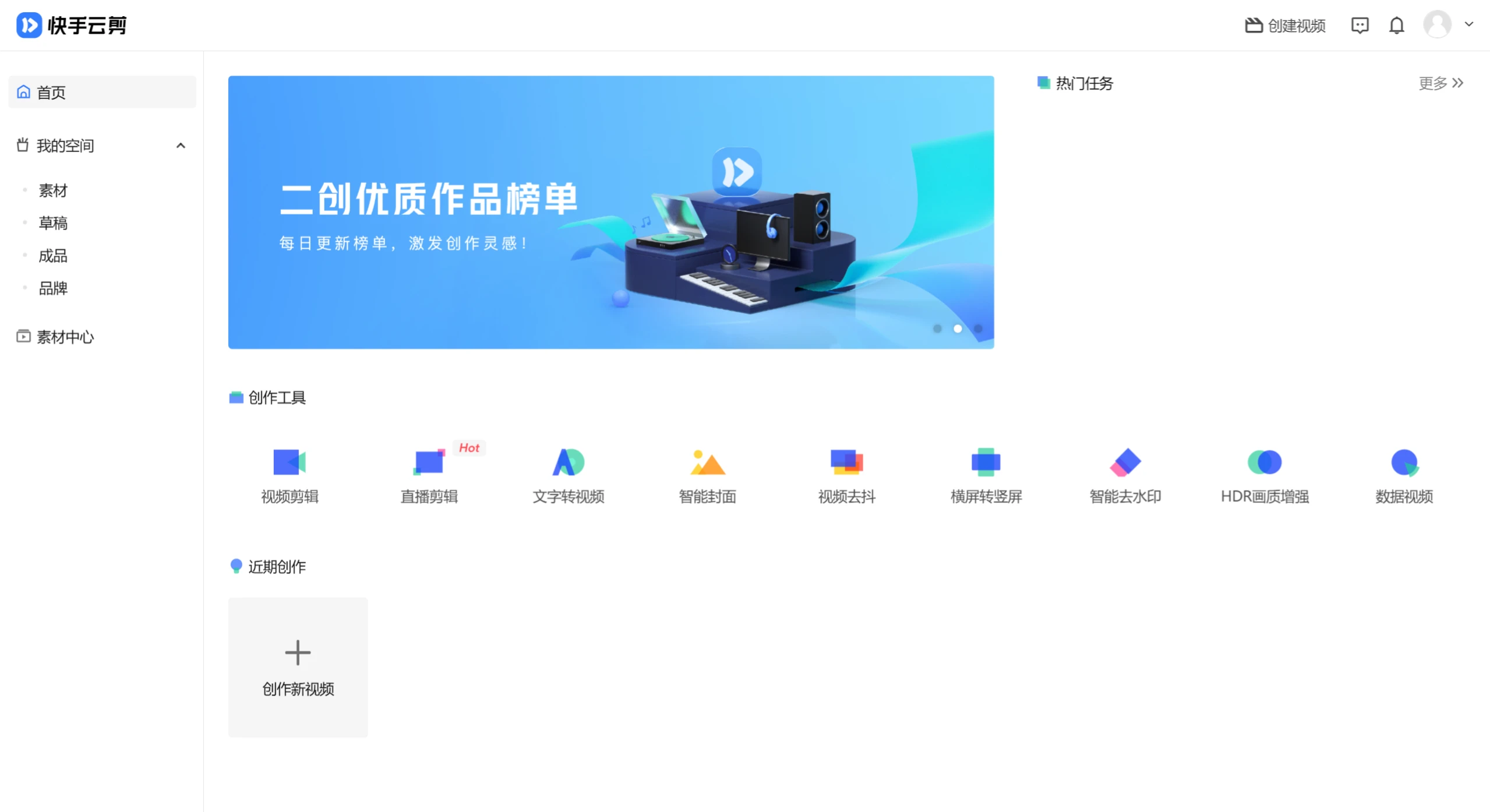
Kuaishou Cloud Cut Features:
Subtitle to Voice: Offers a variety of smart voiceover templates to easily complete video voiceovers.
Voice to Subtitle: Intelligently recognizes human voices and lyrics in videos, adds subtitles with one click, and automatically aligns them with the visuals.
Data Video: Provides multiple dynamic data templates. Upload or modify data online to quickly generate data videos.
Smart Cover: Uses smart algorithms to recommend the best frame from the video as the cover. Offers a rich set of text templates that can be easily replaced to generate high-quality cover images.
Multi-Resolution Output: Provides 720P and 1080P options for free output of high-quality videos.
Smart Cropping: Smart cropping algorithm supports converting horizontal videos to vertical ones suitable for mobile viewing with one click.
Massive素材: Provides a rich collection of licensed video clips in film, sports, gaming, and more, enabling one-stop editing for secondary creation videos.
Live Stream Editing: Edit while live streaming, and publish exciting live stream clips in real time.
Kuaishou Cloud Cut Highlights:
Online Video Editing: Kuaishou Cloud Cut supports a wide range of video editing features, including video clipping, cover creation, stabilization, cutout, and more, allowing users to easily process video content.
Rich素材 Library: The platform provides a massive library of licensed素材, including videos, images, and audio. Users can freely use these resources during the creative process, greatly improving content production efficiency.
Smart Features: Kuaishou Cloud Cut offers smart voice-to-subtitle and subtitle-to-voice features, helping users quickly generate video subtitles and improving video accessibility and viewing experience.
Team Collaboration: The platform supports multi-user collaboration, making it suitable for large organizations and teams. Users can manage and share content in the cloud, achieving efficient teamwork.
Cloud Rendering and Management: Kuaishou Cloud Cut provides cloud rendering services, allowing users to create content from different locations, reducing hardware costs while improving work efficiency.
One-Click Publishing: After completing video production, users can quickly publish their works to the Kuaishou platform for rapid content distribution.

Kuaishou Cloud Cut Use Cases:
MCN Agencies and Media: Meets the high demands of professional teams for video quality, efficiency, and copyright compliance.
Enterprise Marketing: Enterprises can use Kuaishou Cloud Cut to quickly produce promotional videos and enhance brand influence.
Short Video Creators: Users who need to quickly edit and publish videos.
New Media Professionals: Users who need to handle multimedia data.
How to Use Kuaishou Cloud Cut?
Visit the Kuaishou Cloud Cut official website and register: Log in using your Kuaishou account.
Start Creating:
After logging in, go to the creation tools and select to start a new video project.
Select or Upload素材: You can directly upload video files to Kuaishou Cloud Cut in your browser. Drag and drop the video to the designated area or upload it by browsing files.
Video Editing: After uploading, the video will appear on the editing track. You can perform operations such as clipping, adding transitions, text, music, and special effects.
Add Music and Effects: Use the platform's music library to select suitable background music and drag it onto the timeline. Effects and transitions are usually applied to video clips by dragging and dropping.
Data Videos and Dynamic Charts: Kuaishou Cloud Cut may support creating data-driven video content, allowing users to import data to generate dynamic charts, which is very useful for producing informational videos.
Preview and Adjust: During the editing process, preview the video effects at any time to ensure everything meets expectations. You can adjust the order, length, and volume of video clips.
Export and Share: After editing is complete, go to the export settings, select the appropriate resolution and format to export the video and download it locally, or you can export it directly to the Kuaishou platform.
If you encounter any issues during use, Kuaishou Cloud Cut provides online help documentation or customer support to ensure you can use it smoothly.















