Script Planner Assistant▸
 AI Apps
 AI News

XingText: An Editor for Long-Form Typography and Text Card Beautification
XingText: An Editor for Long-Form Typography and Text Card BeautificationIntroduction
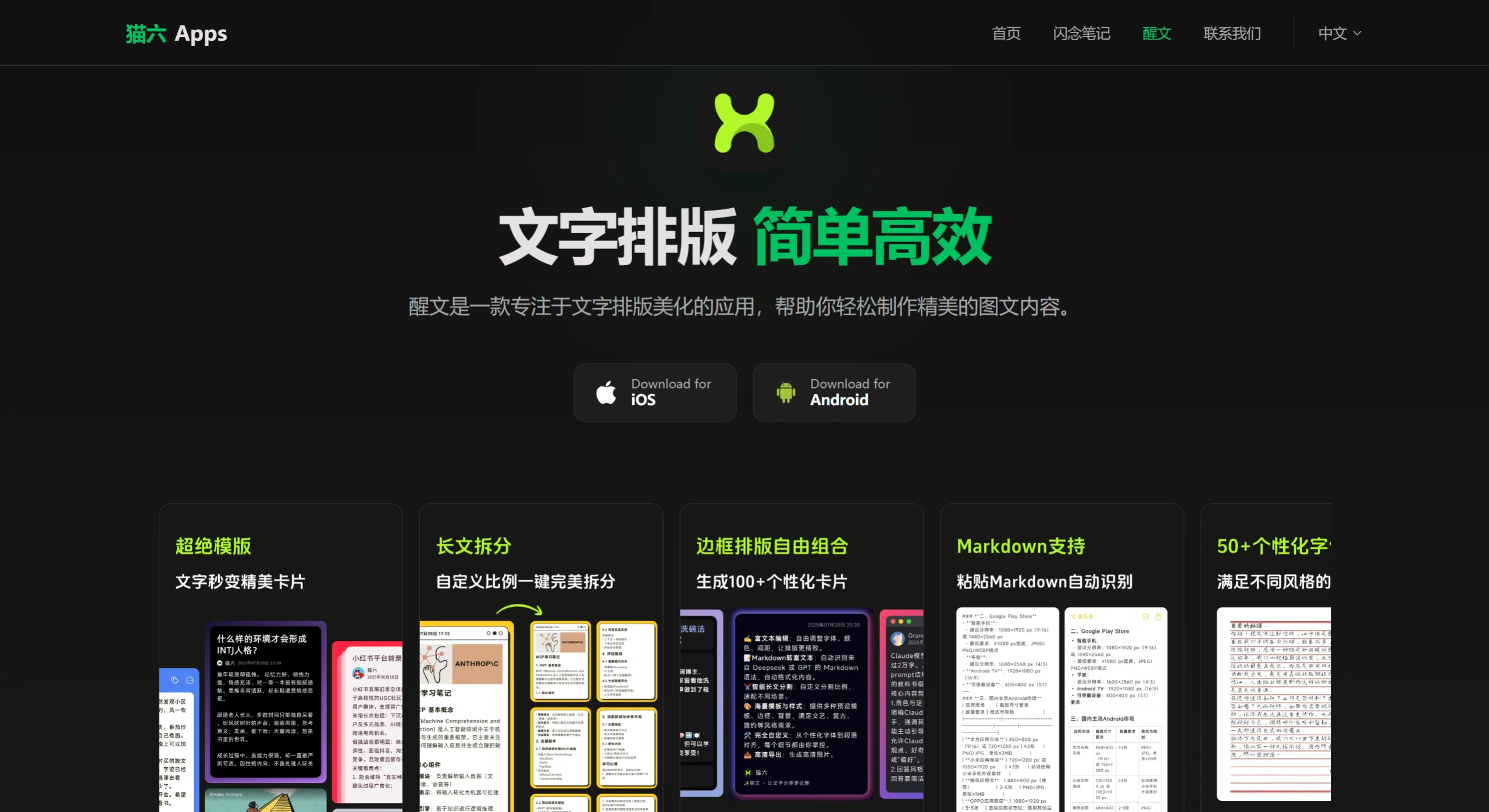
XingText (醒文) is an app developed by 猫六Apps specifically designed for long-form text layout and text cards. It's not an AI writing tool, but rather a layout powerhouse that turns your finished content into refined graphics. It supports Markdown conversion, smart pagination, and a wide range of beautiful templates—with one tap you can create eye-catching images perfect for posting on Xiaohongshu or WeChat Moments, turning text sharing into something truly special.
Main Features of XingText (醒文)
Rich Text Editing: Customize fonts, colors, and spacing with over 50 stylish fonts that are constantly being updated—full control over every layout detail.
Markdown to Rich Text: Paste Markdown content directly and it automatically formats for you, eliminating the hassle of manual layout.
Smart Long-Text Splitting: Supports both automatic and manual pagination, automatically breaking long texts into sizes suitable for WeChat Moments and Xiaohongshu posts.
Social Media Link Extraction: Extract content from links to WeChat Official Accounts, Xiaohongshu, and more with one tap, quickly converting them into cards.
Personalized Decorations: Customize backgrounds, watermarks, and stickers, and highlight or annotate directly on cards.
Templates and Styles: Built-in templates in literary, vintage, minimalist, and other styles—beginners can create polished output with ease.
High-Definition Export: Generated HD images can be shared directly to any platform, and split long texts also support PDF export.
Cross-App Integration: Supports importing content directly from the 闪念笔记 (Flash Note) app for layout.
Use Cases for XingText (醒文)
Social Media Operations: Create Xiaohongshu graphics, WeChat Moments long images, and Weibo visuals, perfectly solving character or size limits on platforms.
Writing and Creation: Beautifully format poetry, prose, and letters—turning text itself into visual art.
Work and Study: Turn meeting notes, reading notes, and report highlights into cards for easy sharing and archiving.
Life Records: Travel diaries, book and movie reviews, holiday greeting cards—add a touch of ritual to everyday records.
How to Use XingText (醒文)
Search for "醒文" in the app store and download the app (available on both iOS and Android).
Register and log in, then browse the template library on the home page and pick one based on your preferred style or purpose.
Choose a template and start editing—paste text or import Markdown or social media links.
Adjust fonts, colors, and backgrounds; add stickers or watermarks.
If your content is too long, use the "Long-Text Splitting" feature for automatic or manual pagination.
Once the preview looks good, export as a high-definition image or PDF.
Pros and Cons of XingText (醒文)
Pros
Refined layout with on-trend templates and fast image generation.
The long-text splitting feature is especially practical, solving the pain point of posting long content to WeChat Moments or Xiaohongshu.
Supports Markdown and link extraction, making it very friendly for content creators.
One-time purchase model rather than subscription, so the long-term cost is low.
Cons
Currently only available as a mobile app with no web version, which can be a bit cumbersome when handling very large amounts of content.
The core capability is layout beautification, not AI writing—you need to have content first before you can process it.
Although there are many fonts and templates, deep customization like CSS styles is relatively limited.
XingText (醒文) vs. Competitors
| Comparison Dimension | XingText (醒文) | Huangyou Camera (黄油相机) | Zine |
|---|---|---|---|
| Product Positioning | Long-text layout and text card beautification, focused on turning text into refined graphics | Photo with text, social media graphics covers, leaning toward image editing and decoration | Mobile graphic notes and document recording, balancing writing, layout, and publishing |
| Long-Text Handling | Core strength: smart long-text splitting, automatic/manual pagination, solves the pain point of posting long content on WeChat Moments/Xiaohongshu | Relatively weak, primarily single-image text decoration, not suitable for large blocks of text layout | Supports single articles of 50,000+ words with 100 images, can export long images, but no automatic pagination |
| Markdown Support | ✅ Paste and auto-format, no manual layout needed | ❌ Not supported | ✅ Supported, and MD files can be imported |
| Fonts and Layout | 50+ stylish fonts, adjustable colors, spacing, and alignment | Rich stylized text, Chinese/English fonts, stickers, filters, many literary templates | 70+ Chinese fonts (including calligraphy/Slender Gold script), 150+ traditional colors, vertical classical layouts, paper texture |
| Export Formats | HD images, PDF (after long-text splitting) | Images | HD long images, PDF, ePub, MOBI, HTML, JPEG |
| Cross-Platform Support | Mobile app only (iOS/Android) | Mobile app only | Full platform: iOS, Android, Web, Mini Program, PC |
| Cloud Sync | ❌ No, stored locally | ❌ No | ✅ Free cloud storage, content not lost when switching devices |
| Content Monetization | ❌ No | ❌ No | ✅ Supports article tips and paid reading for booklets |
| Pricing Model | Permanent one-time purchase, pay once for long-term use | Basic free + membership subscription (some materials paid) | Free version + subscription (Premium ¥168/year, Ultimate ¥388/year) |
| Learning Curve | Low, templates for direct output, long-text splitting done in one tap | Low, template application is fast | Medium, rich layout features but many options, takes time to adapt |
| Best For | Users who need to post long content to social platforms and seek a sense of ritual in text cards | Xiaohongshu bloggers, everyday photo-with-text, cover/daily-sign creators | Deep writers, creators needing multi-device sync/e-book export/WeChat Official Account sync |