
 Script Planner Assistant▸
 AI Apps
 AI News

LightPDF: Free Online PDF Editor and Converter with AI Document Chat
LightPDF: Free Online PDF Editor and Converter with AI Document ChatIntroduction
LightFlashPDF is a PDF tool that makes PDFs simpler, supporting a variety of PDF processing functions. Users can use LightFlashPDF for online editing without downloading, installing, or logging in. LightFlashPDF offers 25 free online PDF tools that allow you to convert, OCR, and edit PDFs. LightFlashPDF also supports text modification, image addition, PDF merging, compression, and many other operations. LightFlashPDF combines AI technology to support intelligent document conversation and OCR text recognition.
LightFlashPDF provides users with a clean, efficient, and easy-to-use platform, making it effortless to manage and edit PDF files.
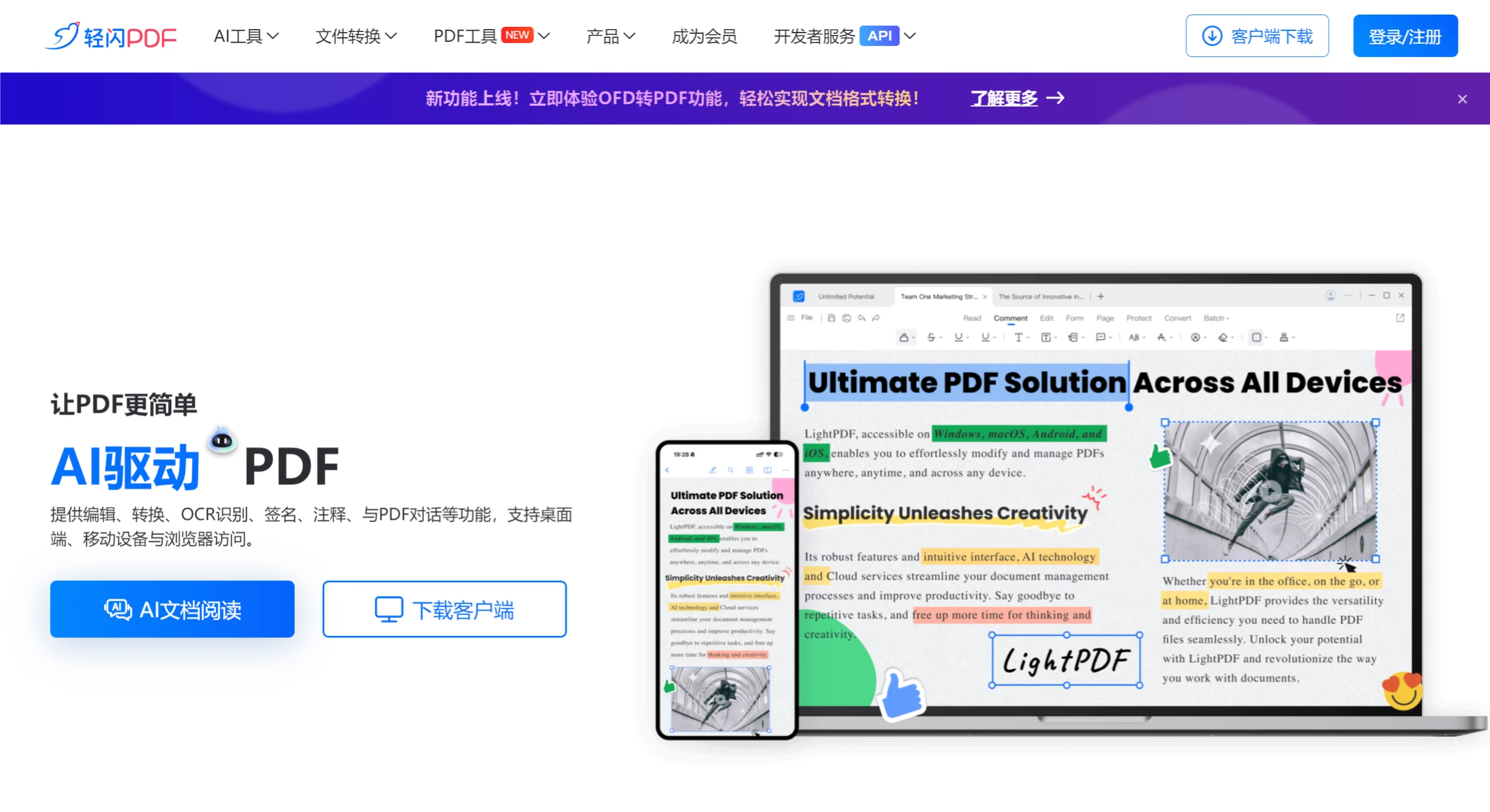
LightFlashPDF Features:
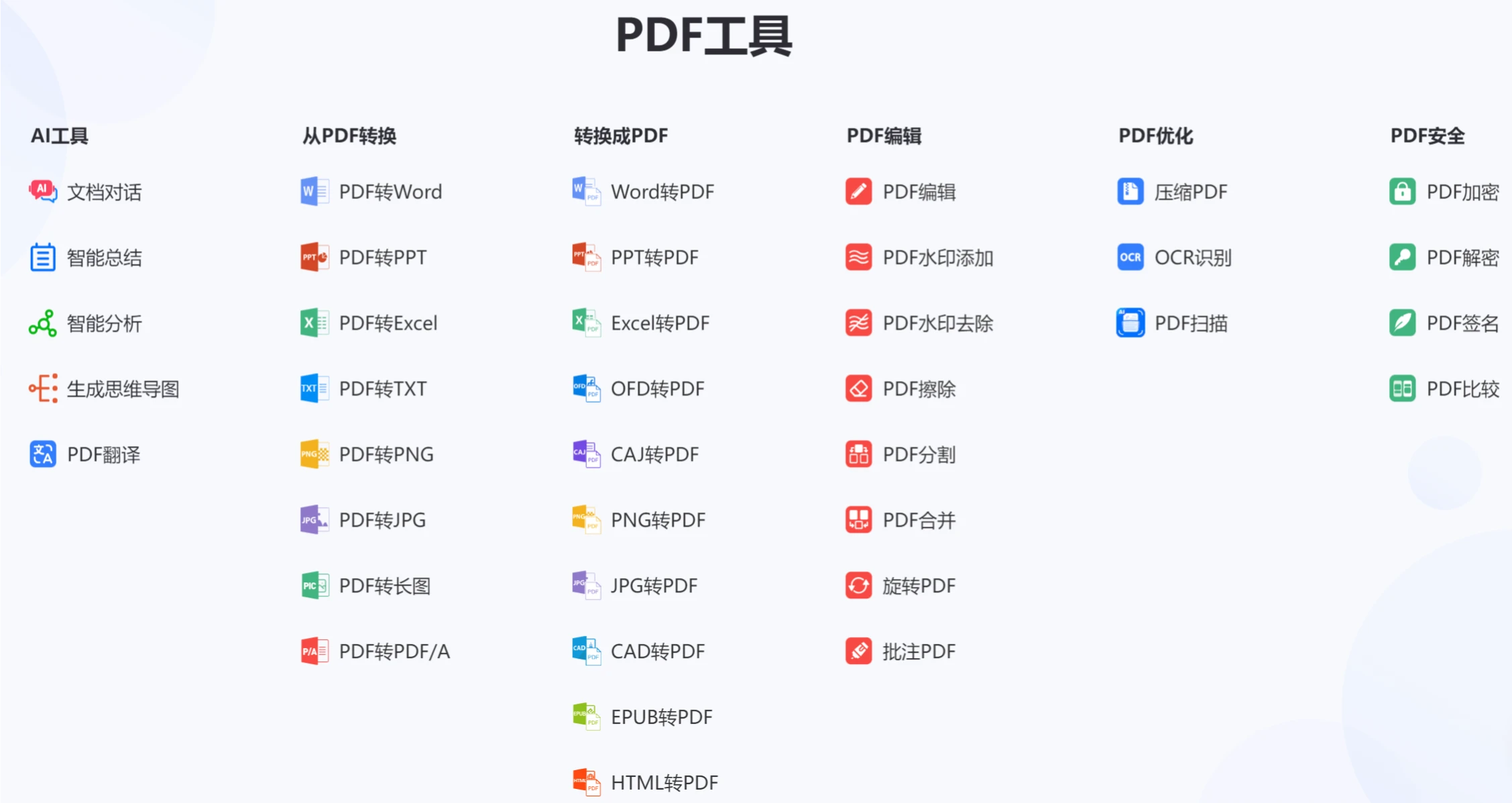
PDF Conversion: Capable of converting PDF files to Word, Excel, PPT, images, TXT, and many other formats, as well as converting other formats into PDF. The original file's formatting and layout are well preserved during the conversion process.
Editing Functions: Allows users to edit PDF documents directly online, including modifying text content, adjusting font style, size, and color, as well as adding or removing images, headers, footers, and more.
OCR Text Recognition: Supports OCR technology, which can recognize and convert text in scanned PDFs or images. It supports multiple languages, though Chinese OCR may require special attention to file processing in certain cases.
Merge & Split: Users can merge multiple PDF files into one, or split a single PDF document into multiple separate files.
Compression & Optimization: Provides PDF file compression functionality to help reduce file size.
Annotation & Markup: Includes annotation tools that allow adding highlights, underlines, strikethroughs, text boxes, shape annotations, and more, suitable for reading and reviewing PDF documents.
Security & Protection: Allows adding watermarks, backgrounds, and password protection to PDFs.
Cross-Device Sync: PDF uploads your documents to the cloud, making it easy to manage files and access them anytime, anywhere.
Cloud Document Sync: LightFlashPDF supports cloud document functionality, allowing users to upload PDFs to the cloud and access them across multiple devices.
AI Document Conversation: You can upload PDFs, Word, Excel, PPT, EPUB, TXT, webpage links, and scanned image files to quickly obtain document summaries and analysis.
Using LightFlashPDF:
Get Started: Use the online editing features directly without registration.
Upload Document: Upload PDF files to the cloud for editing.
Editing Operations: Supports basic operations such as text modification and image addition.
Save & Download: After editing, files can be saved locally or to the cloud.
Help & Support: Provides online help documentation and customer service support.
LightFlashPDF also offers a series of professional PDF API and SDK solutions, which you can integrate into your web and mobile applications.













