
 Script Planner Assistant▸
 AI Apps
 AI News

Caesium.App: A Free Open-Source Online Image Compressor
Caesium.App: A Free Open-Source Online Image CompressorIntroduction
Caesium is a free, open-source online image compression tool that supports batch processing and preview for formats such as JPG and PNG. It can compress photos to 90% of their original size without any loss of quality. With its simple and efficient features, Caesium has become a popular choice for photographers, bloggers, website administrators, and other users looking to optimize their images.
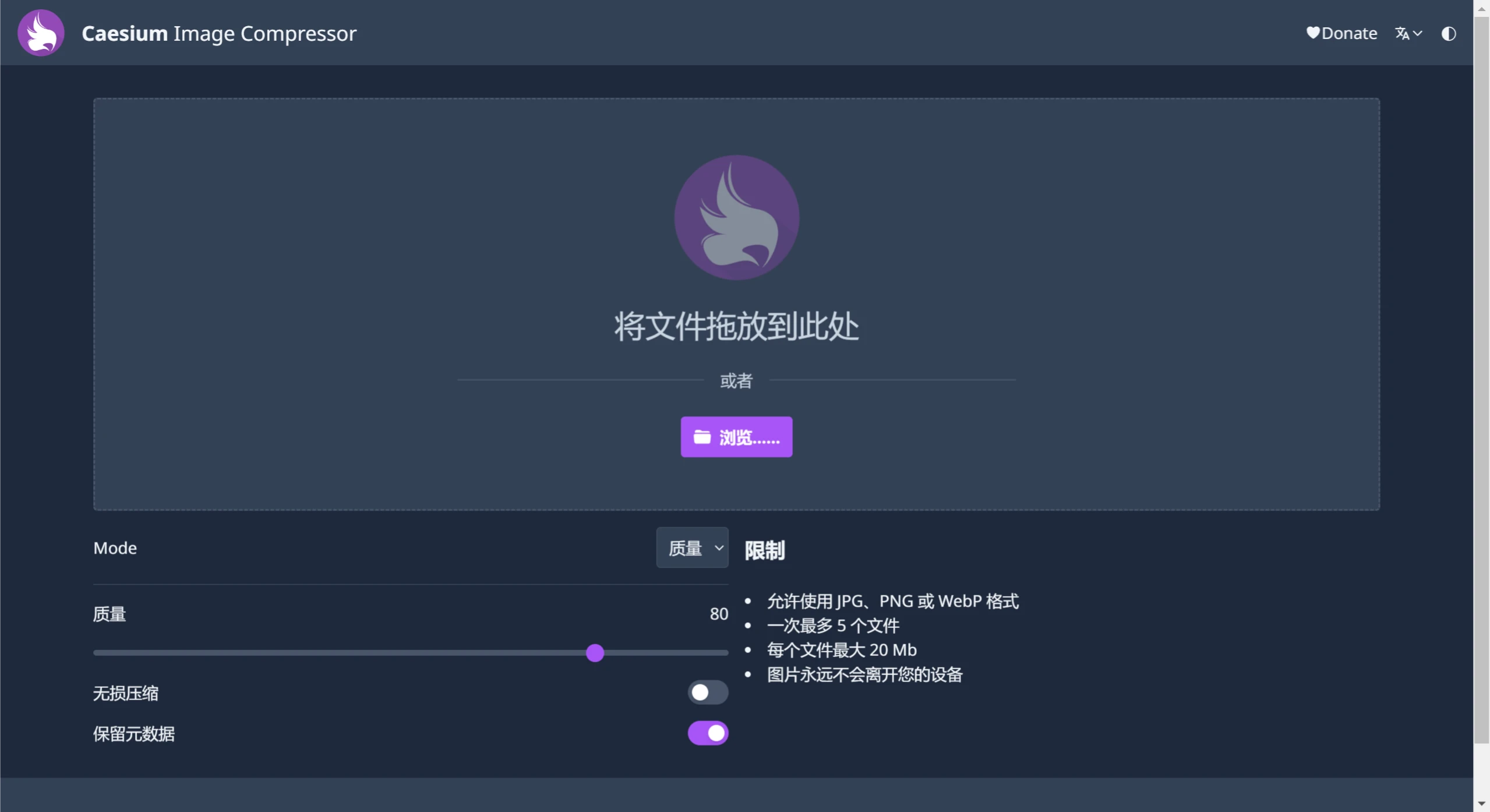
Caesium.app Features:
Free and Open Source: Caesium.app is available for free, and its source code is open.
Cross-Platform Support: It supports not only Windows and MacOS, but also a Linux version along with a command-line tool (CaesiumCLT), and even provides App Beta versions for iOS, Android, and Windows Phone.
Efficient Compression: Caesium can compress images by up to 90% with virtually no loss of visual quality.
Batch Processing: Users can upload and compress multiple images at once.
Custom Settings: It provides a variety of compression options, including image quality adjustment, lossless compression mode, and output format selection (such as JPG, PNG, GIF, or WebP).
Real-Time Preview: Before compression, users can preview the compression effect.
File Size Limit: The online version allows uploading up to 5 images at a time, with each image not exceeding 20MB, while the desktop client version has no such limitations.
How to Use Caesium.app?
Visit the Website: Go to Caesium's online compression tool website.
Upload Images: Click the upload button, select the images you want to compress, or drag and drop them into the upload area.
Adjust Settings: Adjust the quality percentage and choose whether to enable lossless compression and retain metadata.
Start Compression: Once the settings are configured, click the 【Compress】 button.
Download Compressed Images: After compression is complete, click 【Download All】 to save them.
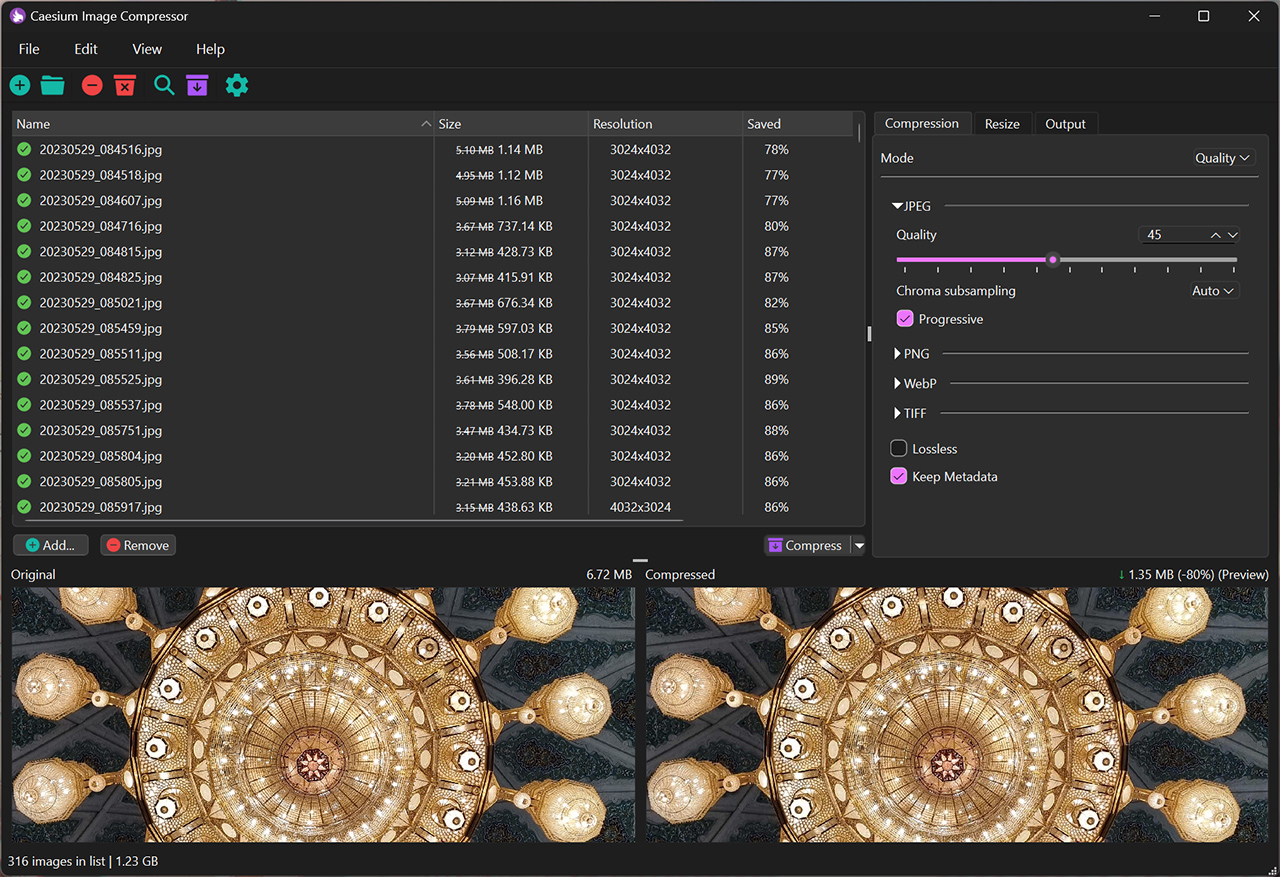
Platforms Supported by Caesium.app:
Caesium.app can be used as a web-based online application, or as downloadable software on Windows, MacOS, and Linux platforms. The online version is suitable for users who prefer not to install software on their devices, while the desktop version offers more options for users who need more powerful features.
Windows: 10 (version 1809 or higher) (Windows 7 or 8 users use the legacy version v1.x - link)
MacOS: 10.15+
Linux: Tested on Ubuntu 22.04 and Manjaro
Note: Only 64-bit versions are supported.
With its simple and efficient features, Caesium has become one of the best tools for photographers, bloggers, website designers, and other users to optimize and compress images.















