
 Script Planner Assistant▸
 AI Apps
 AI News

StarizonAI: Browser Sidebar AI Assistant for Chat, Web/Video & Document Summarization
StarizonAI: Browser Sidebar AI Assistant for Chat, Web/Video & Document SummarizationIntroduction
StarizonAI, an efficient browsing and automated artificial intelligence agent and browser assistant. StarizonAI enables AI chat synchronized on the same screen in a webpage sidebar, webpage/video summaries, document chat summaries, single-page/multi-page reading assistance, and more.
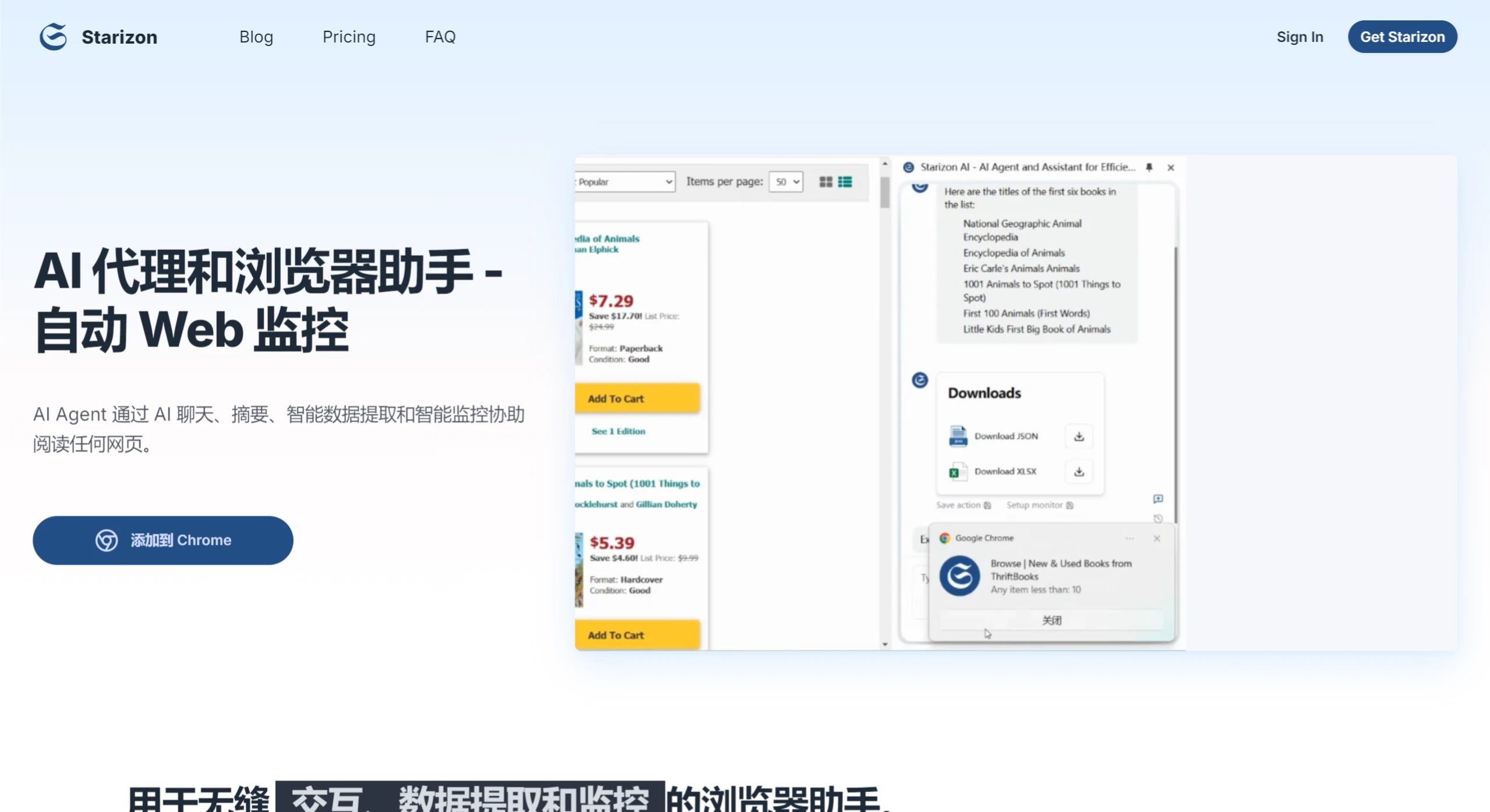
Main Features of StarizonAI:
AI Chat
Open the side panel to start chatting and easily ask anything.
Chat and Summarize
Webpage Summary: Get a summary without reading the entire webpage.
Webpage Chat: Chat directly with the webpage and get answers based on its content.
Multi-Webpage Chat/Summary: Chat with or summarize multiple webpages at the same time, allowing you to interact with and gain insights from multiple sources simultaneously.
Document Chat: Upload documents and ask specific questions to streamline research.
YouTube Insights
Summarize and repurpose YouTube content
Webpage Automation
Page Actions: Input tasks in plain language and let the AI assistant automatically perform browser actions on the page.
Replay: Save executed page actions and replay them for free on similarly structured pages.
Complex Agent: A page action agent with cross-page/multi-step reasoning and autonomous decision-making capabilities (coming soon).
Extract Webpage Data
Data Extraction: Chat directly with the webpage to extract data from it.
Data Download: Available in XLSX and JSON formats.
Replay: Save your data extraction actions and replay them for free on similarly structured pages.
Schedule Data Monitoring and Alerts
The Webpage Tracker can automatically refresh any webpage and retrieve data on a schedule, monitoring information such as pricing, inventory, and other webpage elements. Trigger alerts or endpoints based on pre-set rules.
How to Use StarizonAI?
Click the "Add to Chrome" button and pin it to the tools bar.
Log in to your account or configure your OpenAI API key.
Press Cmd/Ctrl + Shift + S to activate Starizon.
Start using AI!
Benefits of Starizon:
AI Assistance, Anytime, Anywhere: StarizonAI delivers seamless AI conversations right from a convenient side panel. Interact with web content, summarize documents, and boost productivity with ease. Whether you're browsing, drafting, or chatting, our AI supports you with unmatched efficiency and innovation.
Smart Data Extraction and Replay: StarizonAI makes it easy to extract and analyze web data through AI-driven conversations. Save extraction actions for future use, allowing you to repeat the process on similar pages without using extra tokens. Perfect for automating repetitive tasks and boosting productivity.
Smart Web Monitoring and Notifications: StarizonAI leverages smart data extraction to schedule regular monitoring of webpages. After analyzing the data, set specific intervals for automatic checks to track updates. Define custom rules or have the AI analyze the data, and push notifications and relevant information directly to multiple channels when conditions are met.
Frequently Asked Questions about StarizonAI:
Do I need a ChatGPT/OpenAI account?
No, you don't need to have a ChatGPT account to use this extension. You can create an account for free on our website.
ChatGPT is restricted in my country. Will this extension work in my country?
Yes, we are available in all countries/regions.
Is it free to use?
Yes, we provide 100,000 tokens for new users and a weekly quota of 10,000 tokens for ongoing users. For unlimited use, please consider our Pro plan.















