Script Planner Assistant▸
 AI Apps
 AI News

Font Squirrel: High-Quality Free Commercial Fonts
Font Squirrel: High-Quality Free Commercial FontsIntroduction
Font Squirrel, known in Chinese as 字体松鼠, is a popular font website that provides high-quality free commercial-use fonts for download. Users can find thousands of completely legitimate free fonts here, suitable for various design projects. The font files on Font Squirrel are safe and reliable, and most fonts support @font-face, making them convenient for web design use. For designers, it is an ideal platform to explore and download quality fonts.
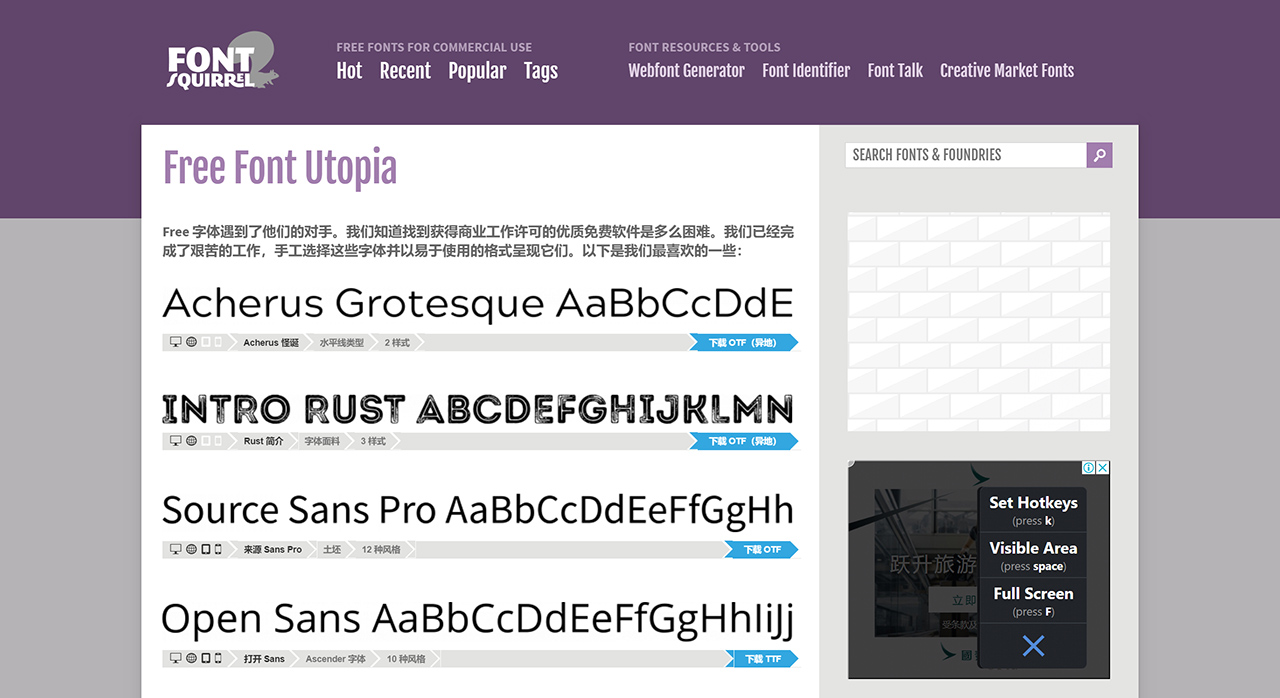
Font Squirrel Features:
High-Quality Free Font Library: The website offers thousands of carefully curated free fonts, covering multiple styles and uses to meet different design needs.
Commercial Licensing: Fonts on Font Squirrel are clearly marked with their commercial licenses, ensuring users can confidently use them in commercial projects without worrying about copyright issues.
Webfont Generator: Users can convert local fonts into web-friendly formats (such as EOT, WOFF, WOFF2, SVG, and TTF), ensuring font compatibility across different browsers.
Font Identification: The Font Identifier feature provided by Font Squirrel helps users identify fonts by uploading text from images, similar to a font recognition service, making it convenient for users to find the fonts they love.
Multi-Language Support: Although Font Squirrel primarily features an English interface, its font library also includes fonts for multiple languages, especially English and some common Latin character sets, which is very useful for projects requiring internationalized design.
How to Use Font Squirrel's Webfont Generator?
Visit the Font Squirrel Website: First, open the official Font Squirrel website and find the Webfont Generator tool webfont-generator.
Upload Font Files: Click the "upload fonts" button and select the font file you want to convert. Multiple formats are supported, such as TTF, OTF, etc.
Confirm Legality: After uploading, the system will ask you to confirm that the uploaded fonts are legally eligible for web embedding. Select "Yes, the fonts I'm uploading are legally eligible for web embedding." to continue.
Select Output Formats: Choose the font formats to convert as needed, including .eot, .woff, .ttf, .svg, etc. Different browsers support different font formats, so it is recommended to select multiple formats to ensure compatibility.
Generate Font Package: Click the "Build" button, and Font Squirrel will begin processing your request and generate a compressed package containing all required files and CSS code.
Download Font Package: Once processing is complete, you will see a download button. Click it to download the generated font package. This package includes the converted font files and the corresponding CSS style code.
Define Fonts Using @font-face: Upload the downloaded font files to your server and use the @font-face rule in CSS to define these fonts.
However, recently some users have reported issues with this tool in certain situations, such as being unable to convert certain freely licensed fonts.
Font Squirrel, as a reliable font resource website, is suitable for designers and web developers. However, when using its tools and downloading fonts, users should pay attention to checking the usage license of each font when using the fonts it provides.