
 Script Planner Assistant▸
 AI Apps
 AI News

Lusun Screen Recorder: A Minimalist Video Recording Tool
Lusun Screen Recorder: A Minimalist Video Recording ToolIntroduction
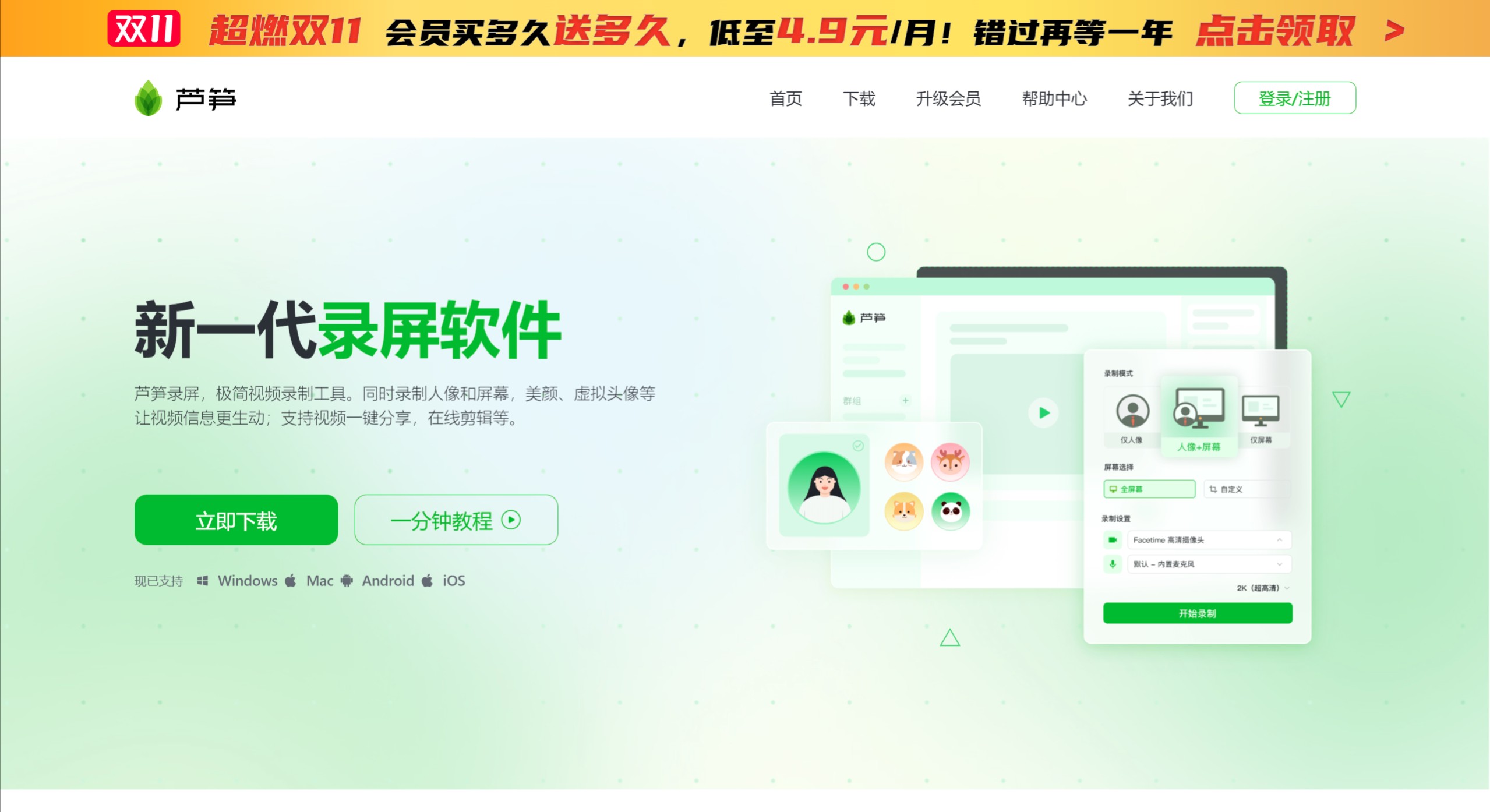
Lusun Recorder is a new generation screen recording tool. Compared with traditional screen recording tools, Lusun not only records your screen, but also captures "person + screen" simultaneously. In addition, Lusun Recorder offers advanced features such as beautification, virtual backgrounds, green screen keying, and lightweight editing, making it suitable for teaching, presentations, and similar scenarios. You can automatically upload your recorded videos to the cloud and share them via a one-click video link, allowing viewers to watch and comment without downloading anything.
Lusun Recorder Features:
Recording Features
Person and screen recorded simultaneously: Users can capture webcam footage and screen content at the same time, ideal for creating tutorial videos or product demos.
Diverse recording modes: Offers three modes — person only, person + screen, and screen only — to meet different needs.
Smart keying and virtual backgrounds: Leveraging green screen keying, white wall keying, and other technologies, users can select or customize backgrounds to enhance the professionalism of their videos.
Audio and video settings: Supports recording microphone audio and system audio, with multiple clarity options including HD, ultra HD, and even 2K.
Editing
Built-in editing tools: A simple and easy-to-use editing interface that supports adding covers, watermarks, auto-generated subtitles, as well as cloud storage and management.
Advanced editing options: Include a drawing tool, an AI teleprompter, and detailed adjustments to video content.
Sharing and Interaction
One-click sharing: Once recording is complete, videos are automatically uploaded to the cloud and a shareable link is generated, with no additional downloads required.
Interactive comments: Viewers can leave frame-level comments on the video's timeline, enhancing communication.
Sharing settings: Support link and QR code sharing, with options for password-protected access and even paid viewing content.
Lusun Recorder Use Cases:
Teachers: Record person and screen, highlight key points with drawing tools, share video links with one click for anytime viewing and replay, and build curated learning series.
Sales / After-sales: Record walkthroughs of presentations, products, or websites, use advanced reports to track viewer counts and watch time to boost lead conversion, and answer customer questions about product operations.
Internet/tech: Sync project progress, data reports, and product bugs, reduce unnecessary meetings, achieve efficient communication, and build a video knowledge base for product walkthroughs, project reviews, and training.
Gaming: No downloads needed, start online HD recording with one click, edit online, quickly clip your highlight moments, interact with video comments, and create private gaming communities.
How to Use Lusun Recorder
1. Visit the Lusun official website.
2. Click 【Start Now】 to launch the online recording feature.
3. Select a recording mode, such as person, screen, or person + screen.
4. After starting recording, you can choose to record microphone audio and system audio.
Membership Benefits
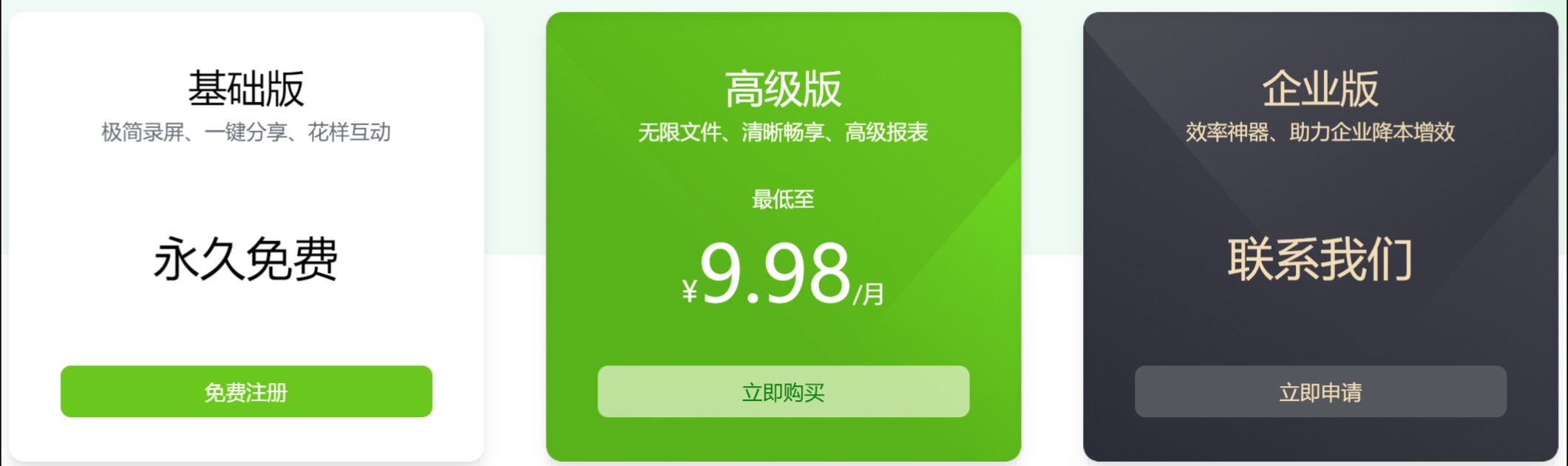
Currently, the main differences between Lusun Recorder's Basic and Premium versions are: the Premium version offers unlimited video storage, extra-long recording for individual videos, green screen keying, virtual backgrounds, a hidden teleprompter, and higher clarity options.















